

Accidents happen, and one of the most dreaded ones is when you accidentally wash your phone in the washing machine. The panic sets in as you imagine all your precious photos, contacts, and data being destroyed. But fear not! There are steps you can take to potentially save your phone and salvage your data. In this article, we will explore some quick fixes and tips on what to do if you find yourself in this unfortunate situation.
Step 1: Do Not Panic
First and foremost, it is important to stay calm. Panicking will not help the situation and may even cause you to make hasty decisions that could further damage your phone. Take a deep breath and proceed with the following steps.
Step 2: Remove Your Phone Immediately
Time is of the essence! As soon as you realize your phone is in the washing machine, remove it immediately. The longer it stays in the water, the greater the chance of irreversible damage. Be careful not to get electrocuted in the process and ensure that your hands are dry before handling your phone.
Step 3: Do Not Turn It On
This may seem obvious, but it is crucial not to turn on your phone after it has been submerged in water. Even if it appears to be functioning, there could still be water inside that can cause a short circuit. Turning it on can further damage the internal components and decrease the chances of successful recovery.
Step 4: Remove the Battery (if possible)
If your phone has a removable battery, take it out as soon as possible. This will help prevent any electrical currents from flowing through the device and potentially causing further damage. If your phone’s battery is not removable, skip this step.
Step 5: Dry Your Phone
Now it’s time to dry your phone. Use a soft cloth or towel to gently pat it dry. Avoid using a hairdryer or any other heat source, as excessive heat can damage the internal components. You can also place your phone in a bowl of uncooked rice or silica gel packets to help absorb the moisture. Leave it there for at least 24 hours.
Step 6: Test Your Phone
After waiting for a sufficient amount of time, try turning on your phone. If it doesn’t turn on, try charging it to see if the battery is drained. If your phone still doesn’t work, it may be time to seek professional help or consider getting a new device.
Remember, these steps are not guaranteed to fix your phone completely, but they give you the best chance of salvaging your data and recovering your device. Prevention is always better than cure, so be sure to take extra care with your phone in the future to avoid such accidents.
By following these quick fixes and tips, you may be able to save your phone from washing machine disaster. Don’t lose hope and give it a try!
- Turn off your phone immediately
- Remove the SIM card and any removable parts
- Why remove the SIM card?
- How to remove the SIM card and other removable parts
- Do not try to turn it on
- Remove excess water and dry your phone
- 1. Power off your phone
- 2. Remove the battery and SIM card
- 3. Wipe the exterior
- 4. Air dry
- 5. Use desiccants or rice
- 6. Wait patiently
- Use a desiccant or rice to absorb moisture
- Avoid using heat sources to dry your phone
- Video on the topic
- WHOLESALE PRICED MICROFIBER AT BARGAIN PRICES
- Dry Your Wet Water Damaged Phone ● I Found The Fastest Way ( Rice is the Worst ! )
- What If We Stopped Washing Hair? | Importance of HAIR WASH | The Dr Binocs Show | Peekaboo Kidz
- Answers to frequently asked questions
Turn off your phone immediately
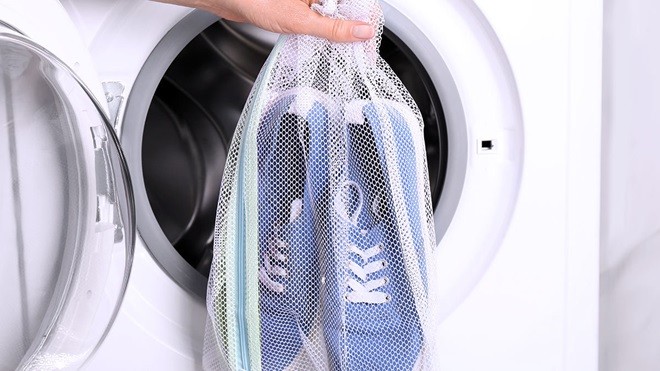
If you have mistakenly washed your phone in the washing machine, the first step you need to take is turning it off as soon as possible. Water can cause significant damage to the phone’s internal components, and leaving it on may increase the risk of short circuits that can render your device beyond repair. By turning off your phone, you minimize the chances of further damage and improve the likelihood of successful recovery.
Remove the SIM card and any removable parts
If you have accidentally washed your phone in the washing machine, it is important to take immediate action to prevent further damage. One of the first steps you should take is to remove the SIM card and any other removable parts from your phone.
Why remove the SIM card?

The SIM card is a small chip that stores important information, such as your phone number and contacts. When your phone gets wet, the water can seep into the SIM card slot and damage the chip. By removing the SIM card, you can minimize the risk of water damage and preserve your important data.
How to remove the SIM card and other removable parts

Every phone has a slightly different way of removing the SIM card, so refer to the user manual or do a quick internet search for instructions specific to your model. In most cases, you will need a SIM card removal tool, which is usually included with your phone or can be easily purchased online or at a mobile phone store.
Typically, you will need to locate the SIM card slot, which is usually located on the side of the phone or underneath the battery. Once you have located the slot, insert the SIM card removal tool into the small hole next to the slot and apply gentle pressure to eject the SIM card tray. Carefully remove the SIM card from the tray and set it aside.
In addition to the SIM card, you may also have other removable parts, such as a memory card or battery. Remove these parts as well, if possible, to ensure that they do not get damaged by water.
| Step | Instructions |
|---|---|
| 1 | Refer to the user manual or search online for instructions specific to your model |
| 2 | Locate the SIM card slot |
| 3 | Insert the SIM card removal tool into the small hole next to the slot |
| 4 | Apply gentle pressure to eject the SIM card tray |
| 5 | Remove the SIM card from the tray |
| 6 | Remove any other removable parts, such as a memory card or battery |
By taking the time to remove the SIM card and any other removable parts from your phone, you can minimize the risk of further damage and increase the chances of saving your device.
Do not try to turn it on
If you have accidentally washed your phone in the washing machine, the first thing you need to do is resist the temptation to turn it on. This may seem counterintuitive, especially if you are worried about whether your phone is still functioning. However, attempting to turn on a wet phone can cause further damage and decrease the chances of successful recovery.
The reason you should not try to turn on your phone is that water can seep into internal components and create short circuits. These short circuits can lead to permanent damage and render your phone completely unusable. By trying to power on the phone while it’s still wet, you are essentially risking the chance of irreversible harm.
Instead, the best course of action is to immediately power off your phone if it’s still on and remove the battery if it’s removable. For phones with non-removable batteries, simply power off the device. This helps prevent any electrical current from flowing through the wet components and potentially causing more harm.
Remember, patience is key when dealing with a wet phone. It may be difficult, but resist the urge to turn it on and give it time to dry out completely before attempting to power it back on. Rushing the process can only lead to further damage.
If you follow this advice and take the necessary steps to dry out your phone properly, there’s a good chance you can salvage it and have it working again. So, be patient, take care of your wet phone, and keep your fingers crossed for a successful recovery!
Remove excess water and dry your phone

After retrieving your phone from the washing machine, the first step is to remove any excess water to prevent further damage. Here are some steps to help you dry your phone:
1. Power off your phone
Turn off your phone immediately to avoid any potential short circuits. Do not attempt to turn it on or charge it until it is completely dry.
2. Remove the battery and SIM card
If possible, remove the battery and SIM card from your phone. This will help prevent any damage caused by lingering moisture.
3. Wipe the exterior

Gently wipe the exterior of your phone with a soft microfiber cloth to remove any water droplets. Be careful not to push any water further into the phone’s openings.
4. Air dry

Place your phone in a dry and well-ventilated area. Avoid using heat sources such as hair dryers or ovens, as the high temperatures can damage your phone’s internal components. Instead, allow your phone to air dry naturally.
5. Use desiccants or rice

If available, you can place your phone in a container with a desiccant, such as silica gel packets or uncooked rice. These materials can help absorb moisture from your phone. Ensure that your phone is well-coated, but do not bury it completely.
6. Wait patiently

Wait at least 48 hours before attempting to turn your phone back on. This will allow enough time for the moisture to evaporate completely. Rushing this process may cause irreparable damage to your phone.
- Do not try to use any quick drying methods like a microwave or oven, as this can seriously damage your phone.
- Keep your phone away from direct sunlight, as excessive heat can also cause damage to your phone’s components.
- If after following these steps your phone still does not work properly, you may need to consult a professional or contact your phone’s manufacturer for further assistance.
Remember, prevention is always the best solution. Keep your phone away from water sources and consider investing in a waterproof case to protect it in the future.
Use a desiccant or rice to absorb moisture

If you have mistakenly washed your phone in the washing machine, it’s important to act quickly to prevent further damage. One of the most effective ways to remove moisture from your wet device is to use a desiccant or rice.
A desiccant is a substance that has the ability to absorb moisture from its surroundings. Silica gel packets, commonly found in shoe boxes or packaged with electronics, are a popular type of desiccant. If you don’t have any silica gel packets on hand, you can use uncooked rice as a substitute.
To use a desiccant or rice, follow these steps:
- Remove your phone from the washing machine immediately.
- Turn off your phone and remove the battery, if possible.
- Pour the desiccant or rice into a plastic bag.
- Place your phone in the bag with the desiccant or rice.
- Seal the bag tightly to create an airtight environment.
- Leave your phone in the bag for at least 24 to 48 hours.
During this time, the desiccant or rice will naturally absorb the moisture from your phone. This can greatly increase the chances of salvaging your device and preventing further damage. However, it’s important to note that this method is not foolproof and there is no guarantee of success.
After the recommended time has passed, remove your phone from the bag and inspect it for any remaining moisture. If there is still moisture present, you may need to repeat the process or consider seeking professional help.
Remember, it’s crucial to resist the temptation to turn on your phone during this period, as it could cause a short circuit and further damage your device. Patience is key when dealing with a wet phone.
If using a desiccant or rice does not solve the issue, it’s advisable to take your phone to a professional repair service or contact the manufacturer for further assistance.
Avoid using heat sources to dry your phone

It can be tempting to use a hairdryer, oven, or any other heat source to dry your phone quickly, but this is not recommended. Exposing your phone to high heat can cause damage to the internal components, leading to further problems.
Instead, opt for a more gentle and natural drying method. Firstly, use a soft cloth or towel to gently remove any excess water from the exterior of the phone. Then, carefully disassemble the phone if possible, removing the battery, SIM card, and any other removable components.
Next, place the phone and its components in a resealable bag or container filled with uncooked rice. Rice is known for its ability to absorb moisture and can help to dry out your phone effectively. Leave the phone in the rice for at least 24 hours to ensure that all the moisture is absorbed.
After the 24-hour period, reassemble your phone and check if it is working properly. If not, you may need to consider professional repairs or replacement options.
Remember, patience is key when drying out a wet phone. Rushing the drying process with heat can cause more harm than good, so it’s important to take your time and allow the natural drying method to work effectively.
Video on the topic
WHOLESALE PRICED MICROFIBER AT BARGAIN PRICES
Dry Your Wet Water Damaged Phone ● I Found The Fastest Way ( Rice is the Worst ! )
What If We Stopped Washing Hair? | Importance of HAIR WASH | The Dr Binocs Show | Peekaboo Kidz
Answers to frequently asked questions
Read more practical tips and expert opinions about modern devices at appliances-news.com. Here you will find answers to questions about any technology.


