Having a washing machine break down can be a frustrating experience, especially when you have a pile of dirty laundry waiting to be cleaned. However, before you panic and call for professional help, there are several troubleshooting tips you can try to get your washing machine back up and running.
1. Check the power supply: Ensure that your washing machine is properly plugged in and receiving power. Sometimes, a loose power cord or a tripped circuit breaker can be the reason behind a malfunctioning machine.
2. Examine the water supply: Make sure that the water supply valves are fully open and that there are no kinks or blockages in the hoses. Insufficient water supply can prevent your washing machine from functioning properly.
3. Inspect the door/lid switch: If your washing machine’s door or lid is not properly closed or if the switch that detects the closure is faulty, the machine may refuse to start. Ensure that the door or lid is securely closed and check if the switch is damaged.
4. Clear any clogs or obstructions: Blockages in the drainage system or in specific components of the machine, such as the pump or filters, can cause program disruptions. Clean out any clogs or obstructions to restore proper functionality.
5. Consult the user manual: If you’re unsure about the specific troubleshooting steps for your washing machine model, refer to the user manual provided by the manufacturer. It can offer valuable insights and guidance on resolving common issues.
Note: If you are unable to resolve the issue after trying these troubleshooting tips, it is recommended to contact a qualified technician or the manufacturer’s customer support for further assistance.
Remember, understanding the basic troubleshooting steps can help you save time, money, and frustration. By following these tips, you may be able to get your washing machine program back in order and have your laundry back on track in no time.
- Common issues with washing machine programs
- Understanding the problem
- Identify the symptoms
- Check for common issues
- Diagnosing the issue
- Fixing the problem
- Video on the topic
- Washer Won’t Start — Washing Machine Troubleshooting
- GE Washer Troubleshooting – How to Find Error Codes, and Reset a GE Washer
- How to Diagnose Washing Machine Control and Program Problems
- How to Use Troubleshooting Mode on a Whirlpool, Maytag or Amana Washer AND Understand the Codes!
- No Display on Washing Machine: Troubleshooting Tips from Sears Home Services
- Answers to frequently asked questions
Common issues with washing machine programs
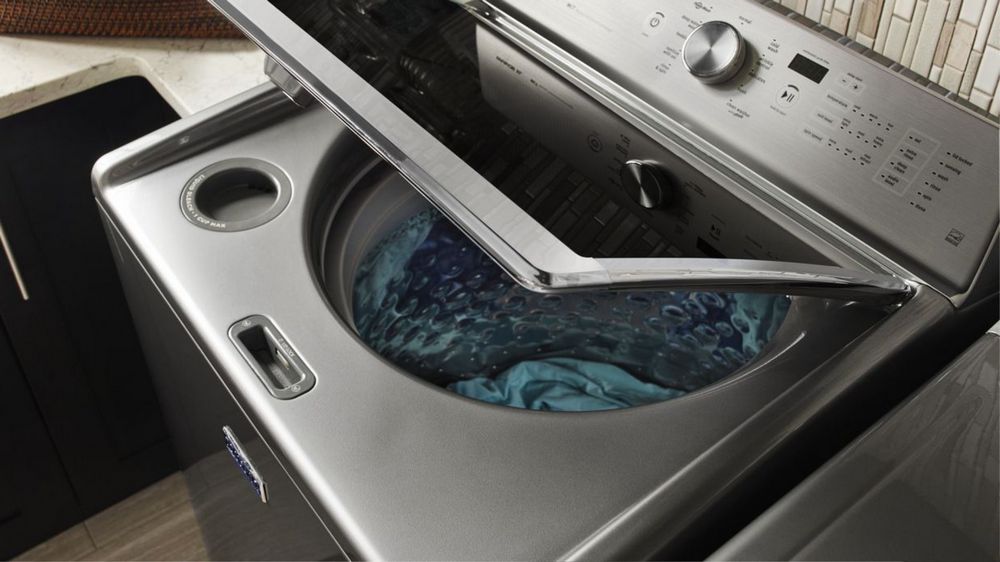
While washing machines are designed to make our lives easier, they can sometimes encounter issues with their programs. Here are some common problems that you may encounter with your washing machine programs:
- The program is not starting: If your washing machine program is not starting at all, it could be due to a variety of issues. Check if the power supply is connected properly and ensure that there is no loose connection. Also, make sure that the water supply is turned on.
- The program is stuck: Sometimes, the washing machine program may get stuck and not proceed to the next step. This could indicate a problem with the control panel or a malfunction in the timer. Try resetting the program or consult a professional for assistance.
- Inconsistent water temperature: If you notice that the water temperature is not consistent throughout the wash cycle, it could be a problem with the heating element or temperature sensor. These components may need to be replaced to restore proper functionality.
- Excessive noise during operation: Washing machines can sometimes make loud noises during operation, which can be disruptive. This could be due to a faulty motor or worn-out bearings. It is advisable to get these parts checked and replaced if necessary.
- The program is not completing: If your washing machine program runs indefinitely and does not complete, it may be due to issues with the drain pump or clogged filters. Check for any blockages and clean the filters to ensure proper drainage.
- Error codes on display: Many modern washing machines come with error code displays that indicate specific issues. Refer to the user manual to identify the meaning of the error code and take appropriate action.
Remember, if you are unable to troubleshoot the issue on your own, it is always best to seek professional help. Attempting to fix complex problems without proper knowledge or expertise may cause further damage to your washing machine.
Understanding the problem
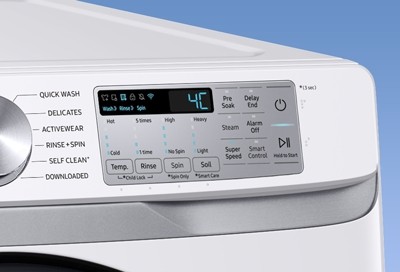
When your washing machine program is out of order, it can be frustrating and inconvenient. However, understanding the problem can help you troubleshoot and resolve the issue quickly.
Identify the symptoms
The first step in understanding the problem is to identify the symptoms. Note any unusual behavior or error messages that your washing machine is displaying. Common symptoms may include:
- No power or power outage
- Error codes
- Incomplete cycles
- Noisy operations
- Leaking water
- Foul odors
By determining the specific symptoms, you can narrow down the possible causes of the problem.
Check for common issues

Next, it is important to check for common issues that may be causing the problem. Some common issues to consider include:
- Power supply: Ensure that the washing machine is properly connected to a power source and that the outlet is functioning.
- Water supply: Make sure that the water supply valves are fully open and that there are no kinks in the hose.
- Drainage: Check if the drain hose is clogged or if the drain pump is blocked.
- Load size: Overloading the washing machine can cause imbalances and affect the program’s performance.
- Detergent and fabric softener: Using too much or the wrong type of detergent and fabric softener can result in issues.
By checking for these common issues, you may be able to quickly resolve the problem without any further troubleshooting.
If the issue persists after checking for common problems, it may be necessary to dig deeper into the specific model and program of your washing machine. Consulting the user manual or reaching out to the manufacturer’s customer support can provide further guidance on understanding and resolving the problem.
Diagnosing the issue

When your washing machine program is not working properly, it’s important to diagnose the issue before attempting any repairs. Follow these troubleshooting tips to identify the problem:
- Check the power supply: Make sure the washing machine is properly connected to a power outlet and that the outlet is functioning. Try plugging another device into the outlet to verify.
- Inspect the control panel: Look for any error codes or error messages displayed on the control panel. Refer to the machine’s manual to understand what these codes mean.
- Examine the water supply: Ensure that the water supply valves are fully turned on and that the water hoses are not kinked or blocked. Check if there is adequate water pressure.
- Verify the door or lid: If your washing machine has a door or lid lock, ensure that it is properly engaged and not preventing the program from running.
- Clean the filters: Washing machines have filters that can become clogged over time. Check the filters and remove any debris or blockages that may be hindering the program.
- Test other programs: Try running different washing machine programs to see if the issue persists with all programs or only specific ones. This can help identify if the problem is related to a particular program or a more general issue.
- Call for professional help: If you have tried all the troubleshooting tips and the issue still persists, it may be time to contact a professional technician for further diagnosis and repair.
By following these steps, you can effectively diagnose the issue with your washing machine program and determine the appropriate course of action for repair.
Fixing the problem

If your washing machine program is not working properly, there are a few troubleshooting steps you can take to try and fix the issue before calling a professional. Here are some common problems and potential solutions:
| Problem | Potential Solution |
|---|---|
| The machine is not turning on. | Check if the power cord is properly plugged in and the outlet is working. You may also need to check the machine’s fuse or circuit breaker. |
| The machine is not filling with water. | Ensure that the water supply valves are open and the water hoses are not kinked or blocked. Clean the filters in the inlet valve if necessary. |
| The machine is not spinning or agitating. | Make sure that the lid or door is securely closed. Check if the load is unbalanced and redistribute the items if needed. You may also need to replace worn-out belts or faulty motor parts. |
| The machine is leaking water. | Inspect the hoses for any leaks, cracks, or loose connections. Replace any damaged parts and ensure that the drain hose is properly placed and not obstructed. |
| The machine is making unusual noises. | Check for any loose objects or foreign items in the drum. Tighten any loose screws or bolts. If the noise persists, there may be an issue with the motor or drum bearings. |
If none of these troubleshooting tips solve the problem, it may be best to contact a professional repair technician. They will have the knowledge and tools to diagnose and fix the issue with your washing machine program.
Video on the topic
Washer Won’t Start — Washing Machine Troubleshooting
GE Washer Troubleshooting – How to Find Error Codes, and Reset a GE Washer
How to Diagnose Washing Machine Control and Program Problems
How to Use Troubleshooting Mode on a Whirlpool, Maytag or Amana Washer AND Understand the Codes!
No Display on Washing Machine: Troubleshooting Tips from Sears Home Services
Answers to frequently asked questions
Read more practical tips and expert opinions about modern devices at appliances-news.com. Here you will find answers to questions about any technology.