If you own an LG washing machine, you may have encountered the dreaded IE error code. This error code indicates a problem with the water inlet supply, and it can prevent your machine from operating properly. When faced with this issue, it’s important to take action quickly to get your washing machine back up and running.
In this troubleshooting guide, we will walk you through the steps to fix the LG washing machine IE error. Whether you are a DIY enthusiast or just looking to save on repair costs, this guide is here to help. We will discuss common causes of the IE error, as well as simple solutions you can try at home.
Before we delve into the solutions, it’s essential to understand what the IE error code means. IE stands for Inlet Error, and it typically indicates a problem with the water supply. This could be due to a blocked or kinked water hose, a malfunctioning water valve, or insufficient water pressure. By identifying the cause, you can determine the most appropriate solution.
- Common Causes of the LG Washing Machine IE Error
- 1. Water Supply Issues
- 2. Faulty Water Inlet Valve
- 3. Clogged Water Filters
- 4. Malfunctioning Water Level Sensor
- Water Supply Issues
- 1. Check the water faucets
- 2. Inspect the water hoses
- 3. Clean the water inlet filters
- 4. Verify the water pressure
- Clogged or Kinked Inlet Hose
- Malfunctioning Water Level Sensor
- Video on the topic
- [LG Front Load Washers] IE Error Code or Washer Not Filling
- Answers to frequently asked questions
Common Causes of the LG Washing Machine IE Error

When you encounter the IE error on your LG washing machine, it usually indicates a problem with water supply. Here are some common causes of the IE error:
1. Water Supply Issues

- Check if the water valves are fully open. If they are partially closed, it can restrict the water flow and trigger the IE error.
- Ensure that the water pressure is sufficient. Low water pressure can prevent the washing machine from filling up properly, resulting in the IE error.
- Inspect the water supply hoses for any kinks, twists, or clogs. These can obstruct the water flow and cause the IE error.
- If you have a well water system, check if the water level in the well is adequate. Insufficient water level can lead to the IE error.
2. Faulty Water Inlet Valve
A defective water inlet valve can prevent water from entering the washing machine, triggering the IE error. Inspect the valve for any signs of damage or blockage. If it’s faulty, it will need to be replaced.
3. Clogged Water Filters

The water filters in the machine can get clogged over time with sediment, debris, or limescale. These blockages can restrict the water flow and result in the IE error. Clean or replace the filters regularly to prevent this issue.
4. Malfunctioning Water Level Sensor

The water level sensor is responsible for detecting the water level in the washing machine. If it malfunctions, it may not properly detect the water level, causing the IE error. Contact a professional technician to diagnose and repair the sensor if needed.
By understanding these common causes of the LG washing machine IE error, you can troubleshoot and fix the issue more effectively. Remember to always follow safety guidelines and consult a professional if you’re unsure about any repairs.
Water Supply Issues
If you are encountering the IE error on your LG washing machine, it may be due to water supply issues. Here are some steps you can take to troubleshoot and fix the problem:
1. Check the water faucets

Make sure that the water faucets connected to the washing machine are fully turned on. Sometimes, the IE error can occur if there is insufficient water supply.
2. Inspect the water hoses
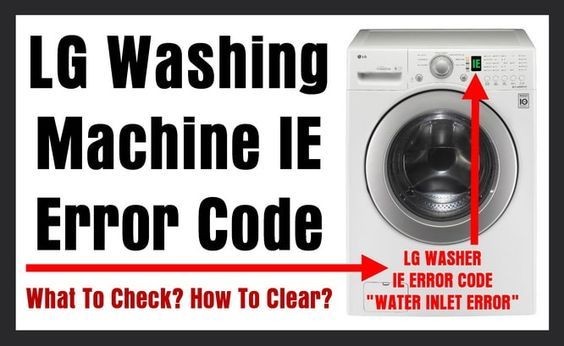
Examine the water hoses connected to the back of the washing machine. Check for any kinks, twists, or obstructions that may be preventing the water from flowing properly. If you find any issues, straighten the hoses or replace them if necessary.
3. Clean the water inlet filters

There are small filters located inside the water inlet valve of the washing machine. Over time, these filters can become clogged with debris and affect the water supply. To clean them, turn off the water supply and remove the hoses. Use a brush to gently clean the filters and then reinstall them before turning the water back on.
4. Verify the water pressure

Low water pressure can also trigger the IE error. To check the water pressure, disconnect the hoses from the washing machine and place them in a bucket. Turn on the water supply and see if the water flows freely into the bucket. If the water pressure is weak, you may need to contact a plumber to address the issue.
If you have tried these troubleshooting steps and the IE error persists, it may be necessary to contact a professional technician for further assistance. They will be able to diagnose the problem and recommend the appropriate solution to get your LG washing machine working again.
Clogged or Kinked Inlet Hose

If your LG washing machine is displaying the IE error, it may be caused by a clogged or kinked inlet hose. The inlet hose is responsible for supplying water to the machine, and any blockage or restriction in the hose can prevent the proper flow of water.
To fix the issue, follow these steps:
- Turn off the water supply – Before attempting any repairs, make sure to turn off the water supply to the washing machine. This will help prevent any further water damage.
- Inspect the inlet hose – Carefully examine the inlet hose for any signs of clogs or kinks. Check both ends of the hose, as well as any connections or valves that may be causing the restriction.
- Clear any clogs – If you find any clogs in the hose, remove them by gently inserting a small brush or straightened wire hanger into the hose and cleaning out the debris. Be careful not to damage the hose in the process.
- Straighten any kinks – If the hose is kinked, try to straighten it out as much as possible. Gently flex the hose back into its original shape, taking care not to put too much pressure on the hose.
- Reconnect the hose – Once you have cleared any clogs and straightened any kinks, reconnect the inlet hose to the washing machine and the water supply. Make sure the connections are tight and secure.
- Turn on the water supply – Once everything is back in place, turn on the water supply and check for any leaks. If you notice any leaks, tighten the connections or replace any damaged parts as necessary.
- Test the machine – Finally, run a test cycle on your LG washing machine to check if the IE error has been resolved. If the error message no longer appears and the machine is functioning properly, then the issue has been successfully resolved.
If the IE error still persists after following these steps, it may indicate a different issue with your LG washing machine. In that case, it is recommended to consult the user manual or contact a professional technician for further assistance.
Malfunctioning Water Level Sensor

If your LG washing machine is displaying the IE error code, it may be due to a malfunctioning water level sensor. The water level sensor is responsible for detecting the amount of water in the drum and controlling the water inlet valve accordingly. If the sensor is not working correctly, it can cause the washing machine to not fill with water or to overfill.
To troubleshoot the water level sensor, you can try the following steps:
- Check the water supply: Make sure that the water supply is turned on and that there is adequate water pressure. If the water supply is low, the sensor may not be able to detect the water level accurately.
- Clean the sensor: The water level sensor can sometimes get clogged with debris or detergent residue. In such cases, cleaning the sensor can resolve the issue. You can access the sensor by removing the top panel or the back panel of the washing machine and locating the sensor near the top of the drum. Use a damp cloth or a cotton swab to clean the sensor gently.
- Check the sensor wiring: Inspect the wiring connections of the water level sensor for any loose or damaged wires. If you find any issues, you may need to repair or replace the sensor.
- Replace the sensor: If none of the above steps solve the issue, the water level sensor may need to be replaced. Contact a professional technician or the LG customer support for assistance in replacing the sensor.
Keep in mind that electrical appliances can be dangerous to work with, especially if you’re not familiar with their inner workings. If you’re unsure or uncomfortable with performing any of the troubleshooting steps mentioned above, it’s best to seek professional help.
By addressing the malfunctioning water level sensor, you can resolve the IE error code on your LG washing machine and ensure proper water intake during each wash cycle.
Video on the topic
[LG Front Load Washers] IE Error Code or Washer Not Filling
Answers to frequently asked questions
Read more practical tips and expert opinions about modern devices at appliances-news.com. Here you will find answers to questions about any technology.