
If you have noticed that your LG washing machine is not spinning, it can be a frustrating and inconvenient problem. A washing machine that doesn’t spin can leave your clothes soaking wet and unable to be properly cleaned. Thankfully, there are several troubleshooting tips and solutions that can help you get your LG washing machine back up and running.
One possible reason why your LG washing machine is not spinning is due to an unbalanced load. If the load is unevenly distributed in the drum, the machine may not be able to spin properly. To fix this issue, try redistributing the clothes in the drum and restart the machine. Additionally, make sure to avoid overloading the machine, as this can also lead to balance problems.
Another potential cause of a non-spinning LG washing machine is a faulty or worn-out drive belt. The drive belt is responsible for connecting the motor to the drum, and if it is damaged or worn, it may not be able to properly spin the drum. In this case, you may need to replace the drive belt. Consult your LG washing machine’s manual or contact a professional for guidance on how to do this.
It’s also worth checking the lid switch of your LG washing machine. The lid switch is a safety feature that prevents the machine from spinning when the lid is open. If the switch is faulty or not making proper contact, it may cause the machine to not spin. You can test the lid switch by opening and closing the lid while the machine is running. If the machine begins to spin when the lid is closed, the switch may need to be replaced.
These are just a few possible reasons why your LG washing machine may not be spinning. By following these troubleshooting tips and solutions, you can hopefully resolve the issue and get your machine back to working order. If the problem persists, it may be necessary to consult a professional technician for further assistance.
- Why is my LG washing machine not spinning?
- Troubleshooting tips and solutions
- Possible causes and solutions for a non-spinning LG washing machine
- Steps to check and fix the spin problem in an LG washing machine
- When to call a professional for help with an LG washing machine that won’t spin
- 1. Multiple attempts have failed
- 2. Unusual noises or vibrations
- 3. Error codes or error messages
- 4. Electrical or mechanical issues
- Video on the topic
- LG Washing Machine dE Error – Fix
- LG Washer Troubleshooting: No High Speed Spin & Service Mode
- [LG Front Load Washers] Troubleshooting Unresponsive Washer Buttons
- Washer not Agitating or Spinning | Diagnose The Shift Actuator
- [LG Front Load Washers] Troubleshooting An LE Error Code On An LG Washer
- Answers to frequently asked questions
Why is my LG washing machine not spinning?
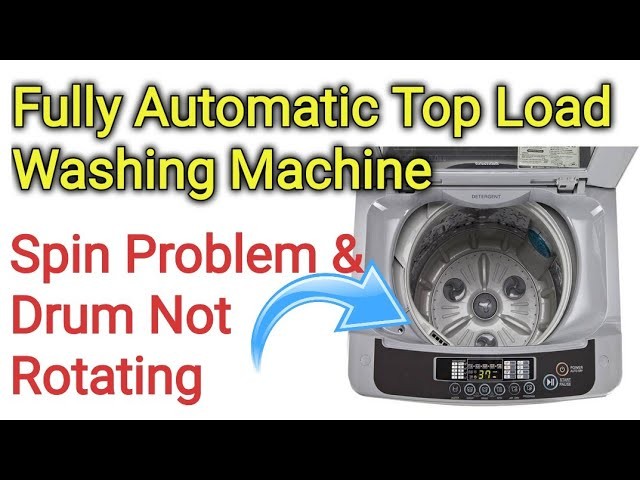
If your LG washing machine is not spinning, there could be several reasons for this issue. Here are some common troubleshooting tips and solutions to help you resolve the problem:
- Check the load: Make sure that the load is balanced and not overloaded. An unbalanced load can cause the washing machine to stop spinning.
- Check the lid or door: Ensure that the lid or door is securely closed. Many washing machines have a safety mechanism that prevents spinning if the lid or door is not properly latched.
- Check the motor: If the washing machine is not spinning at all, it could be a problem with the motor. Check if the motor is running and if it is making any unusual noises. If the motor is defective, it may need to be replaced.
- Check the belt: If the washing machine has a belt-driven motor, inspect the belt for any signs of wear or damage. A broken or loose belt can prevent the machine from spinning.
- Check the pump filter: A clogged pump filter can also cause the washing machine to stop spinning. Locate the pump filter and clean it out if it is dirty or blocked.
- Check the drain hose: Ensure that the drain hose is not kinked or clogged. An obstructed drain hose can prevent proper drainage and cause the machine to stop spinning.
- Check the control board: If none of the above solutions solve the problem, there may be an issue with the control board. In this case, it is best to contact a professional technician for further diagnosis and repair.
By following these troubleshooting tips, you should be able to identify the cause of the problem and fix your LG washing machine so that it spins properly again.
Troubleshooting tips and solutions
If your LG washing machine is not spinning, there are several possible causes and solutions you can try:
1. Check for any obstructions:
Make sure there are no large items, such as blankets or pillows, obstructing the drum. Remove any objects that may prevent the drum from spinning properly.
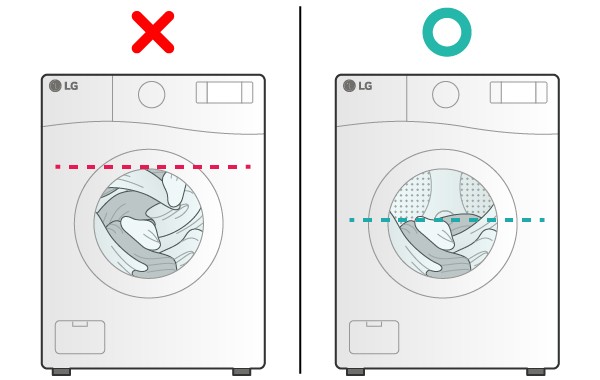
2. Balance the load:
An unbalanced load can cause the washing machine to not spin. Try rearranging the items inside the drum, making sure they are evenly distributed. Avoid overloading the washing machine with too many clothes.
3. Check the door lock:
Ensure that the door is securely closed and properly latched. If the door lock mechanism is faulty, you may need to replace it to fix the spinning issue.
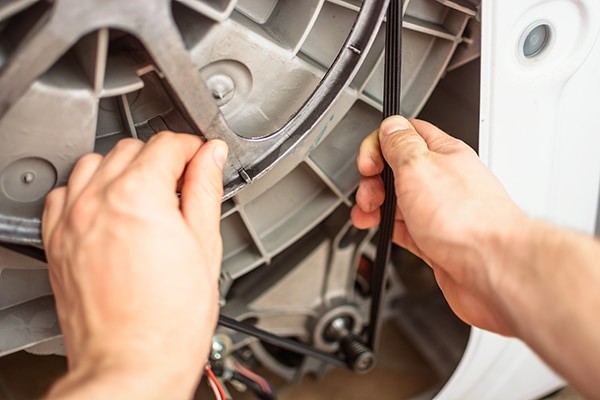
4. Inspect the drive belt:
If the drive belt is damaged or worn out, it can cause the washing machine to not spin. Check the belt for any signs of wear or tears. If necessary, replace the drive belt with a new one.
5. Examine the motor:
A malfunctioning motor can also be the reason behind the spinning problem. Listen for any unusual noises coming from the motor or check if it is overheating. If the motor is faulty, it may need to be repaired or replaced.
6. Test the lid switch:
The lid switch is a safety feature that prevents the washing machine from spinning if the lid is open. Make sure the lid switch is functioning properly by manually operating it or using a multimeter to test for continuity. If the switch is defective, it should be replaced.
If none of the above solutions resolve the issue, it may be best to contact a professional technician or the LG customer support for further assistance.
Note: Before attempting any troubleshooting or repairs, always ensure that the washing machine is unplugged and disconnected from the power source.
Possible causes and solutions for a non-spinning LG washing machine

If your LG washing machine is not spinning, there can be several potential causes. Consider the following troubleshooting tips and solutions to help identify and resolve the issue:
1. Unbalanced load:
An unbalanced load can prevent the washing machine from spinning. Make sure the laundry is evenly distributed in the drum. Rearrange the clothes if necessary and try running the machine again.
2. Overloaded machine:
Overloading the washing machine can overload the motor and prevent it from spinning. Ensure that you are not exceeding the recommended load capacity of the machine. Remove some items if necessary and try spinning again.
3. Blocked drain pump filter:
A clogged drain pump filter can restrict water flow and prevent the spin cycle. Check the drain pump filter for any obstructions, such as lint or debris. Clean the filter if necessary and restart the machine.
4. Faulty lid switch or door lock:
If the lid switch or door lock is malfunctioning, the washing machine may not spin. Test the lid switch or door lock mechanism to ensure it is working properly. Replace the switch or lock if needed.
5. Power issues:
Check if the washing machine is receiving adequate power supply. Ensure that the power cord is securely plugged into a working outlet. If necessary, try resetting the circuit breaker or replacing the fuse.
6. Motor or belt problems:
A malfunctioning motor or a broken belt can prevent the washing machine from spinning. Inspect the motor and belt for any signs of damage or wear. Replace any faulty components if required.
If these troubleshooting tips do not resolve the issue, it may be best to contact a professional technician or LG customer support for further assistance.
Steps to check and fix the spin problem in an LG washing machine

If your LG washing machine is not spinning, it can be a frustrating issue. However, with some troubleshooting steps, you may be able to identify and fix the problem without the need for professional repair. Follow these steps to get your LG washing machine’s spin function back up and running:
1. Check the load: Ensure that the load of laundry is balanced inside the drum. An unbalanced load can prevent the machine from spinning. Try redistributing the clothes evenly and restarting the spin cycle.
2. Check for obstructions: Inspect the drum and the drain pump filter for any foreign objects, such as coins, buttons, or lint. These obstructions can cause the machine to stop spinning. Remove any items you find and try running the spin cycle again.
3. Check the lid or door lock: In some LG washing machines, the spin cycle will not start if the lid or door is not securely closed or the lock is faulty. Ensure that the lid or door is closed properly and the lock mechanism is functioning correctly. If necessary, clean or replace the lock.
4. Check the motor: The motor is responsible for spinning the drum in a washing machine. If the motor is faulty, the machine may not spin. Listen for any unusual noises coming from the motor or observe if it is running at all. If the motor seems to be the issue, contact a professional technician for repair or replacement.
5. Check the belt: A worn or damaged belt can prevent the drum from spinning. Inspect the belt for any signs of wear, such as cracks or fraying. If you notice any issues with the belt, it may need to be replaced. Refer to the washing machine’s manual or contact a professional for assistance.
6. Check the control board: The control board regulates various functions of the washing machine, including the spin cycle. If the control board is defective, it may not send the correct signals to initiate the spin cycle. Consult a professional technician to diagnose and repair any issues with the control board.
If none of these steps resolve the spin problem in your LG washing machine, it may be necessary to contact an authorized LG service center or a professional technician for further assistance. They will have the expertise and tools to diagnose and repair any underlying issues causing the spin problem.
Remember to always follow proper safety precautions and refer to the washing machine’s manual for specific instructions. If you are unsure or uncomfortable performing any of the troubleshooting steps, it is best to seek professional help.
When to call a professional for help with an LG washing machine that won’t spin

If your LG washing machine is not spinning, there are several troubleshooting steps you can take to try and fix the issue yourself. However, there may come a time when it is necessary to call a professional for help. Here are some signs that indicate it’s time to seek professional assistance:
1. Multiple attempts have failed
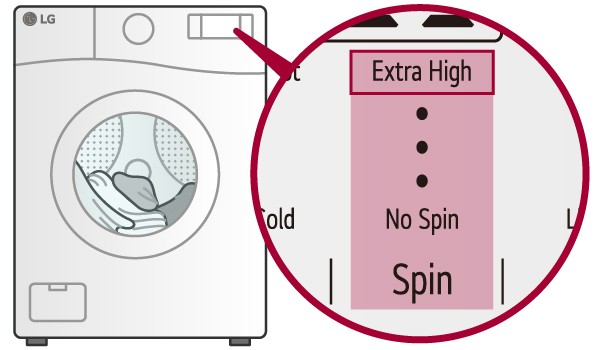
If you have tried various troubleshooting steps, such as checking for blockages, resetting the machine, or balancing the load, and your LG washing machine still won’t spin, it is time to call a professional. They have the expertise and knowledge to diagnose and fix complex issues that may be causing the problem.
2. Unusual noises or vibrations

If your washing machine is making strange noises or vibrating excessively during the spin cycle, it could be a sign of a more serious problem. A professional can inspect the machine and determine the cause of these issues, which may require repairs or parts replacement.
3. Error codes or error messages

If your LG washing machine displays error codes or error messages on the control panel, it means that the machine has detected a specific issue. These codes or messages can provide valuable information to a professional technician, who can quickly identify the problem and take appropriate action to resolve it.
4. Electrical or mechanical issues
If you suspect that your washing machine has electrical or mechanical issues, it is best to call a professional for assistance. Working with electrical components or trying to fix complicated mechanical problems without proper knowledge and training can be dangerous and may cause further damage to the machine.
Remember, attempting to repair a washing machine without proper knowledge and expertise can void the warranty and potentially create more problems. Calling a professional technician ensures that your LG washing machine is properly diagnosed and repaired, saving you time and money in the long run.
Video on the topic
LG Washing Machine dE Error – Fix
LG Washer Troubleshooting: No High Speed Spin & Service Mode
[LG Front Load Washers] Troubleshooting Unresponsive Washer Buttons
Washer not Agitating or Spinning | Diagnose The Shift Actuator
[LG Front Load Washers] Troubleshooting An LE Error Code On An LG Washer
Answers to frequently asked questions
Read more practical tips and expert opinions about modern devices at appliances-news.com. Here you will find answers to questions about any technology.


