Is your LG appliance not draining properly? Don’t worry, we’ve got you covered. In this article, we will troubleshoot common drainage issues that may arise with your LG appliances and provide you with effective solutions to get them working properly again.
One of the most common reasons for a drain problem in LG appliances is a clogged drain hose or filter. Over time, debris such as lint, food particles, or small objects can accumulate in these areas, causing the water to back up and prevent proper drainage. To fix this issue, you should first check the drain hose and filter for any blockages and remove them if necessary. Cleaning these parts regularly can help prevent future drainage problems.
Another possible culprit for a drainage issue is a malfunctioning pump. The pump is responsible for moving the water out of your appliance, and if it’s not working correctly, your LG appliance won’t drain properly. To determine if the pump is the problem, you can perform a simple test. Disconnect the power supply, locate the pump, and manually turn the impeller. If it’s difficult to turn or if you notice any strange noises, it’s likely that the pump needs to be replaced.
Lastly, a common mistake that can lead to drainage problems is overloading the appliance. LG appliances, like any other, have maximum load capacities that should not be exceeded. Overloading can cause the water not to drain properly, leaving you with wet clothes or a clogged sink. It’s important to follow the manufacturer’s guidelines for load sizes to ensure efficient drainage and avoid future issues.
By following these troubleshooting steps and implementing the solutions provided, you can ensure that your LG appliances drain properly and continue to serve you well. If the problem persists or if you are unsure how to handle the issue, it’s always best to consult a professional technician who specializes in LG appliance repairs. They will have the skills and knowledge to diagnose and fix the problem effectively.
- Troubleshooting and Solutions for LG Appliances: Why LG Does Not Drain
- Check for Clogs
- Ensure Proper Installation
- Inspect the Filter
- Checking the Drain Hose for Clogs
- Inspecting the Drain Pump for Blockages
- Testing the Drain Pump Motor for Proper Functioning
- Disconnect the power
- Locate the drain pump motor
- Inspect for any visible issues
- Testing the motor with a multimeter
- Check for power supply
- Verifying the Proper Installation of the Drain Hose
- 1. Check for correct positioning
- 2. Secure the hose properly
- Video on the topic
- �� LG WASHER WON’T DRAIN – OE ERROR – DIY and SAVE $$$ ✨
- Answers to frequently asked questions
Troubleshooting and Solutions for LG Appliances: Why LG Does Not Drain
If you are experiencing issues with your LG appliance not draining properly, there are a few troubleshooting steps you can take to identify and resolve the problem.
Check for Clogs
One common reason why an LG appliance may not be draining is due to a clog in the drain hose or pump. Start by inspecting the drain hose for any obstructions or kinks that may be restricting the flow of water. If the hose appears to be clear, you can also check the pump for any debris that may be blocking it.
Ensure Proper Installation
Another possible reason for drainage problems with LG appliances is improper installation. Ensure that the drain hose is placed at the correct height and angle, as specified in the user manual. If the hose is too low or too high, it may affect the drainage process.
In addition, make sure that the drain hose is not inserted too far into the drain pipe. This can create a seal that prevents proper drainage. Adjust the length of the hose if necessary.
Inspect the Filter
LG appliances, such as washing machines and dishwashers, often have filters that can become clogged with debris over time. Check the filter and clean it if necessary. A clogged filter can impede the draining process and cause water to accumulate.
It is also a good idea to regularly clean the filter even if you are not experiencing any drainage issues. This can help prevent future problems and keep your LG appliance running smoothly.
If you have tried these troubleshooting steps and your LG appliance is still not draining properly, it may be necessary to contact a professional technician for further assistance. They will be able to diagnose the issue and provide the appropriate solution.
In conclusion, if your LG appliance is not draining, it is important to check for clogs, ensure proper installation, and inspect the filter. By following these troubleshooting steps, you can resolve many common drainage issues and keep your LG appliance functioning efficiently.
Checking the Drain Hose for Clogs
If your LG appliance is not draining properly, it could be due to a clogged drain hose. Follow these simple steps to check for clogs:
- First, locate the drain hose. In most LG appliances, the drain hose is located at the back of the machine.
- Disconnect the drain hose from the machine. This can usually be done by unscrewing the hose clamp or removing the hose from the drain pump.
- Once the hose is disconnected, inspect it for any clogs or obstructions. A common cause of clogs is the buildup of lint, debris, or even small objects like coins or buttons.
- If you spot any clogs, use a long brush or pipe cleaner to gently remove them. Be careful not to damage the hose while doing this.
- After clearing the clog, reconnect the drain hose to the machine. Ensure that it is securely attached to avoid any leaks.
- Test the machine to see if it is draining properly now. Run a short cycle and check if the water drains out without any issues.
If the drain hose was clogged, clearing it should solve the drainage problem. However, if the issue persists, there may be a different underlying problem that requires professional assistance. In such cases, it is recommended to contact LG customer support or a certified technician for further troubleshooting and repair.
Inspecting the Drain Pump for Blockages
If your LG appliance is not draining properly, it may be due to a blockage in the drain pump. To troubleshoot this issue, you will need to inspect and clean the drain pump. Here are the steps to follow:
- Unplug your LG appliance from the power source.
- Locate the drain pump. It is usually located at the bottom front of the appliance.
- Remove any objects or debris that may be blocking the drain pump. Check for anything lodged in the pump such as coins, hairpins, or small items of clothing.
- Use a flashlight to inspect the pump for any signs of damage or wear. Look for cracks, leaks, or broken parts.
- If the drain pump appears to be damaged, it may need to be replaced. Contact a professional technician for assistance.
- Once you have inspected and cleaned the drain pump, reassemble any parts that were removed.
- Plug your LG appliance back into the power source and test the drain function to see if the issue has been resolved.
Inspecting the drain pump for blockages is an important troubleshooting step when your LG appliance is not draining properly. By following these steps, you can identify and resolve any blockages in the drain pump, ensuring that your appliance functions correctly.
Testing the Drain Pump Motor for Proper Functioning
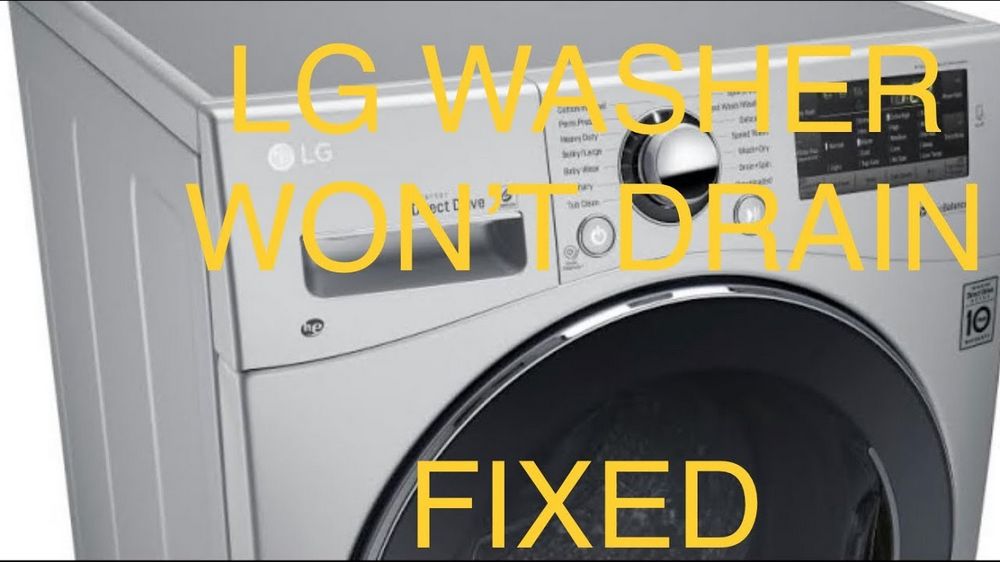
If your LG appliance is not draining properly, it could be due to a malfunctioning drain pump motor. Testing the drain pump motor can help determine if it is the cause of the drainage issue. Follow these steps to test the drain pump motor:
-
Disconnect the power
-
Locate the drain pump motor
-
Inspect for any visible issues

-
Testing the motor with a multimeter
-
Check for power supply
Before performing any tests or inspections, always disconnect the power to the LG appliance to ensure your safety.
The drain pump motor is usually located at the bottom of the LG appliance. Consult the user manual or manufacturer’s website for specific instructions on how to access the drain pump motor for your particular LG appliance model.
Visually inspect the drain pump motor for any signs of damage, such as loose wires, broken parts, or debris lodged in the motor. If any issues are found, they should be addressed and repaired before proceeding with the testing.
Use a multimeter to test the drain pump motor for proper functioning. Set the multimeter to measure resistance (ohms) and connect the probes to the terminals of the motor. A good motor should typically show a resistance reading within the manufacturer’s specified range. If the reading is significantly higher or lower than the expected range, it may indicate a faulty motor that needs to be replaced.
If the drain pump motor shows the correct resistance reading, the next step is to check if it is receiving power. Use a voltmeter to test for power supply to the motor. Connect the voltmeter probes to the motor’s power terminals while the appliance is in a drain cycle. If there is no power output, it may indicate a problem with the control board, wiring, or another component of the LG appliance.
By following these steps, you can test the drain pump motor of your LG appliance and determine if it is the cause of the drainage issue. If the motor is found to be faulty, it may need to be replaced by a qualified technician or service center.
Verifying the Proper Installation of the Drain Hose
One common cause of a LG appliance not draining properly is an incorrectly installed drain hose. It is important to ensure that the drain hose is properly installed to allow for efficient drainage. Here are some steps to verify the proper installation of the drain hose:
1. Check for correct positioning
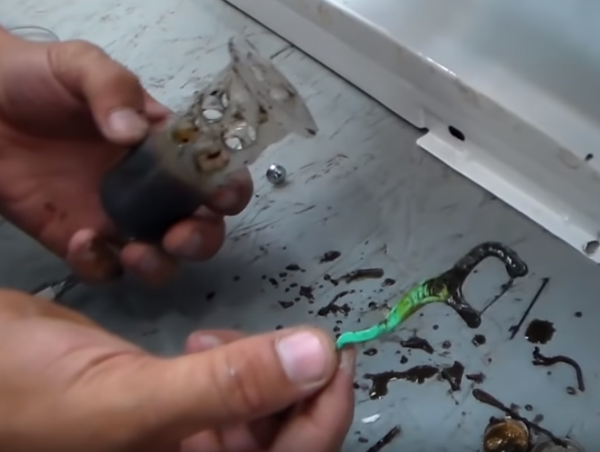
Make sure that the drain hose is positioned correctly and is not twisted, kinked, or obstructed in any way. The hose should have a downward slope to enable gravity to assist in the drainage process. This ensures that water flows freely and does not accumulate in the appliance.
2. Secure the hose properly
Ensure that the drain hose is securely connected to the LG appliance. Check that any hose clamps or connectors are tightened properly to prevent any leaks or disconnections that may interfere with the draining process.
It is advisable to refer to the appliance’s user manual for specific instructions on how to install and position the drain hose correctly. If the drain hose is not installed properly, it can cause issues such as water pooling or a complete failure to drain. By following these steps, you can troubleshoot and resolve any problems related to the drain hose installation in your LG appliance.
Video on the topic
�� LG WASHER WON’T DRAIN – OE ERROR – DIY and SAVE $$$ ✨
Answers to frequently asked questions
Read more practical tips and expert opinions about modern devices at appliances-news.com. Here you will find answers to questions about any technology.