If you are experiencing the Indesit Washing Machine Error F02, don’t panic! This error code is indicating a problem with the drain system in your washing machine. Understanding the error code and its potential causes can help you troubleshoot and resolve the issue, saving you time and money on costly repairs or service calls.
The F02 error code typically occurs when the washing machine is unable to drain water properly, resulting in a blockage or obstruction in the drain pipe or pump. This can be caused by a variety of factors, such as a clogged filter, kinked drain hose, or a malfunctioning pump. Luckily, there are several steps you can take to diagnose and fix the problem yourself without the need for professional assistance.
First, check the drain filter located at the bottom of your washing machine. This filter is designed to catch any large debris or objects that may have been left in the pockets of your clothes. Remove the filter and clean it thoroughly, removing any dirt or obstructions. Next, check the drain hose for any kinks or blockages. Straighten out the hose if necessary and ensure that it is properly connected to both the washing machine and the drain pipe. If the drain hose appears to be damaged or worn, it may need to be replaced.
If the drain filter and hose are in good condition and free of blockages, you may need to inspect the pump for any signs of malfunction. The pump is responsible for removing water from the washing machine during the draining process. If the pump is not working properly, it may need to be repaired or replaced. Consult your washing machine’s manual or contact the manufacturer for specific instructions on how to access and inspect the pump.
By following these troubleshooting steps, you can often resolve the Indesit Washing Machine Error F02 on your own, saving you the hassle and expense of a professional repair. However, if the error code persists or you are unable to diagnose the problem, it may be time to contact a qualified technician for assistance. They will have the expertise and tools necessary to identify and resolve the issue, ensuring that your washing machine is back up and running in no time.
- Understanding Indesit Washing Machine Error F02
- Common Causes of Indesit Washing Machine Error F02
- 1. Clogged Drain Filter
- 2. Blocked Drain Hose
- 3. Pump Impeller Issues
- 4. Faulty Pressure Switch
- Troubleshooting Steps for Indesit Washing Machine Error F02
- Check the Drain Hose
- Clean the Pump Filter
- How to Fix Indesit Washing Machine Error F02
- Preventing Indesit Washing Machine Error F02
- Video on the topic
- Washer Not Working – The Most Common Fix
- Answers to frequently asked questions
Understanding Indesit Washing Machine Error F02
Indesit washing machines are known for their reliable performance and innovative features. However, like any other appliance, they may occasionally encounter issues that need to be addressed. One common error code that Indesit washing machines may display is Error F02.
Error F02 typically indicates a problem with the drainage system of the washing machine. When this error occurs, the machine may not drain properly, leading to stagnant water in the drum and potential damage to the machine and your laundry.
The Error F02 code can be triggered by a variety of issues, including a clogged filter or drain pipe, a faulty drain pump, or even a blockage in the plumbing system. It is important to address this error as soon as possible to avoid further damage and ensure the proper functioning of your washing machine.
To troubleshoot Error F02, you can try the following steps:
- Start by turning off the washing machine and unplugging it from the power source.
- Check the filter and drain pipe for any blockages or debris. Clean them if necessary.
- Inspect the drain pump for any signs of damage or blockage. Clean or replace it if needed.
- Ensure that the plumbing system is not causing any blockages. Check the drain hose for any kinks or clogs.
- Once you have completed these steps, plug the washing machine back in and turn it on to see if the error has been resolved.
If the Error F02 persists after following these steps, it may be necessary to seek professional assistance. A qualified technician will be able to diagnose and repair any underlying issues with the drainage system of your Indesit washing machine.
Remember to always refer to the manufacturer’s manual for specific instructions and guidelines regarding troubleshooting and maintenance of your Indesit washing machine.
By understanding the Error F02 code and taking appropriate action, you can keep your Indesit washing machine in optimal working condition and ensure that your laundry is always clean and fresh.
Common Causes of Indesit Washing Machine Error F02

When an Indesit washing machine displays the error code F02, it indicates a problem with the drain system. Here are some common causes of this error:
1. Clogged Drain Filter

A clogged drain filter is one of the most common reasons for an F02 error. Over time, debris such as lint, coins, and small objects can accumulate in the filter, preventing proper water drainage. Regularly cleaning the drain filter can help prevent this issue.
2. Blocked Drain Hose
If the drain hose is blocked or kinked, water cannot flow out of the washing machine, leading to the F02 error. Inspect the drain hose for any obstructions or twists and ensure it is properly connected to the plumbing system.
3. Pump Impeller Issues

The pump impeller, which is responsible for removing water from the machine, can become clogged or damaged. If the impeller does not spin freely or is obstructed, it can trigger the F02 error. Cleaning or replacing the pump can resolve this issue.
4. Faulty Pressure Switch
The pressure switch is responsible for sensing the water level in the machine. If it malfunctions, it may not signal the drain pump to start, leading to the F02 error. A faulty pressure switch may need to be replaced to resolve the issue.
Overall, addressing these common causes of the Indesit washing machine error F02 can help restore normal operation and prevent future problems. If troubleshooting steps do not resolve the issue, it may be best to contact a professional technician or the manufacturer for further assistance.
Troubleshooting Steps for Indesit Washing Machine Error F02

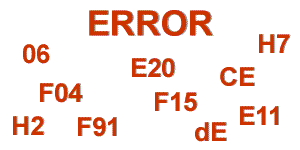
If your Indesit washing machine is displaying Error F02, it indicates a draining problem. There are several troubleshooting steps you can take to try and resolve the issue before calling a technician. Follow these steps to troubleshoot and potentially fix the F02 error on your Indesit washing machine.
Check the Drain Hose
The first thing you should do is to check the drain hose for any blockages or kinks. Make sure the hose is properly connected and not twisted or bent. If you find any blockages, remove them and ensure there are no clogs in the drain pipe or the connection to the plumbing system. Cleaning and straightening the drain hose may resolve the draining issue and clear the F02 error.
Clean the Pump Filter
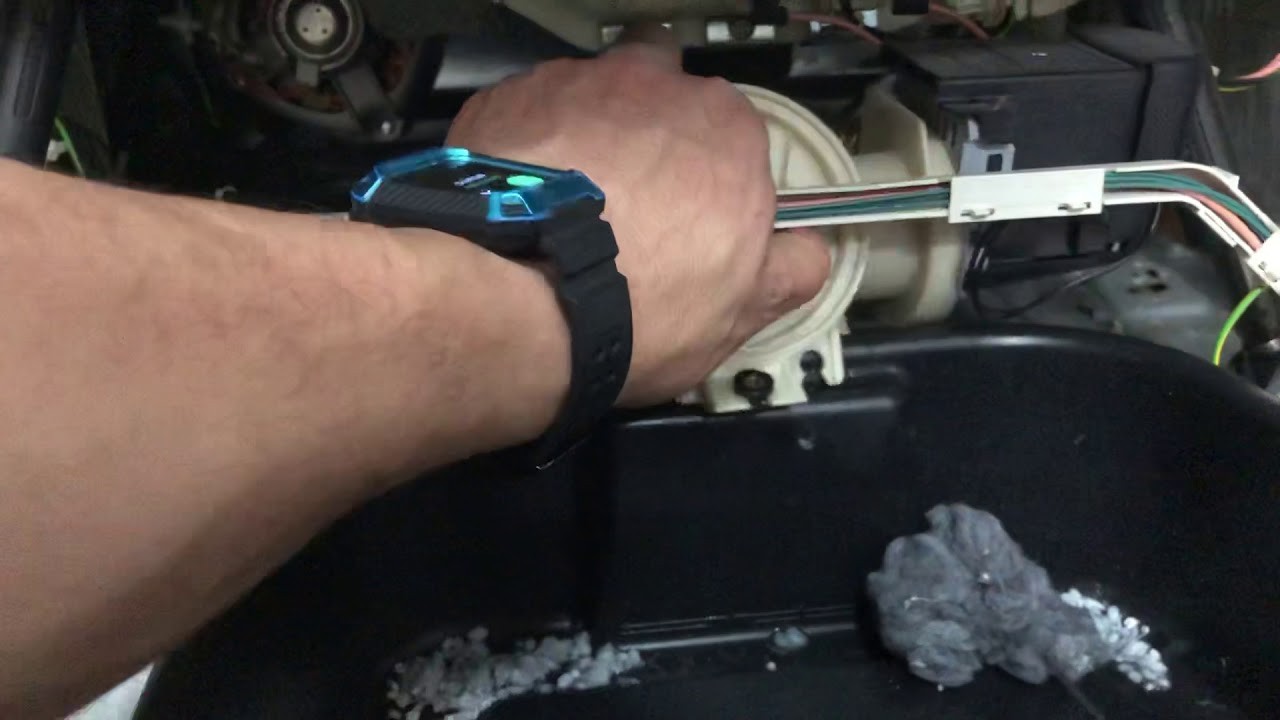
Next, you should clean the pump filter. The pump filter is located at the bottom front of the washing machine. Remove the kick plate or access panel to reach the filter. Place a towel or bucket underneath to catch any water that might spill. Unscrew the filter cap and carefully remove the filter. Clean out any debris or lint that may be clogging the filter. Once the filter is clean, reinstall it and ensure it is screwed in tightly. Check if this resolves the draining problem and clears the F02 error.
If the above steps do not solve the issue, there may be a problem with the drain pump or the pressure switch on your Indesit washing machine. In this case, it is recommended to contact a professional technician for further assistance and repair.
Remember to always unplug your washing machine before attempting any repairs or troubleshooting. Safety should be your top priority when working with electrical appliances.
By following these troubleshooting steps, you can potentially resolve the F02 error on your Indesit washing machine and ensure its proper functioning.
How to Fix Indesit Washing Machine Error F02
If you are experiencing the F02 error code on your Indesit washing machine, don’t worry, it can be fixed! The F02 error code typically indicates a drainage problem in the machine. Here are some troubleshooting steps to help you resolve the issue:
| Step 1: | Check the drain hose for clogs or obstructions. Make sure it is not kinked or twisted. If you find any clogs or obstructions, remove them and try running the machine again. |
| Step 2: | Inspect the drain pump for any debris or foreign objects that may be causing the blockage. Clean out the pump if necessary. |
| Step 3: | Ensure that the water level pressure switch is functioning correctly. This switch is responsible for detecting the water level in the machine. If it is faulty, it may be preventing the machine from draining properly. |
| Step 4: | Check if the drain pump motor is working properly. If it is not functioning, it may need to be replaced. |
| Step 5: | Reset the washing machine by unplugging it from the power source for a few minutes and plugging it back in. This can sometimes resolve minor issues with the machine. |
| Step 6: | If none of the above steps solve the F02 error code, it may be best to contact a professional technician or the Indesit customer support for further assistance. |
By following these steps, you can troubleshoot and fix the Indesit washing machine error F02 and get your machine back up and running efficiently.
Preventing Indesit Washing Machine Error F02
To prevent Indesit washing machine Error F02, there are several steps you can take. First, make sure to properly load your clothes into the machine. Overloading the machine can cause the drum to become unbalanced and lead to error F02. Additionally, avoid washing heavy items such as blankets or rugs, as these can also cause an imbalance.
Regular maintenance of your washing machine can also help prevent error F02. Clean the filter regularly to remove any debris or obstructions that may be blocking the drain pump. This will allow the machine to drain properly and prevent error F02 from occurring.
Another way to prevent error F02 is to use the appropriate amount of detergent. Using too much detergent can cause excessive suds, which can lead to the machine not draining properly and triggering the error code. Follow the manufacturer’s guidelines for the correct amount of detergent to use.
Lastly, avoid running the machine on a high spin speed for prolonged periods of time. Running the machine at high speeds for too long can cause the motor to overheat and trigger error F02. If you need to run a high spin cycle, make sure to give the machine a break between loads to allow the motor to cool down.
By following these preventative measures, you can help avoid Indesit washing machine error F02 and keep your machine running smoothly.
Video on the topic
Washer Not Working – The Most Common Fix
Answers to frequently asked questions
Read more practical tips and expert opinions about modern devices at appliances-news.com. Here you will find answers to questions about any technology.