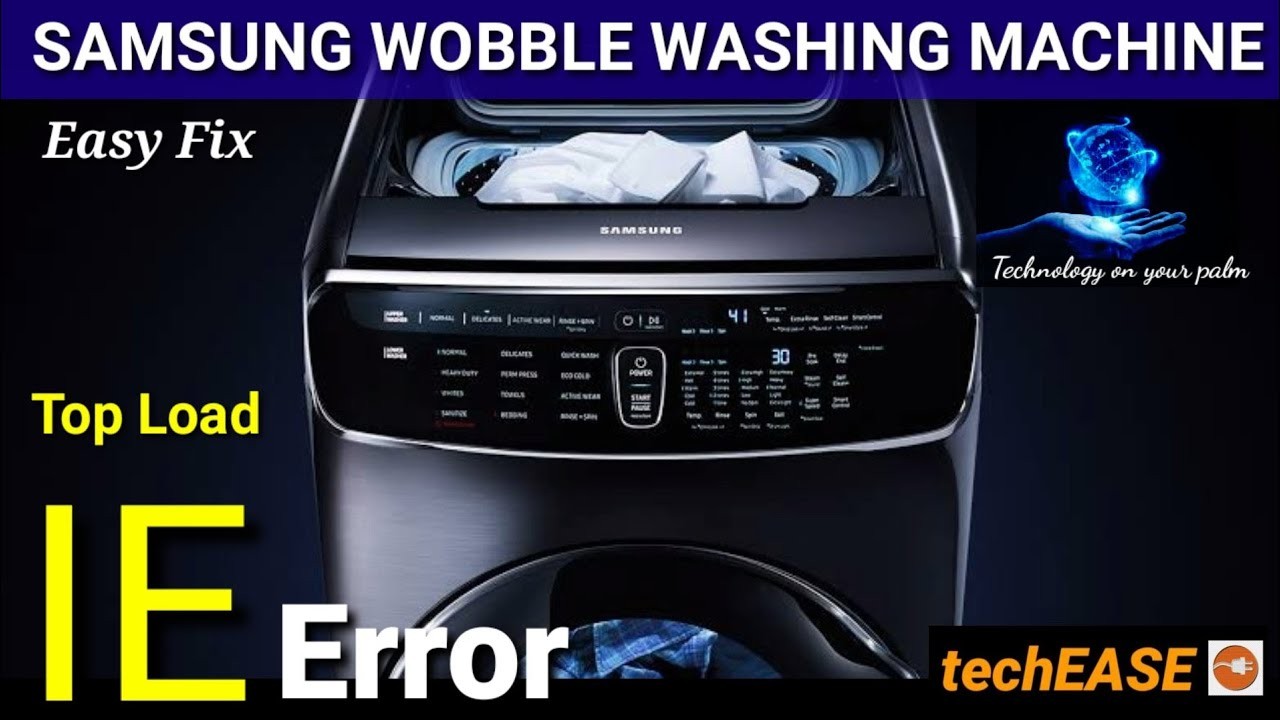
If you own a Samsung washing machine and have encountered an IE error, don’t worry – you’re not alone. The IE error is a common issue that many Samsung washing machine owners face. It stands for “Water Inlet Error” and indicates a problem with the water supply to the machine. Fortunately, there are several troubleshooting steps you can take to fix the IE error and get your washing machine back up and running.
Check the water supply: The first step in troubleshooting the IE error is to ensure that the water supply is properly connected and turned on. Make sure the water hoses are securely attached to the back of the machine and that the water valves are fully open. If the hoses are damaged or kinked, replace them with new ones.
Clean the water inlet filters: Over time, debris and mineral deposits can clog the water inlet filters, leading to the IE error. To clean the filters, turn off the water supply and disconnect the hoses from the machine. Locate the filters inside the hose connections and remove any dirt or debris. Rinse the filters with water and reattach them to the hoses.
- Identifying the IE Error in Samsung Washing Machine
- Common Causes of the IE Error
- 1. Water Supply Issues
- 2. Drainage Issues
- 3. Overloaded or Unbalanced Load
- 4. Faulty Sensor or Control Board
- 5. Other Mechanical or Electrical Issues
- Checking the Water Supply for the IE Error
- 1. Check the water hoses
- 2. Turn on the water supply
- Cleaning the Water Inlet Filters to Fix the IE Error
- Troubleshooting the Water Level Sensor for the IE Error
- Video on the topic
- samsung top load washing machine 1E error code | washing machine 1E eroor
- ✨ FRONT LOAD WASHER WON’T SPIN — FIXED IN 8 MINUTES ✨
- Fix Samsung Washing 1E simple check water level connector
- Understanding & Fixing Samsung Top Load Washing Machine Error Codes With { Subtitles }
- LG/Samsung Washing Machine – Water Inlet (IE Error) Fix – How to Clean Filter
- Answers to frequently asked questions
Identifying the IE Error in Samsung Washing Machine
The IE error code on a Samsung washing machine indicates that there is a problem with the water supply. When this error appears, it means that the washer is not getting enough water or that the water supply is turned off.
One of the most common reasons for the IE error is a clogged or kinked water inlet hose. If the hose is blocked or bent, it restricts the flow of water, preventing the washer from filling up properly. Inspect the inlet hose to ensure that it is not twisted or obstructed.
Another possible cause of the IE error is a malfunctioning water inlet valve. The water inlet valve is responsible for controlling the flow of water into the washing machine. If the valve is faulty, it may not open properly, resulting in a lack of water. Consider checking the water inlet valve for any signs of damage or malfunction.
Additionally, the water pressure in your home may be too low, leading to the IE error. Insufficient water pressure can prevent the washer from filling up efficiently. Check the water pressure in your home and ensure that it meets the requirements specified in the user manual of your Samsung washing machine.
If none of these issues are causing the IE error, there may be a problem with the water level sensor or the control board. The water level sensor determines the amount of water needed for the selected wash cycle, while the control board regulates the functions of the washing machine. If either of these components is faulty, it can trigger the IE error. In this case, it is best to consult a professional technician for further diagnosis and repair.
Remember to always refer to the user manual for specific troubleshooting steps and guidelines provided by Samsung.
Please note: Before attempting to troubleshoot or repair any appliance, ensure that it is unplugged and disconnected from any power sources to avoid the risk of electrical shock.
Common Causes of the IE Error
The IE error in a Samsung washing machine can occur due to various reasons. In this section, we will discuss some of the common causes of this error and how to troubleshoot them.
1. Water Supply Issues
One of the main causes of the IE error is water supply problems. This can include problems with the water inlet valve, clogged filters, or low water pressure.
To fix this, check if the water inlet valve is properly connected and functioning. Clean any filters that may be obstructed and ensure they are not blocked by debris. Also, check your home’s water pressure and make sure it is sufficient for the washing machine.
2. Drainage Issues
Another common cause of the IE error is drainage issues. This can be caused by a clogged drain hose, a faulty drain pump, or a problem with the drain system.
To resolve this, inspect the drain hose for any blockages or kinks. If necessary, remove the clog or replace the hose. Additionally, make sure the drain pump is functioning properly. If it’s not, you may need to replace it. Also, check the drain system and ensure it is not blocked.
3. Overloaded or Unbalanced Load
An overloaded or unbalanced load can also trigger the IE error. If the washing machine is overloaded or if the clothes are not evenly distributed, it can affect the machine’s ability to sense the water level properly.
To fix this issue, remove some clothes from the load or redistribute them evenly. Make sure not to overload the machine, as this can cause strain on the motor and lead to further problems.
4. Faulty Sensor or Control Board
In some cases, the IE error may be caused by a faulty sensor or control board. The sensor may not be detecting the water level accurately, or the control board may be sending incorrect signals.
If you suspect a faulty sensor or control board, it is recommended to contact a professional technician for further diagnosis and repair.
5. Other Mechanical or Electrical Issues

There can be various other mechanical or electrical issues that can trigger the IE error. These can include problems with the pressure switch, motor, or wiring connections.
If none of the above solutions resolve the issue, it is advisable to seek professional assistance. A qualified technician can diagnose and fix any mechanical or electrical problems that may be causing the IE error.
By understanding the common causes of the IE error in a Samsung washing machine, you can take the necessary steps to troubleshoot and fix the issue. Remember to refer to the user manual or consult a professional if you’re unsure about any repair procedures.
| Issue | Possible Cause | Solution |
|---|---|---|
| Water supply issues | Water inlet valve, clogged filters, low water pressure | Check and clean water inlet valve, filters, and ensure proper water pressure |
| Drainage issues | Clogged drain hose, faulty drain pump, problem with drain system | Inspect and clean drain hose, replace drain pump if necessary, check and clear drain system |
| Overloaded or unbalanced load | Too many clothes, uneven distribution | Reduce load, redistribute clothes evenly |
| Faulty sensor or control board | Incorrect water level detection, faulty signals | Contact professional technician for diagnosis and repair |
| Other mechanical or electrical issues | Pressure switch, motor, wiring problems | Seek professional assistance for diagnosis and repair |
Checking the Water Supply for the IE Error

If you are experiencing the IE error on your Samsung washing machine, it could be due to a problem with the water supply. Follow these steps to check the water supply and resolve the issue:
1. Check the water hoses
Start by inspecting the water hoses connected to your washing machine. Ensure that the hoses are not kinked, twisted, or damaged in any way. If you find any problems, replace the hoses with new ones. It’s also a good idea to check if the hose connections are secure.
2. Turn on the water supply
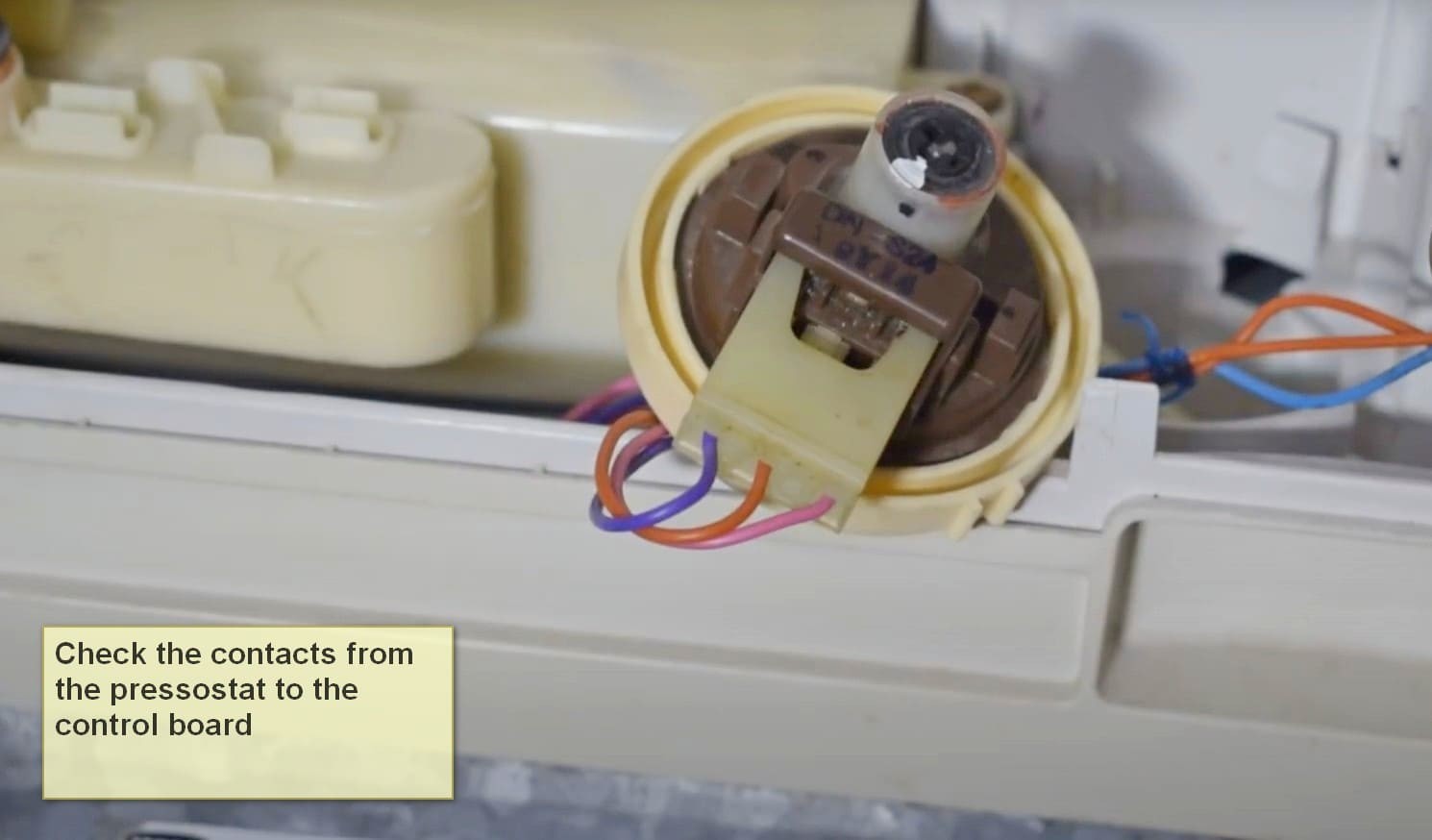
Make sure that the water supply to your washing machine is turned on. Sometimes, the water supply valves may have accidentally been turned off, leading to the IE error. Check the valves near the washing machine and ensure they are fully open.
If you have recently moved your washing machine, it’s possible that the water supply hoses may have been disconnected or the water supply turned off during the move. In that case, simply reconnect the hoses and turn on the water supply again.
If the water supply is on and the hoses are in good condition, but you are still getting the IE error, there might be an issue with the water supply valve in your washing machine. It’s recommended to contact a professional technician to inspect and repair the valve.
By checking the water supply for any issues, you can effectively troubleshoot the IE error on your Samsung washing machine. Remember to always exercise caution and unplug the washing machine before performing any maintenance tasks.
Cleaning the Water Inlet Filters to Fix the IE Error
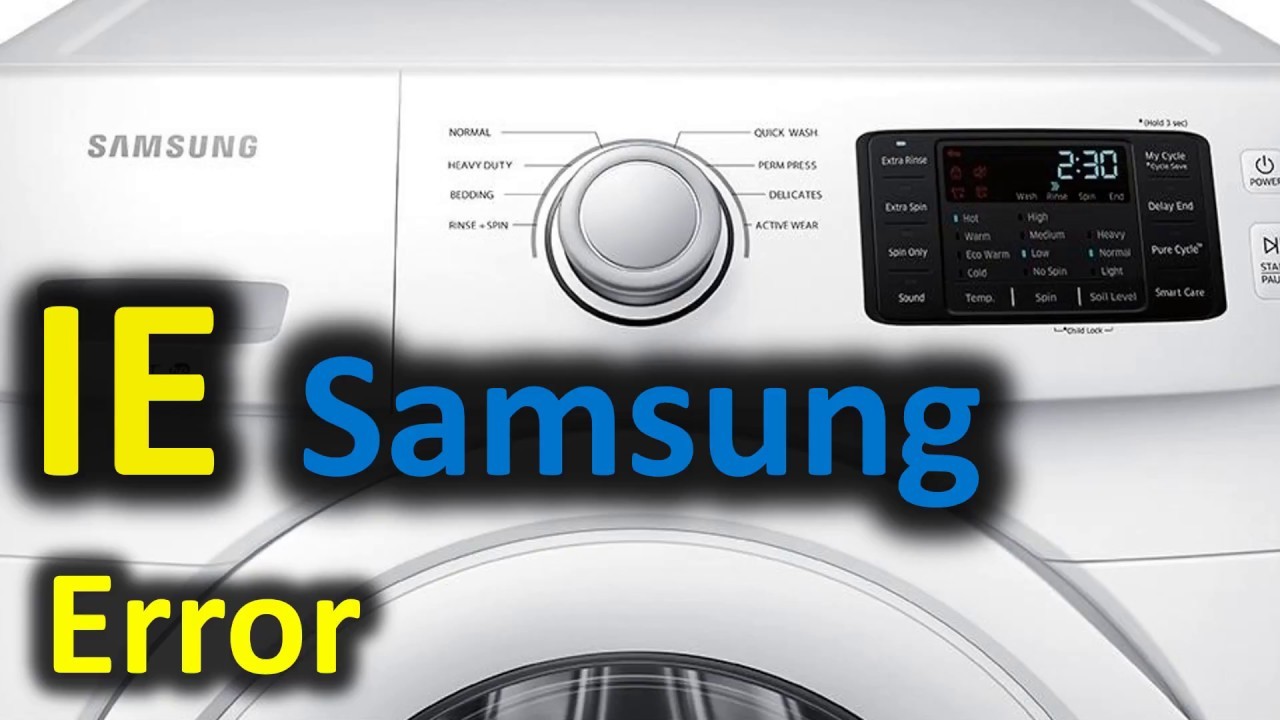
If you are facing an IE error on your Samsung washing machine, it could be due to clogged water inlet filters. Over time, these filters can accumulate dirt, debris, and mineral deposits, resulting in a restricted or blocked water flow. Cleaning the water inlet filters can help resolve the issue and get your washing machine back in working order.
Follow these steps to clean the water inlet filters:
- First, turn off the power to the washing machine and unplug it from the power source for safety.
- Locate the water inlet hoses at the back of the washing machine. These hoses connect the machine to the water supply.
- Unscrew the water inlet hoses from the back of the washing machine. Be prepared for some water to spill out, so have a towel or a bucket ready.
- Once the hoses are detached, inspect the metal filters inside the water inlet valves. These filters are usually located at the end of each hose connection.
- Remove the metal filters and rinse them under running water to remove any dirt or debris. Use a brush or a toothbrush to gently scrub away stubborn deposits.
- After cleaning the filters, reattach them to the water inlet valves and screw the hoses back onto the washing machine.
- Make sure the connections are tight and secure.
Once the water inlet filters are cleaned and reinstalled, restore power to the washing machine and test it by running a cycle. The IE error should be resolved, and your washing machine should function properly.
Regularly cleaning the water inlet filters can help prevent future issues and ensure the efficient performance of your Samsung washing machine.
Troubleshooting the Water Level Sensor for the IE Error
If you are experiencing the IE error on your Samsung washing machine, it means that there is an issue with the water level sensor. The water level sensor is responsible for detecting the water level in the machine and ensuring that it fills up to the appropriate level for each cycle.
Here are some troubleshooting steps you can take to fix the water level sensor and resolve the IE error:
- Check the water supply: Make sure that the water supply to the washing machine is not blocked or turned off. Inspect the hoses and ensure that there are no kinks or obstructions.
- Clean the water inlet valve: The water inlet valve can sometimes get clogged with debris or mineral deposits, leading to a malfunctioning water level sensor. Turn off the water supply and disconnect the hoses. Use a brush or cloth to clean the valve thoroughly.
- Inspect the water level sensor: The water level sensor is usually located near the top of the washing machine tub. Check for any signs of damage or corrosion. If the sensor is damaged, it may need to be replaced.
- Test the sensor: You can use a multimeter to test the functionality of the water level sensor. Set the multimeter to the ohms setting and check the resistance across the sensor terminals. If the reading is significantly different from the expected range, the sensor may be faulty.
- Replace the water level sensor: If all else fails, you may need to replace the water level sensor. Consult the user manual or contact Samsung support for the correct replacement part and instructions on how to install it.
By following these troubleshooting steps, you should be able to address the water level sensor issue and resolve the IE error on your Samsung washing machine. However, if the problem persists, it is recommended to seek professional assistance or contact the manufacturer for further guidance.
Video on the topic
samsung top load washing machine 1E error code | washing machine 1E eroor
✨ FRONT LOAD WASHER WON’T SPIN — FIXED IN 8 MINUTES ✨
Fix Samsung Washing 1E simple check water level connector
Understanding & Fixing Samsung Top Load Washing Machine Error Codes With { Subtitles }
LG/Samsung Washing Machine – Water Inlet (IE Error) Fix – How to Clean Filter
Answers to frequently asked questions
Read more practical tips and expert opinions about modern devices at appliances-news.com. Here you will find answers to questions about any technology.