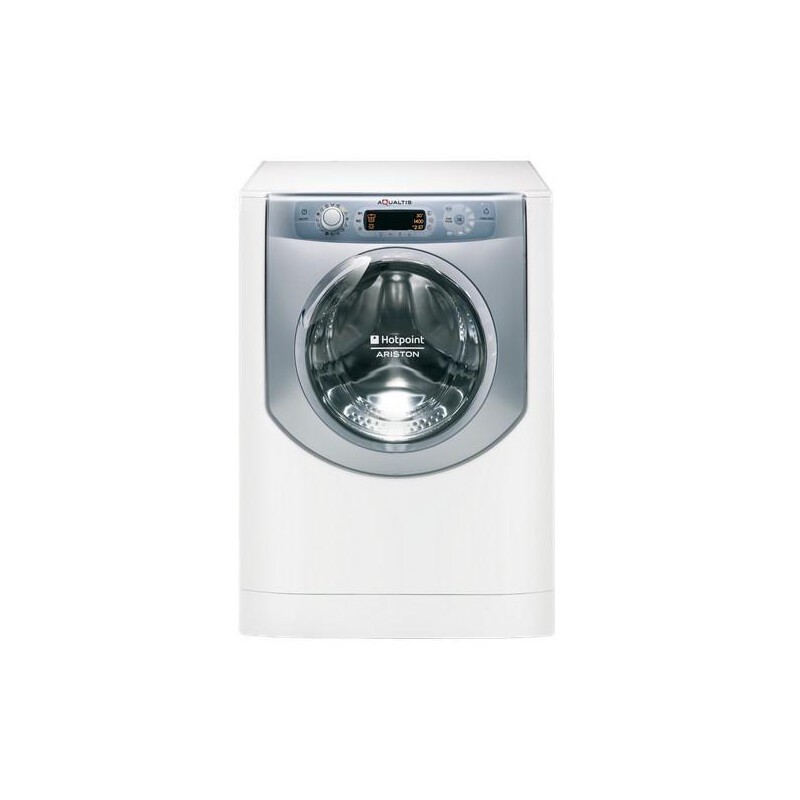
Welcome to the user guide for Hotpoint Ariston washing machines! Whether you are a new owner or have been using your machine for years, this manual will provide you with the essential information you need to make the most of your appliance. From step-by-step instructions for basic functions to troubleshooting tips for common issues, this manual will help you keep your laundry routine running smoothly.
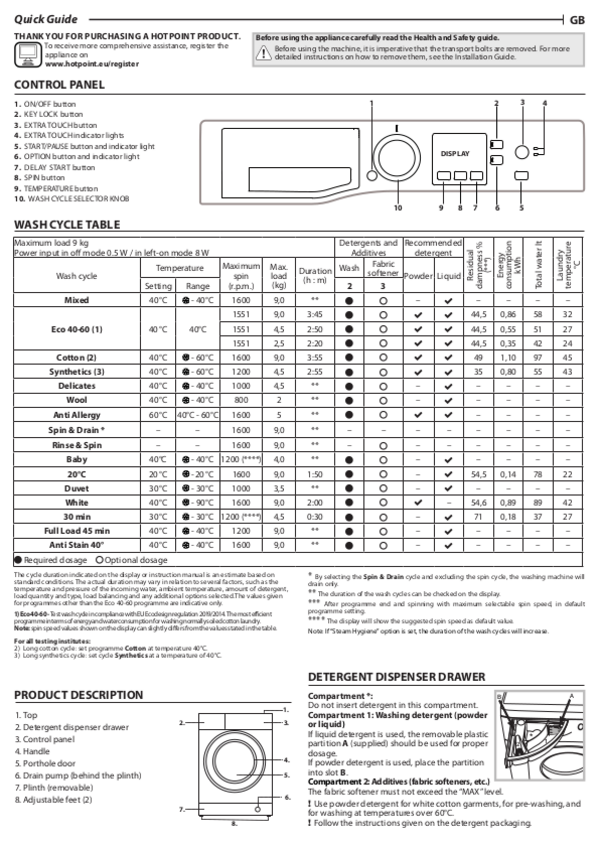
First and foremost, familiarize yourself with the different features and controls of your Hotpoint Ariston washing machine. The user guide will provide a detailed explanation of each button, dial, and display, allowing you to customize your wash settings and achieve perfectly clean clothes every time. From selecting the ideal water temperature and spin speed to understanding the various washing programs available, this guide will ensure you get the best results for every type of fabric.
In addition to the user guide, this manual also includes troubleshooting tips to help you address any issues that may arise during the lifespan of your washing machine. From error codes and unusual noises to leaks and drainage problems, we’ve got you covered. The troubleshooting section will guide you through each problem, providing step-by-step instructions to resolve the issue on your own or determine if professional assistance is necessary. With this valuable resource, you can save time and money by avoiding unnecessary service calls.
So, whether you’re starting your laundry journey with a Hotpoint Ariston washing machine or looking to enhance your existing knowledge, this manual is here to support you. With the user guide and troubleshooting tips at your fingertips, you can confidently tackle any laundry challenge that comes your way. Let’s get started on making laundry day a breeze!
- Setting Up Your Hotpoint Ariston Washing Machine
- 1. Placement
- 2. Leveling
- 3. Water Connections
- 4. Drainage
- 5. Power Supply
- 6. Loading
- Using Your Hotpoint Ariston Washing Machine
- Step 1: Preparing the Load
- Step 2: Adding Detergent
- Step 3: Choosing the Correct Program
- Step 4: Adjusting Settings
- Step 5: Initiating the Wash Cycle
- Troubleshooting Common Issues with Your Hotpoint Ariston Washing Machine
- Maintaining and Cleaning Your Hotpoint Ariston Washing Machine
- 1. Clean the drum
- 2. Clean the detergent dispenser
- 3. Check and clean the drain pump filter
- 4. Run a regular maintenance cycle
- Video on the topic
- Hotpoint 9Kg Washing Machine | Use and full care | detailed video 2026
- Hotpoint, Ariston, Indesit on Aquarius models test or service mode Diagnosing faults & Error codes
- Answers to frequently asked questions
Setting Up Your Hotpoint Ariston Washing Machine
When you first purchase a Hotpoint Ariston washing machine, it’s important to properly set it up to ensure optimal performance and longevity. Follow these steps to get your washing machine up and running:
1. Placement
Choose a sturdy and level surface in your laundry room or utility area to place your washing machine. Make sure there is enough space around the machine for easy access and ventilation.
2. Leveling
Check if the machine is level by using a spirit level. Adjust the machine’s feet as needed to ensure it is stable and balanced. A properly leveled machine helps reduce noise and prevents excessive vibrations during operation.
3. Water Connections
Connect the inlet hose to your water supply using a suitable connector. Make sure the connections are secure to prevent leaking. If necessary, use a rubber washer to create a watertight seal.
4. Drainage
Ensure that the washing machine’s drain hose is properly connected to a drain or drainage pipe. Make sure the connection is secure to prevent any leaks or spillage during operation.
5. Power Supply
Plug the washing machine’s power cord into a grounded electrical outlet. Make sure the outlet is easily accessible and meets the necessary voltage requirements for the machine.
6. Loading
Prior to loading the machine with laundry, make sure to remove any transit bolts or packaging materials that may have been included. These bolts are typically located on the rear of the machine and need to be removed to prevent damage during operation.
Once the machine is set up, you can start loading your laundry and using your Hotpoint Ariston washing machine. Refer to the user manual for specific instructions on selecting wash programs and adjusting settings.
Remember to regularly clean and maintain your washing machine to keep it in optimal condition. Follow the manufacturer’s guidelines for cleaning the drum, filter, and detergent compartments.
Note: If you encounter any issues during the setup or operation of your Hotpoint Ariston washing machine, refer to the troubleshooting section of the user manual or contact the manufacturer’s customer service for assistance.
Using Your Hotpoint Ariston Washing Machine
When it comes to using your Hotpoint Ariston washing machine, there are several important steps to keep in mind for optimal performance and clean laundry. Follow these instructions to make the most out of your appliance:
Step 1: Preparing the Load

Before starting a wash cycle, it is important to properly prepare the load of laundry. Sort your clothes by color and fabric type, ensuring that you follow the recommended care instructions for each garment. Remove any loose items from pockets, close zippers, and fasten buttons to prevent damage to the clothing or the machine.
Step 2: Adding Detergent
Next, measure the appropriate amount of detergent for your load size and soil level. Hotpoint Ariston washing machines often have a detergent dispenser that can be found in the detergent drawer. Follow the manufacturer’s instructions for the correct dosage and place the detergent in the appropriate compartment.
Step 3: Choosing the Correct Program
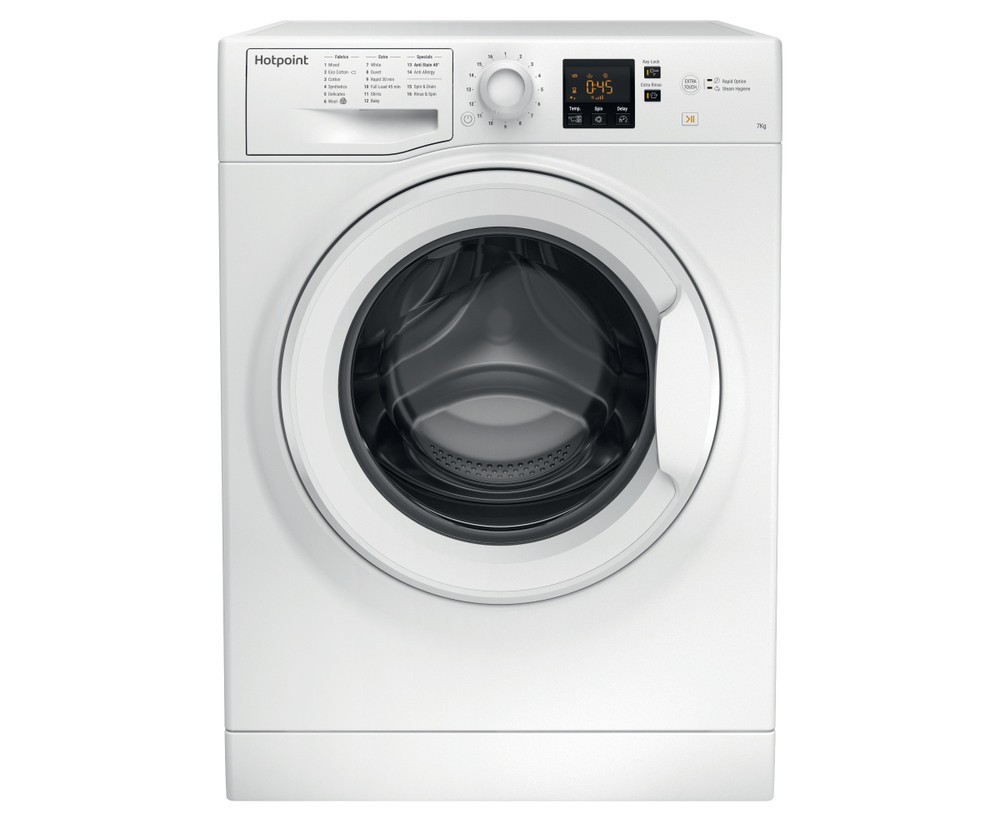
Select the appropriate washing program for your load. Hotpoint Ariston washing machines offer a variety of programs designed to accommodate different fabric types and levels of dirtiness. Consult the user manual or the control panel of your machine to choose the program that best suits your needs.
Step 4: Adjusting Settings
Depending on the specific model of your Hotpoint Ariston washing machine, you may have additional settings that can be adjusted to further customize your wash cycle. These settings may include temperature control, spin speed, and additional rinses. Take the time to review the user manual to understand how to adjust these settings if desired.
Step 5: Initiating the Wash Cycle
Once you have prepared the load, added detergent, chosen the program, and adjusted any desired settings, you are ready to start the wash cycle. Close the door of the machine securely and press the start button. Your Hotpoint Ariston washing machine will now begin the selected program.
During the wash cycle, it is important to avoid overloading the machine and to ensure that the load is balanced for optimal performance. Pay attention to any error codes or warning indicators that may appear on the control panel, as they may provide important information about issues or malfunctions that need to be addressed.
By following these steps and taking proper care of your Hotpoint Ariston washing machine, you can enjoy clean and fresh laundry for years to come.
Troubleshooting Common Issues with Your Hotpoint Ariston Washing Machine
If you’re experiencing problems with your Hotpoint Ariston washing machine, don’t panic. Many common issues can be easily resolved with a little troubleshooting. Here are some common problems you might encounter and steps you can take to fix them:
- No Power: If your washing machine won’t turn on or show any signs of power, make sure it’s plugged in properly and the circuit breaker in your home hasn’t tripped. Check the power cord for any damage and try plugging in another appliance to ensure the outlet is working correctly.
- Water not filling: If the washing machine isn’t filling with water, first check that the water supply is turned on. Make sure the inlet hoses are not kinked or blocked. It’s also worth checking the water pressure in your house, as low pressure can affect the machine’s ability to fill properly.
- Noisy operation: If your Hotpoint Ariston washing machine is making unusual noises while in operation, check for any loose items such as coins, buttons, or small clothing items that may have gotten trapped in the drum. Make sure the machine is level and that all feet are properly adjusted.
- Excessive vibration: If the washing machine is vibrating excessively, first check that it is level. Uneven loads can cause the machine to vibrate more than usual. Make sure the load is evenly distributed and try rearranging items if necessary. If the problem persists, check the shock absorbers or springs for any signs of damage.
- Clothes not clean: If your clothes are not coming out clean after a wash, make sure you are using the correct amount of detergent for the load size and water hardness. Avoid overloading the machine, as this can prevent clothes from moving freely and being properly cleaned. If necessary, consider using a different detergent or adding a stain remover for particularly stubborn stains.
If you’ve tried troubleshooting these common issues and are still experiencing problems with your Hotpoint Ariston washing machine, it may be time to consult the user manual or contact customer support for further assistance. Remember to always follow safety precautions when troubleshooting or repairing your washing machine.
Maintaining and Cleaning Your Hotpoint Ariston Washing Machine
Proper maintenance and regular cleaning of your Hotpoint Ariston washing machine are essential for its optimal performance and longevity. By following these simple tips, you can ensure that your machine continues to operate efficiently, providing you with clean and fresh laundry every time.
1. Clean the drum
Regularly cleaning the drum of your washing machine is important to remove any built-up dirt, detergent residue, and lint. To clean the drum, you can use a mixture of warm water and mild detergent. Apply the solution to a clean cloth and wipe the interior surface of the drum, including the door seal. Rinse with clean water and dry thoroughly.
2. Clean the detergent dispenser

The detergent dispenser can accumulate residue over time, which can affect the washing machine’s performance. To clean it, remove the detergent drawer and soak it in warm, soapy water. Use a brush to scrub away any residue, rinse thoroughly, and reinstall the drawer once it is completely dry.
3. Check and clean the drain pump filter
The drain pump filter prevents foreign objects from entering the pump and causing blockages. Regularly checking and cleaning the filter is important to ensure proper drainage and prevent potential issues. To clean the filter, locate it behind a small door or panel on the front of the machine. Use a towel or shallow tray to catch any water that may come out, then twist the filter counterclockwise to remove it. Clean any debris or lint from the filter and rinse it with water before reinstalling.
4. Run a regular maintenance cycle
To keep your washing machine in optimal condition, it is recommended to run a regular maintenance cycle. This cycle helps remove any residue, bacteria, or odors that may have accumulated over time. Follow the manufacturer’s instructions to run the maintenance cycle, which usually involves selecting a specific program and adding a cleaning agent or vinegar to the drum.
By following these maintenance and cleaning tips, you can ensure that your Hotpoint Ariston washing machine remains in great working condition for years to come. If you encounter any specific issues or require further assistance, refer to the user guide or contact Hotpoint Ariston customer support for troubleshooting guidance.
Video on the topic
Hotpoint 9Kg Washing Machine | Use and full care | detailed video 2026
Hotpoint, Ariston, Indesit on Aquarius models test or service mode Diagnosing faults & Error codes
Answers to frequently asked questions
Read more practical tips and expert opinions about modern devices at appliances-news.com. Here you will find answers to questions about any technology.