In today’s fast-paced world, technology has made our lives more convenient and efficient. From smartphones to smart homes, we are constantly finding ways to streamline our daily tasks. One area where technology has made significant advancements is in the realm of home appliances, particularly washing machines. Gone are the days of manually setting timers and pressing buttons. With the advent of smart washing machines, you can now control your laundry from the palm of your hand.
Imagine a scenario: You’re at work and suddenly remember that you left a load of laundry in the washing machine. Instead of rushing home to avoid musty clothes, you can simply take out your phone and remotely manage your washing machine.
But how exactly does this work? Smart washing machines are equipped with cutting-edge technology that allows them to connect to your home’s Wi-Fi network. This connectivity enables your phone to communicate with the washing machine through a dedicated mobile application. The app acts as a remote control, allowing you to monitor and control your washing machine from anywhere, at any time.
With this ultimate guide, we will walk you through the process of setting up and using your smart washing machine. From downloading the app to selecting the perfect wash cycle, you’ll become a pro at managing your laundry with your phone. Say goodbye to the days of constantly checking on your washing machine – with a smart device in hand, you can take full control of your laundry routine.
- How to Control Your Washing Machine with Your Phone – Your Ultimate Guide
- Step 1: Check if Your Washing Machine Supports App Control
- Step 2: Download the App
- Step 3: Connect Your Phone to the Washing Machine
- Step 4: Explore the App Features
- Step 5: Schedule and Monitor Wash Cycles
- Step 6: Troubleshooting and Support
- Setting up your washing machine
- Step 1: Check the requirements
- Step 2: Download the companion app
- Step 3: Connect your phone and washing machine
- Step 4: Set up the washing machine settings
- Step 5: Test the connection
- Connecting your washing machine to your phone
- Step 1: Check compatibility
- Step 2: Download the app
- Step 3: Connect to Wi-Fi
- Step 4: Pair your phone
- Step 5: Start controlling your washing machine
- Installing the companion app
- Exploring the app’s features
- 1. Remote control
- 2. Customized settings
- 3. Smart notifications
- 4. Energy efficiency
- Customizing your washing settings
- Video on the topic
- How to use the Super Speed feature on your washing machine | Samsung US
- Samsung Washing Machine Review: Is Samsung Washer a Good Choice for Your Home?
- How to use the auto dispenser on your Samsung washing machine | Samsung US
- Answers to frequently asked questions
How to Control Your Washing Machine with Your Phone – Your Ultimate Guide
Are you tired of having to manually control your washing machine every time you do laundry? With advancements in technology, you can now control your washing machine right from your phone. This ultimate guide will walk you through the steps to set up and use your phone as a remote control for your washing machine.
Step 1: Check if Your Washing Machine Supports App Control

Not all washing machines are equipped with the technology to be controlled through an app. Check the user manual or the manufacturer’s website to see if your washing machine supports app control. If it does, move on to the next step.
Step 2: Download the App

Search for the official app associated with your washing machine’s brand in your phone’s app store. Download and install the app on your phone.
Step 3: Connect Your Phone to the Washing Machine
Ensure that your washing machine and phone are connected to the same Wi-Fi network. Open the app on your phone and follow the instructions to connect your phone to your washing machine. This typically involves scanning a QR code or entering a unique code provided by the app.
Step 4: Explore the App Features
Once your phone is connected to the washing machine, you can start exploring the app features. Most apps allow you to start, pause, or stop a wash cycle, select different wash programs, adjust temperature and spin speed, and receive notifications when the cycle is complete.
Step 5: Schedule and Monitor Wash Cycles
Take full advantage of the app’s capabilities by scheduling wash cycles in advance. You can set a specific time for the washing machine to start a cycle, ensuring that your laundry is ready when you need it. Additionally, you can monitor the progress of the wash cycle in real-time through the app.
Step 6: Troubleshooting and Support

If you encounter any issues with the app or have questions about using it, refer to the app’s user manual or contact the manufacturer’s customer support. They can provide guidance on common troubleshooting steps or help resolve any technical hiccups.
By following these steps, you can unlock the convenience of controlling your washing machine with your phone. No more rushing to the laundry room or keeping an eye on the machine – simply sit back, relax, and let your phone do the work!
Setting up your washing machine
Before you can control your washing machine with your phone, you need to set it up properly. Follow these steps to get started:
Step 1: Check the requirements

Make sure your washing machine meets the necessary requirements for connecting it to your phone. Check if your washing machine has built-in Wi-Fi connectivity or if it supports a smart home platform like Google Home or Amazon Alexa.
Step 2: Download the companion app
Search for the companion app for your washing machine on your phone’s app store. Download and install the app on your phone.
Step 3: Connect your phone and washing machine
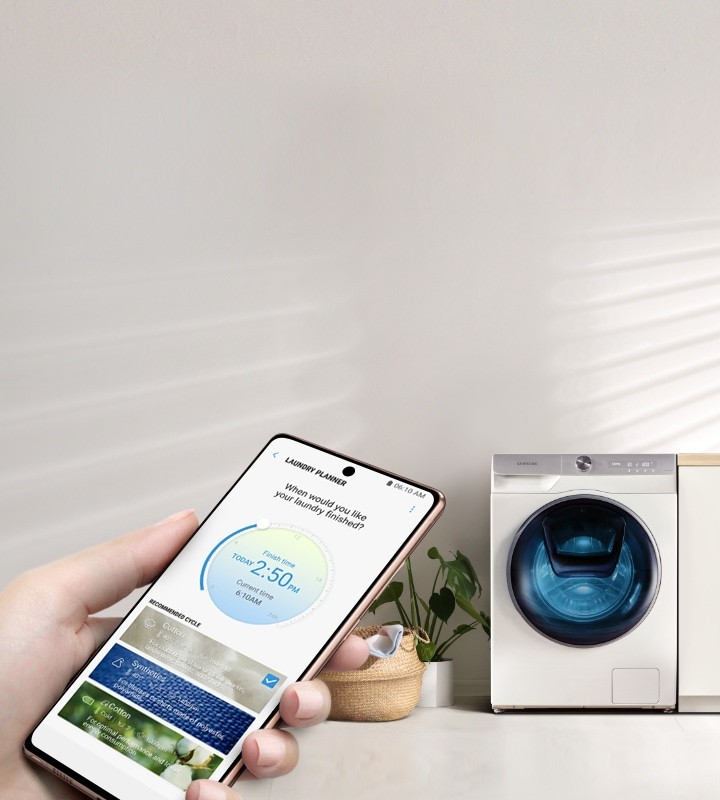
Open the companion app on your phone and follow the instructions to connect your phone to your washing machine. This typically involves connecting to the same Wi-Fi network as your washing machine and entering a pairing code.
Step 4: Set up the washing machine settings
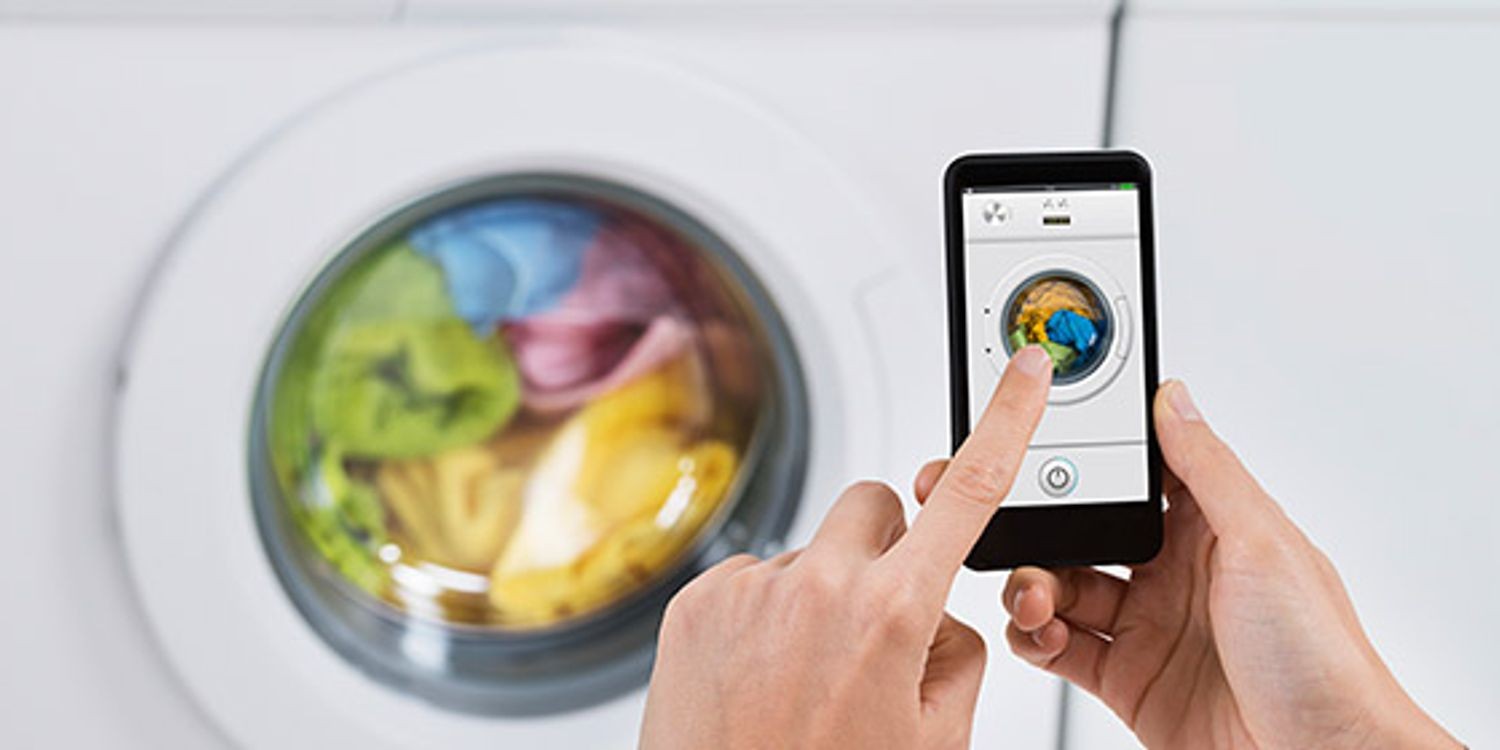
Once your phone is connected to your washing machine, you’ll be able to configure various settings. These may include selecting a preferred language, adjusting the water temperature, or setting a delayed start time for your laundry.
Step 5: Test the connection

Before using your phone to control your washing machine, it’s a good idea to test the connection. Start a test run or a short cycle from the companion app and make sure the washing machine responds accordingly.
| Tip: | Keep your phone close to the washing machine during the setup process to ensure a strong and stable connection. |
|---|
Once you have successfully set up your washing machine, you’ll be able to conveniently control and monitor your laundry from your phone.
Connecting your washing machine to your phone
Connecting your washing machine to your phone allows you to have complete control over your laundry from anywhere inside or outside your home. This innovative feature not only provides convenience but also improves efficiency and saves time.
Step 1: Check compatibility
Before attempting to connect your washing machine to your phone, it is important to check if your appliance is compatible with this feature. Some older models might not have the necessary technology to connect to a smartphone. Refer to the user manual or contact the manufacturer to determine if your washing machine is compatible.
Step 2: Download the app

Next, download the corresponding mobile application from the app store on your smartphone. Make sure to search for the app specific to your washing machine brand and model. These apps are generally available for both iOS and Android devices.
Step 3: Connect to Wi-Fi

Ensure that your washing machine is connected to your home’s Wi-Fi network. You can usually do this through the washing machine’s settings menu. Refer to the user manual for detailed instructions on how to connect your appliance to Wi-Fi.
Step 4: Pair your phone
Open the downloaded app on your smartphone and follow the on-screen instructions to pair your phone with the washing machine. This usually involves entering your Wi-Fi network details and confirming the connection.
Step 5: Start controlling your washing machine
Once the connection is established, you can now start controlling your washing machine using your phone. The mobile app usually offers a variety of features, such as starting or pausing a cycle, adjusting settings, receiving notifications, and even troubleshooting.
With your washing machine connected to your phone, you can conveniently start a load of laundry on your way home from work or receive alerts when a cycle is complete. This technology provides you with flexibility and helps you streamline your laundry routine.
Installing the companion app

To control your washing machine with your phone, you’ll need to install the companion app. Follow these steps to get started:
- Open the app store on your smartphone. This could be the Apple App Store for iPhone users, or the Google Play Store for Android users.
- Search for the companion app by entering the name of the washing machine brand or model in the search bar. Alternatively, you can search for the app using specific keywords like “washing machine control” or “phone remote for washing machine”.
- Once you find the app, tap on it to open the app listing page.
- Tap the “Install” or “Get” button to start downloading and installing the app on your phone. Keep in mind that some apps may require certain permissions, such as access to your camera or microphone, in order to function properly. Make sure to review and grant the necessary permissions when prompted.
- Wait for the app to finish downloading and installing. The app icon will appear on your home screen or in the app drawer.
- Open the companion app by tapping on its icon.
- Follow the on-screen instructions to set up the app, which typically involves connecting it to your washing machine. This process may vary depending on the specific app and washing machine model, so make sure to carefully read and follow the provided instructions.
- Once the setup process is complete, you should be able to control your washing machine using your phone. You may need to connect your phone to the same Wi-Fi network as the washing machine for the app to work properly.
By installing the companion app, you’ll have convenient access to control and monitor your washing machine remotely from your phone, making laundry tasks more efficient and seamless.
Exploring the app’s features

The washing machine app provides a variety of features that give you full control and convenience over your laundry. Whether you’re at home or on the go, this app allows you to manage your washing machine easily with just a few taps on your phone.
1. Remote control

One of the key features of the app is the ability to remotely control your washing machine. This means you can start, stop, pause, or change the settings of your laundry cycle from anywhere. Whether you forgot to start the machine before leaving home or want to delay the start time, you can do it all through the app.
2. Customized settings
The app allows you to customize the settings of your laundry cycle based on your preferences. You can adjust the temperature, spin speed, water level, and duration of the wash. This level of control ensures that your clothes are washed exactly how you want them, whether you need a gentle cycle for delicate fabrics or an intensive wash for stubborn stains.
3. Smart notifications
With the app, you no longer have to keep checking on the progress of your laundry. It sends you smart notifications to keep you informed about the status of your wash. You’ll receive alerts when the cycle is complete, when to add fabric softener, or if any issues arise during the process. You can also set reminders to help you remember to transfer the clothes to the dryer or take them out of the machine.
4. Energy efficiency
The app also promotes energy efficiency by providing information on the energy consumption of your washing machine. You can view detailed reports and statistics about each cycle, including the amount of water and electricity used. This feature allows you to make informed decisions about your laundry practices and help reduce your environmental impact.
| Feature | Description |
|---|---|
| Remote control | Start, stop, pause, or change the settings of your laundry cycle from anywhere. |
| Customized settings | Adjust the temperature, spin speed, water level, and duration of the wash according to your preferences. |
| Smart notifications | Receive alerts about the status of your wash, reminders, and troubleshooting notifications. |
| Energy efficiency | Access detailed reports and statistics on the energy consumption of your washing machine. |
Customizing your washing settings
Modern washing machines offer a wide range of customizations to ensure that your laundry gets the perfect clean. With the ability to control your washing machine using your phone, you have even more options at your fingertips.
First, you can adjust the temperature of the water. Depending on the type of fabric you are washing, you may need hot water to remove tough stains or cold water to protect delicate materials. With just a few taps on your phone, you can set the desired temperature and let the machine do the rest.
Next, you can choose the spin speed. Higher spin speeds can remove more moisture from your clothes, reducing drying time, but it may also cause more wear and tear on delicate items. Being able to adjust the spin speed remotely allows you to find the perfect balance between efficiency and garment care.
Another important customization is the duration of the washing cycle. Some garments may require a longer wash for a deep clean, while others can be refreshed with a shorter cycle. By accessing your washing machine settings through your phone, you can easily select the appropriate duration for each load.
Additionally, some washing machines offer specialized wash cycles for specific garment types, such as delicate, wool, or sportswear. These cycles are designed to optimize cleaning efficiency while minimizing damage to your clothes. With remote control capabilities, you can easily select the appropriate program for each load without having to manually adjust the settings on the machine.
Finally, you can schedule your washing machine to start at a specific time. This is particularly useful if you want to take advantage of lower electricity rates during off-peak hours or if you want your laundry to be ready at a specific time. Simply set the desired start time on your phone, and your washing machine will take care of the rest.
In conclusion, customizing your washing settings allows you to tailor each wash to meet your specific needs. By using your phone to control your washing machine, you can easily adjust the temperature, spin speed, duration, and wash cycle to ensure that your laundry gets the best possible care. Take advantage of these features to save time, energy, and ensure the longevity of your clothes.
Video on the topic
How to use the Super Speed feature on your washing machine | Samsung US
Samsung Washing Machine Review: Is Samsung Washer a Good Choice for Your Home?
How to use the auto dispenser on your Samsung washing machine | Samsung US
Answers to frequently asked questions
Read more practical tips and expert opinions about modern devices at appliances-news.com. Here you will find answers to questions about any technology.