
Welcome to our ultimate guide to the LG Washing Machine App! Are you tired of doing laundry the old-fashioned way? Look no further – we have got you covered with all the information you need to know about the LG Washing Machine App. With this innovative app, you can now control your washing machine from the palm of your hand, giving you ultimate convenience and flexibility.
One of the key features of the LG Washing Machine App is its user-friendly interface. Even if you are not tech-savvy, you will find it easy to navigate and use. With just a few taps on your smartphone, you can start or pause a wash cycle, adjust settings, and even receive notifications when your laundry is done. No more running back and forth to the laundry room – the LG Washing Machine App puts you in control.
Another great feature of the LG Washing Machine App is the ability to download additional wash cycles. Got a stubborn stain that needs special attention? Simply download a specific wash cycle for that type of fabric or stain, and let your washing machine do the work. You can also customize and save your own wash cycles for future use, making laundry a breeze.
With the LG Washing Machine App, you can say goodbye to wasted time waiting for your laundry to finish. The app allows you to track the progress of each wash cycle in real-time, so you can plan your day accordingly. You can also set delay start times for each cycle, ensuring that your laundry is complete exactly when you need it to be.
In conclusion, the LG Washing Machine App is a game-changer when it comes to doing laundry. Its user-friendly interface, additional wash cycles, and real-time tracking features make it a must-have for anyone looking to simplify their laundry routine. So why wait? Download the app today and experience the future of laundry in the palm of your hand.
- The LG Washing Machine App: Everything You Need to Know
- Features and Benefits of the LG Washing Machine App
- How to Download and Install the LG Washing Machine App
- Step 1: Check Compatibility
- Step 2: Open App Store
- Step 3: Search for the App
- Step 4: Select the App
- Step 5: Download and Install
- Step 6: Sign In or Create an Account
- Step 7: Connect to Your Washing Machine
- Getting Started with the LG Washing Machine App: Step-by-Step Guide
- 1. Download and Install the App
- 2. Open the App and Create an Account
- 3. Connect the App to Your Washing Machine
- 4. Follow the Setup Instructions
- 5. Explore the App Features
- 6. Troubleshooting
- Tips and Tricks for Using the LG Washing Machine App
- Video on the topic
- Best Top-Load Washers 2026 [don’t buy one before watching this]
- Answers to frequently asked questions
The LG Washing Machine App: Everything You Need to Know
If you own an LG washing machine, you may be delighted to know that there is an app specifically designed to enhance your laundry experience. In this guide, we will take a comprehensive look at the LG Washing Machine App and everything you need to know about it.
The LG Washing Machine App is available for both iOS and Android devices, making it accessible to a wide range of users. Its user-friendly interface and intuitive design make it easy to navigate and operate.
One of the standout features of the app is the ability to remotely control your washing machine. This means you can start, pause, or stop a cycle from anywhere in your home. You don’t have to be physically present in front of the machine to operate it, giving you the convenience and flexibility you need.
Another remarkable feature is the Smart Diagnosis function. If there are any issues with your washing machine, you can use the app to diagnose the problem. The app will provide you with step-by-step instructions and troubleshooting tips to help you resolve the issue on your own. This can save you time and money by avoiding unnecessary service calls.
The LG Washing Machine App also offers personalized recommendations for your laundry routines. Based on the information you input, such as the fabric type and stain level, the app will suggest the most suitable cycle and settings for your clothes. This ensures optimal washing performance and helps prolong the lifespan of your garments.
Moreover, the app provides status notifications, so you can stay updated on the progress of your laundry. You will receive alerts when a cycle is completed or if there are any issues that require your attention. This allows you to plan your day accordingly and ensures that you never miss a beat when it comes to laundry.
In conclusion, the LG Washing Machine App is a powerful tool that enhances your laundry experience. With its remote control functionality, smart diagnosis feature, personalized recommendations, and status notifications, it makes doing laundry more convenient, efficient, and hassle-free. Download the app today and take your laundry to the next level!
Features and Benefits of the LG Washing Machine App
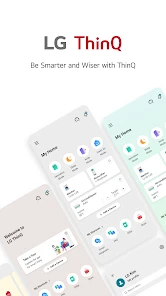
The LG Washing Machine App offers a range of features and benefits that make doing laundry more convenient and efficient. Here are some of the key features and benefits:
1. Remote Control: With the LG Washing Machine App, you can control your washing machine from anywhere using your smartphone. You can start or pause a cycle, adjust settings, and receive notifications when your laundry is done.
2. Download New Wash Cycles: The app allows you to download new wash cycles, so you can customize your laundry to suit your preferences. Whether you need a quick wash or a deep clean, the app has a range of options to choose from.
3. Smart Diagnosis: In the event of an issue, the app offers a smart diagnosis feature, which can help identify problems with your washing machine. You can troubleshoot the issue or contact customer support for assistance.
4. Energy Monitoring: The app provides energy monitoring capabilities, allowing you to track your washing machine’s energy usage. This can help you make more informed decisions and save on your energy bills.
5. Laundry Tips: The app offers helpful laundry tips and recommendations to ensure you get the most out of your washing machine. From stain removal techniques to fabric care instructions, the app provides useful information to help you achieve optimal results.
6. Easy Maintenance: The LG Washing Machine App makes it easy to keep your washing machine running smoothly. You can receive alerts for regular maintenance tasks, such as cleaning the drum or replacing filters, to ensure your machine performs at its best.
7. Smart Pairing: The app allows for smart pairing with other LG smart appliances, creating a seamless user experience. You can sync your washing machine with other devices, such as a dryer or refrigerator, for enhanced convenience and automation.
8. User-Friendly Interface: The app features a user-friendly interface that is easy to navigate and understand. It provides a seamless experience for users of all levels of technical expertise.
Overall, the LG Washing Machine App offers a range of features and benefits that enhance the laundry experience. From remote control capabilities to energy monitoring and maintenance alerts, the app provides convenience, customization, and efficiency, making laundry a breeze.
How to Download and Install the LG Washing Machine App
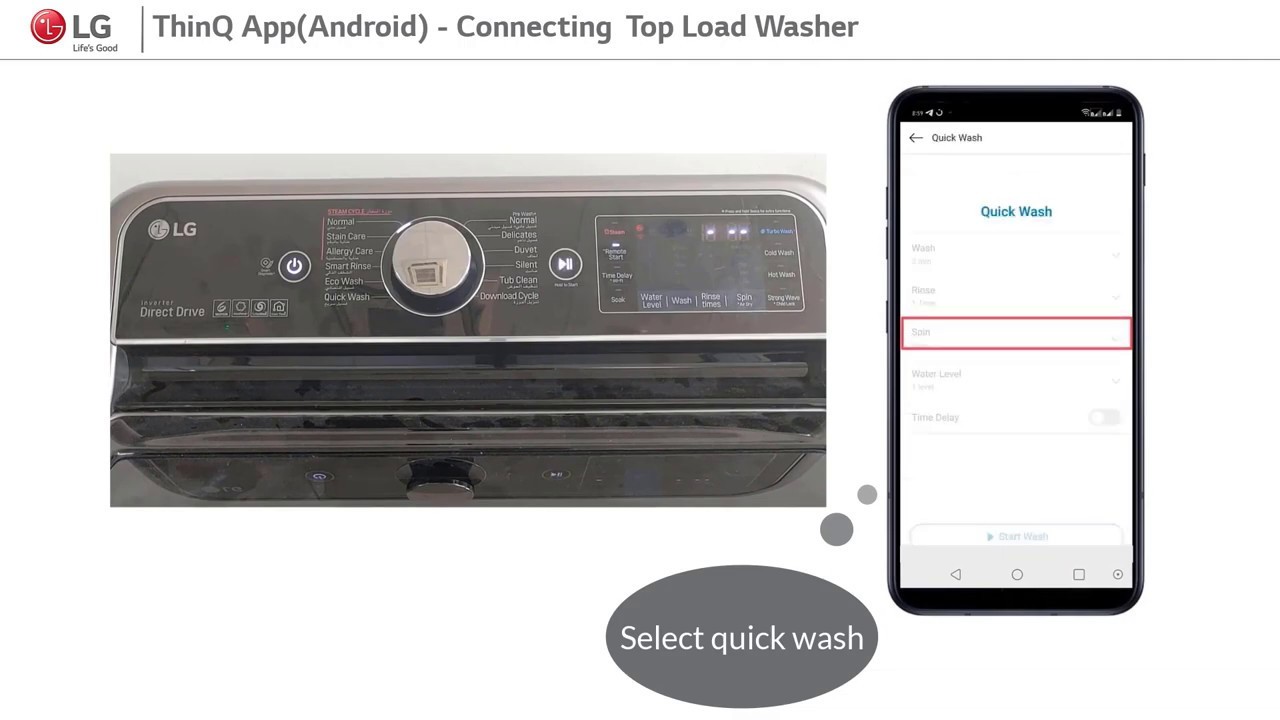
To control your LG washing machine through your smartphone, you need to download and install the LG Washing Machine app. Here is a step-by-step guide on how to do it:
Step 1: Check Compatibility
Before downloading the app, make sure that your smartphone is compatible with the LG Washing Machine app. You can check the compatibility by visiting the app store on your phone and searching for the LG Washing Machine app. If your device appears in the list of compatible devices, you can proceed to the next step.
Step 2: Open App Store
Open the app store on your smartphone. If you are using an iOS device, open the App Store, and if you are using an Android device, open the Google Play Store.
Step 3: Search for the App
Use the search bar in the app store to search for the LG Washing Machine app. Type in “LG Washing Machine” and tap the search button.
Step 4: Select the App
From the search results, select the LG Washing Machine app. Make sure that the app is developed by LG Electronics Inc. to ensure that you are downloading the official app.
Step 5: Download and Install
Tap the “Download” or “Install” button to start downloading and installing the app on your smartphone. The app size may vary depending on the device, so make sure you have enough storage space.
Step 6: Sign In or Create an Account
Once the app is successfully installed, open it on your smartphone. You will be prompted to sign in with your LG account or create a new account if you don’t have one. Follow the on-screen instructions to complete the sign-in or account creation process.
Step 7: Connect to Your Washing Machine
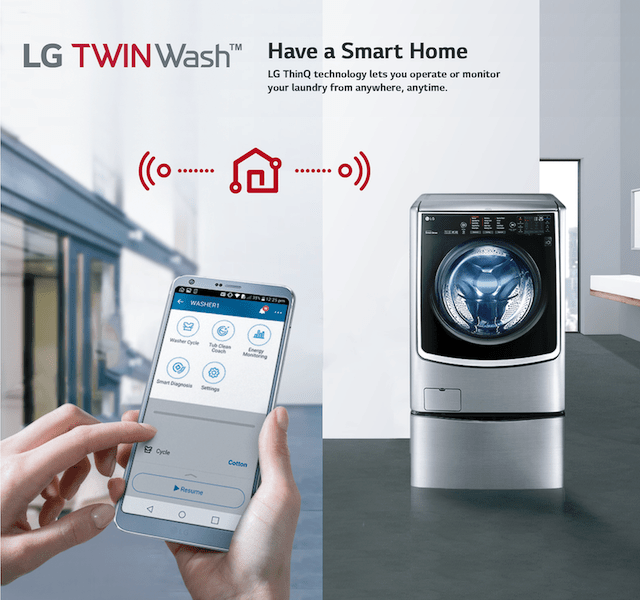
After signing in, you will need to connect your smartphone to your LG washing machine. Follow the instructions in the app to establish a connection. This usually involves selecting your washing machine model and entering a PIN code displayed on the machine’s display.
That’s it! You have successfully downloaded and installed the LG Washing Machine app on your smartphone. You can now use your phone to conveniently control your LG washing machine and access various features and settings.
Getting Started with the LG Washing Machine App: Step-by-Step Guide
The LG Washing Machine App is a convenient tool that allows you to control and monitor your LG washing machine from your smartphone. In this step-by-step guide, we will walk you through the process of getting started with the app and connecting it to your washing machine.
1. Download and Install the App
The first step is to download and install the LG Washing Machine App on your smartphone. You can find the app on the App Store for iOS devices or on the Google Play Store for Android devices. Simply search for “LG Washing Machine App” and follow the instructions to install it.
2. Open the App and Create an Account
Once the app is installed, open it on your smartphone. You will be prompted to create a new account if you don’t already have one. Follow the on-screen instructions to set up your account, providing your email address and creating a password.
3. Connect the App to Your Washing Machine
Next, you need to connect the app to your LG washing machine. Make sure your washing machine is turned on and connected to the same Wi-Fi network as your smartphone. In the app, tap on the “Connect” button and select your washing machine from the list of available devices.
4. Follow the Setup Instructions
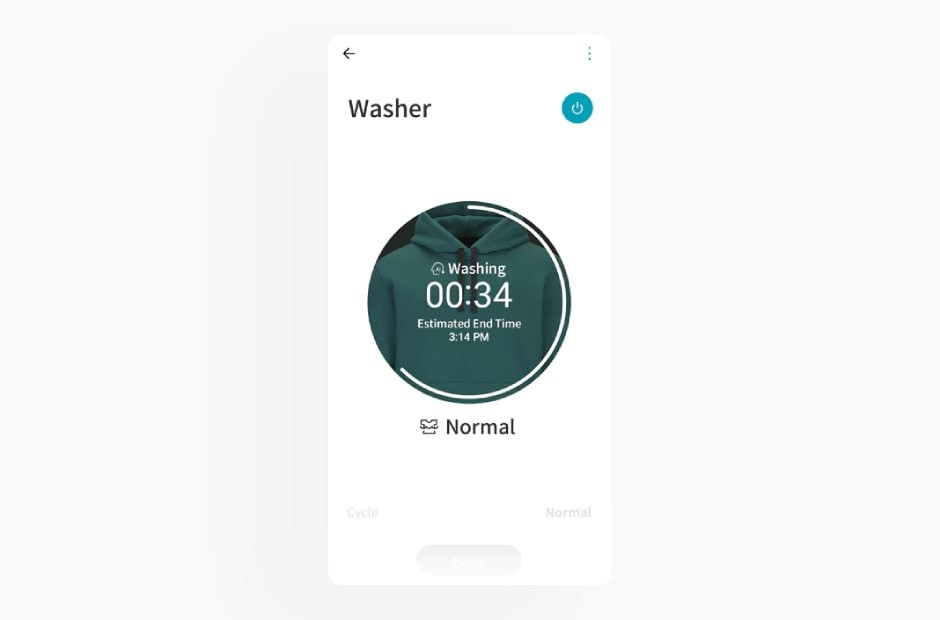
Once your washing machine is detected, the app will provide you with step-by-step instructions to complete the setup process. This may include entering a security code or pressing certain buttons on your washing machine. Follow the instructions carefully to ensure a successful connection.
5. Explore the App Features
Once the setup process is complete, you can start exploring the various features of the LG Washing Machine App. You will be able to start and pause wash cycles, customize wash settings, and receive notifications when your laundry is done. Take some time to familiarize yourself with the app and its capabilities.
6. Troubleshooting
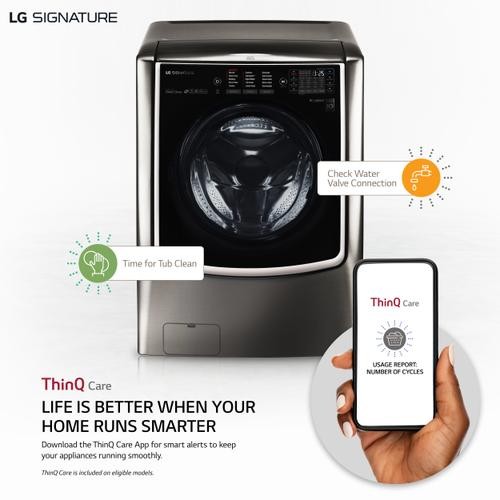
If you encounter any issues during the setup process or while using the app, refer to the app’s user guide or troubleshooting section. This will provide you with solutions to common problems and help you resolve any issues you may face.
By following this step-by-step guide, you can easily get started with the LG Washing Machine App and enjoy the convenience of controlling and monitoring your washing machine right from your smartphone.
Tips and Tricks for Using the LG Washing Machine App

Once you’ve downloaded and installed the LG Washing Machine App on your smartphone or tablet, you’ll have access to a range of features that will enhance your laundry experience. To help you get the most out of the app, we’ve compiled a list of tips and tricks.
1. Customize Your Wash Settings: The LG Washing Machine App allows you to customize your wash settings based on your laundry preferences. From water temperature to spin speed, you can tailor the wash cycle to meet your specific needs.
2. Schedule Your Wash: With the app, you can schedule your wash cycle to start at a specific time. This feature comes in handy when you want to do your laundry during off-peak hours or when you’re away from home.
3. Receive Notifications: Want to know when your laundry is done? The app can send you notifications when the wash cycle is complete, so you don’t have to keep checking on it.
4. Troubleshoot Issues: If you encounter any issues with your washing machine, the app can help you troubleshoot the problem. It provides step-by-step guides and diagnostic tools to assist you in resolving common issues.
5. Save Your Favorite Settings: If you have certain wash settings that you use frequently, you can save them as favorites in the app. This way, you can quickly access and use them for future wash cycles.
6. Track Energy Usage: The app allows you to monitor the energy usage of your washing machine. By keeping track of your energy consumption, you can make informed decisions on how to reduce your environmental impact.
7. Control Multiple Appliances: If you have multiple LG appliances that are compatible with the app, you can control them all from one place. This makes managing your laundry tasks much more convenient.
8. Stay Updated: LG regularly updates the app to improve performance and add new features. Make sure to check for updates regularly to stay up to date with the latest enhancements.
By utilizing these tips and tricks, you’ll be able to fully utilize the features of the LG Washing Machine App and simplify your laundry routine.
Video on the topic
Best Top-Load Washers 2026 [don’t buy one before watching this]
Answers to frequently asked questions
Read more practical tips and expert opinions about modern devices at appliances-news.com. Here you will find answers to questions about any technology.


