
When your LG washing machine displays the error code CL, it can be quite frustrating and leave you wondering what the problem is. Fortunately, understanding and troubleshooting this error is possible, even if you’re not an expert. In this article, we will guide you through the most common causes of the CL error and provide you with some easy fixes.
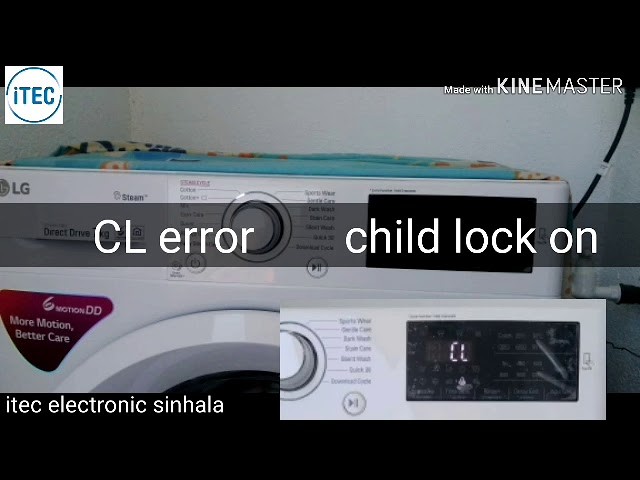
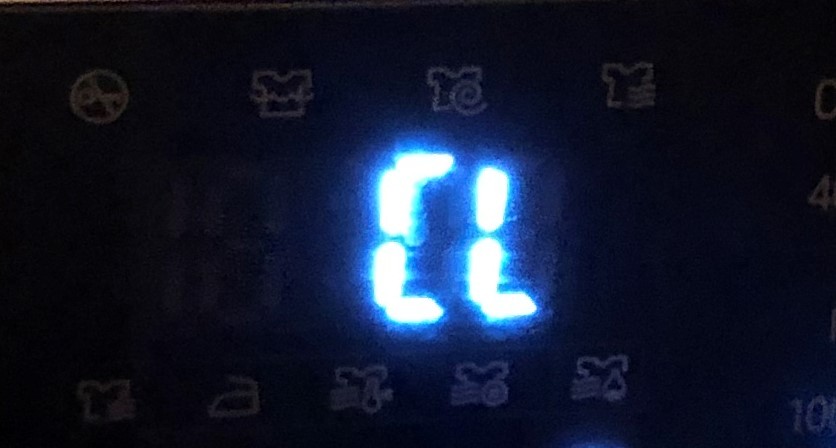
First and foremost, the CL error on your LG washing machine stands for “Child Lock.” This feature is designed to prevent children from accidentally starting or tampering with the machine. While it may be an essential safety feature, it can sometimes become activated unintentionally, causing the CL error to appear on the display.
If your LG washing machine is showing the CL error, the first thing you can try is to deactivate the Child Lock feature. To do this, press and hold the “Child Lock” button (or a similar button with a lock icon) for about 3 to 5 seconds. The CL error should disappear, and you should be able to use your washing machine as usual.
If deactivating the Child Lock doesn’t resolve the issue, there could be another problem causing the CL error. One possible cause is a faulty door switch. The door switch is responsible for detecting whether the washing machine door is properly closed. If this switch malfunctions, it can trigger the CL error. In this case, you may need to replace the door switch to fix the problem.
Another potential cause of the CL error is a malfunctioning control board. The control board is the brain of your washing machine, and if it’s not working correctly, it can display various error codes, including CL. If none of the previous troubleshooting steps have worked, you may need to call a professional technician to diagnose and repair the control board.
In conclusion, the CL error on your LG washing machine can be resolved by deactivating the Child Lock feature. If that doesn’t work, it’s worth checking the door switch and control board for any issues. By following these troubleshooting steps, you can hopefully get your washing machine back up and running without any further problems.
- What is the LG Washing Machine Error CL?
- Common Causes
- 1. Child Lock Enabled
- 2. Door Not Closed Properly
- 3. Control Panel Malfunction
- Dirty or Clogged Filter
- Incorrect Settings
- 1. Wrong Wash Cycle
- 2. Improper Load Size Selection
- Power Interruptions
- 1. Restart the Machine
- 2. Check the Water Supply
- Troubleshooting Steps
- Cleaning the Filter
- Resetting the Machine
- Additional Tips
- Video on the topic
- LG Washer Error Code – How to Repair this TE Error – Troubleshooting & Diagnostics
- LG washing machines | How to reset your LG washing machine
- Error Codes on an LG Washing Machine
- Answers to frequently asked questions
What is the LG Washing Machine Error CL?
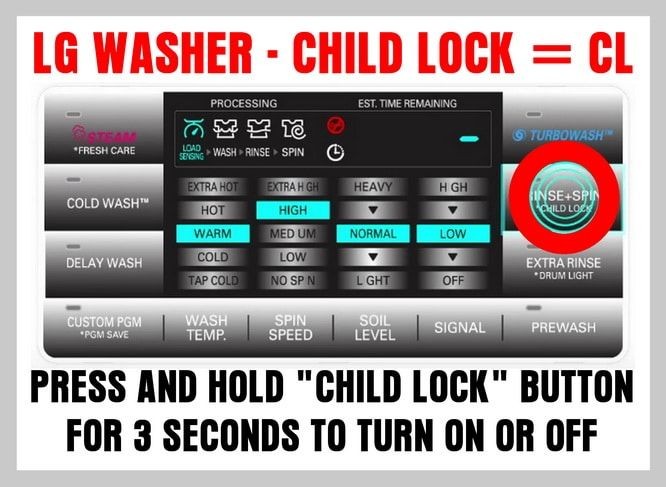
If you own an LG washing machine, you may have encountered the Error CL at some point. This error code indicates a problem with the child lock feature of your washer. The child lock is a safety feature that prevents children or anyone else from accidentally starting or changing the settings of the machine.
When the Error CL appears on your LG washing machine, it means that the child lock feature has been activated, and you need to deactivate it to resume normal operation. The child lock can be accidentally activated if any buttons or controls on the machine are pressed and held for an extended period of time.
To deactivate the child lock and clear the Error CL, you will need to press and hold the “Child Lock” button or a similar button on your machine for a few seconds. This will disable the child lock and allow you to use the washer as usual.
It is important to note that the location and appearance of the “Child Lock” button may vary depending on the model of your LG washing machine. Refer to the user manual or the control panel of your machine to locate the specific button.
If you are still experiencing the Error CL after trying to deactivate the child lock, it may indicate a more serious issue with your machine. In such cases, it is recommended to contact LG customer support or a qualified technician for further assistance.
By understanding the LG Washing Machine Error CL and how to resolve it, you can quickly get your washing machine back up and running smoothly.
Common Causes

There are several common causes for the LG Washing Machine Error CL. Understanding these causes can help you troubleshoot the issue and find a solution. Here are the most frequently encountered reasons:
1. Child Lock Enabled
One common cause of the CL error is when the child lock feature is enabled. This feature is designed to prevent children from accidentally starting or stopping the washing machine. If the child lock is turned on, it can cause the CL error to appear on the display. To fix this, you need to disable the child lock feature. Refer to the user manual for instructions on how to do this.
2. Door Not Closed Properly
Another common cause of the CL error is when the door of the washing machine is not closed properly. If the door is not securely closed, the washing machine will detect this as an error and display the CL code. Make sure that the door is closed tightly before starting the washing cycle.
3. Control Panel Malfunction
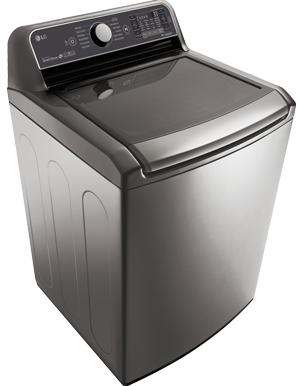
In some cases, the CL error can be caused by a malfunction in the control panel of the washing machine. If the control panel is not functioning correctly, it may need to be repaired or replaced. Contact a qualified technician to diagnose and fix the issue.
By checking these common causes, you can troubleshoot the LG Washing Machine Error CL and hopefully find a solution. If the issue persists, it is recommended to contact LG customer support or a professional technician for further assistance.
Dirty or Clogged Filter
One common cause of the CL error on LG washing machines is a dirty or clogged filter. The CL error code indicates that there is an issue with the water inlet. Over time, dirt, lint, and other debris can accumulate in the filter, causing it to become clogged. When the filter is clogged, it restricts the flow of water into the machine, resulting in the CL error code.
To troubleshoot this issue, you’ll need to clean the filter. Here are the steps to clean the filter:
- Turn off and unplug the washing machine.
- Locate the filter. It is usually located on the back of the washing machine, near the water inlet.
- Remove the filter cover. Depending on your model, you may need to unscrew it or simply pull it off.
- Check the filter for dirt, lint, or other debris. If the filter is dirty or clogged, clean it using warm water and a soft brush or toothbrush.
- Once the filter is clean, ensure that there are no blockages in the filter housing.
- Reinstall the filter and secure the filter cover.
- Plug in the washing machine and turn it on.
If the CL error code persists after cleaning the filter, there may be a problem with the water inlet valve or the pressure switch. In such cases, it is recommended to consult a professional technician for further assistance.
| Issue | Possible Causes | Action |
|---|---|---|
| CL error code | Dirty or clogged filter | Clean the filter |
| CL error code | Water inlet valve issue | Consult a professional technician |
| CL error code | Pressure switch issue | Consult a professional technician |
Regularly cleaning the filter can help prevent the CL error code from occurring. It is recommended to clean the filter at least once every few months or as needed.
Incorrect Settings
If you’re encountering the CL error on your LG washing machine, it could be due to incorrect settings. Make sure you have selected the appropriate wash cycle and options for the type of load you are washing.
Here are a few possible reasons for the CL error related to incorrect settings:
1. Wrong Wash Cycle
Using the wrong wash cycle can trigger the CL error. Ensure that you are selecting the correct cycle for your laundry. For example, if you’re washing delicate items, choose a delicate or gentle cycle.
2. Improper Load Size Selection

Selecting the wrong load size can also cause the CL error. It’s important to choose the appropriate load size based on the amount of laundry you’re washing. Overloading or underloading the machine can result in poor washing performance and trigger the error code.
Refer to your LG washing machine’s user manual for detailed information on the available wash cycles and load size selection options.
| Possible Cause | Solution |
|---|---|
| Wrong wash cycle | Select the correct wash cycle |
| Improper load size selection | Choose the appropriate load size |
By ensuring the correct settings are chosen, you can prevent the CL error from occurring and ensure optimal washing results.
Power Interruptions
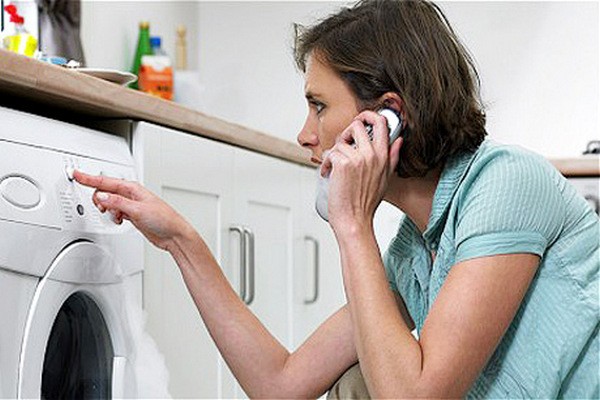
Power interruptions can be a common cause of the CL error code on LG washing machines. When the power is interrupted while the machine is running, it can cause the control panel to display the CL error code as a safety precaution.
If you experience a power outage or any other interruption, follow these steps to resolve the CL error:
1. Restart the Machine
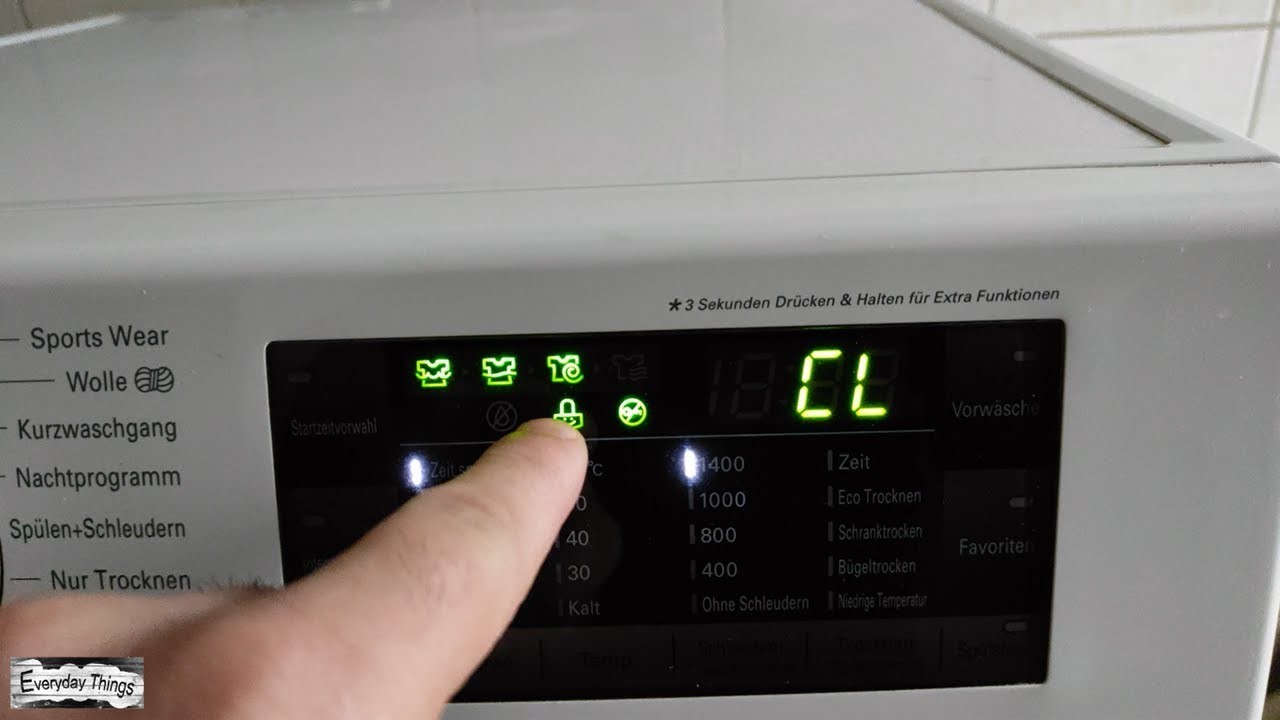
To reset the machine, press the Power button to turn it off, and then unplug the power cord from the outlet. Wait for a few minutes, then plug the power cord back in and turn the machine on. This simple reset can often resolve the CL error caused by a power interruption.
2. Check the Water Supply
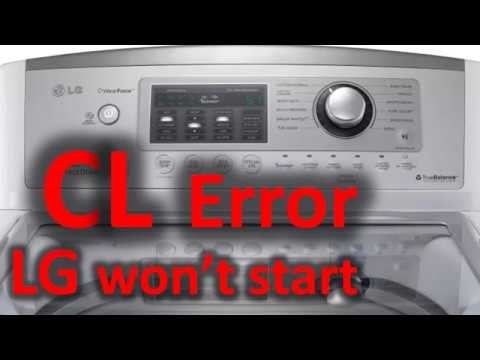
After a power interruption, it’s important to make sure that the water supply is still connected and functioning properly. Check that the water valves are fully open and that there is no blockage or kinks in the water hoses. If necessary, reset or reestablish the connection to the water supply before restarting the machine.
Note: If the CL error persists even after following these steps, it may indicate a different issue with your LG washing machine. In such cases, it’s advisable to consult the user manual or contact LG customer service for further assistance.
Remember: Power interruptions can cause the CL error code, but with these troubleshooting steps, you can often resolve the issue and get your LG washing machine up and running again.
Troubleshooting Steps
If you are experiencing the CL error on your LG washing machine, there are several troubleshooting steps you can take to try and resolve the issue. Follow these steps in order to identify and fix the problem:
| Step | Description |
|---|---|
| Step 1 | Check the door |
| Step 2 | Inspect the child lock |
| Step 3 | Verify the water supply |
| Step 4 | Clean the filters |
First, check if the door of your washing machine is properly closed and latched. If it is not closed securely, the CL error may appear. Ensure that there are no obstructions preventing the door from closing properly.
Next, inspect the child lock feature of your LG washing machine. If the child lock is enabled, it can cause the CL error to occur. Make sure that the child lock feature is disabled by pressing and holding the appropriate button for a few seconds.
Verify that the water supply to your washing machine is functioning correctly. The CL error may appear if there is a problem with the water supply. Check that the water faucets are fully open and that there are no kinks in the hoses. Also, ensure that the water pressure is sufficient for the washing machine to operate properly.
Lastly, clean the filters of your LG washing machine. Clogged filters can lead to the CL error. Refer to your user manual for instructions on how to locate and clean the filters. Remove any debris or build-up that may be present and then restart the washing machine to see if the CL error has been resolved.
If you have followed these troubleshooting steps and the CL error persists, it is recommended to contact LG customer support or a qualified technician for further assistance. They will be able to diagnose and resolve the issue with your washing machine.
Cleaning the Filter
One of the common causes for the CL error on LG washing machines is a clogged filter. The filter is responsible for trapping debris, lint, and other particles that may be present in your laundry.
To clean the filter, follow these steps:
- Ensure that the washing machine is turned off and unplugged from the power source.
- Locate the filter access panel, which is typically located at the bottom front of the machine.
- Open the access panel by removing any screws or clips that may be holding it in place.
- Once the access panel is removed, you should see the filter. It may be a cylindrical or rectangular shape, depending on the model.
- Gently twist or pull out the filter and inspect it for any debris or clogs. Use a soft brush or cloth to clean the filter if necessary.
- After cleaning the filter, make sure to check the drain pump and remove any obstructions that may be present.
- Once the filter and drain pump are clean, reinstall them in the reverse order of how you removed them.
- Close the access panel and ensure that it is securely fastened.
- Plug the washing machine back into the power source and turn it on.
Regularly cleaning the filter can help prevent the CL error from occurring and ensure optimal performance of your LG washing machine.
Resetting the Machine
If you are experiencing the CL error on your LG washing machine, it is often helpful to try resetting the machine. This can help resolve any temporary issues or glitches that may be causing the error.
To reset the machine, follow these steps:
- Turn off the machine by pressing the power button.
- Unplug the machine from the power outlet.
- Wait for about 10 minutes to allow any residual power to dissipate.
- Plug the machine back into the power outlet.
- Turn on the machine by pressing the power button again.
After following these steps, the machine should be reset and you can check if the CL error has been resolved. If the error persists, there may be a deeper issue that requires further troubleshooting or professional assistance.
Additional Tips
If resetting the machine does not fix the CL error, here are a few additional tips to try:
- Check the door of the washing machine to ensure it is fully closed and latched.
- Inspect the drain hose for any clogs or obstructions.
- Clean the detergent drawer to ensure it is not blocked.
- Check the water supply to the machine to ensure it is not restricted or turned off.
By following these troubleshooting steps, you can potentially resolve the CL error on your LG washing machine and get it running smoothly again.
Video on the topic
LG Washer Error Code – How to Repair this TE Error – Troubleshooting & Diagnostics
LG washing machines | How to reset your LG washing machine
Error Codes on an LG Washing Machine
Answers to frequently asked questions
Read more practical tips and expert opinions about modern devices at appliances-news.com. Here you will find answers to questions about any technology.


