Having a washing machine that doesn’t drain water can be a frustrating experience. You patiently wait for your laundry to finish, only to find a pool of water at the bottom of the drum. But don’t worry, there are a few simple steps you can take to overcome this issue and get your Indesit washing machine back in working order.
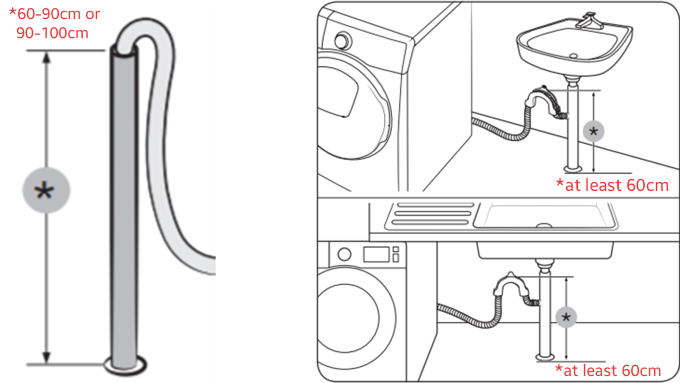
Firstly, check the drainage hose for any blockages or kinks. Sometimes, small items like socks or lint can get caught in the hose, obstructing the flow of water. Use a flashlight to inspect the hose and remove any debris. If you notice any kinks, straighten the hose to ensure a proper flow.
Next, take a look at the drainage filter. This filter is located at the front or back of your washing machine and is responsible for catching larger objects that may clog the drain pump. Carefully remove the filter and clean it under running water. Be sure to remove any accumulated dirt or debris that may be hindering the draining process.
If the drainage hose and filter are clear, the problem may lie with the drain pump itself. Over time, the pump can become clogged or worn out, preventing it from efficiently removing water from the drum. In this case, it may be necessary to replace the drain pump. Contact a professional technician or consult the Indesit manual for instructions on how to replace the part.
In conclusion, a non-draining Indesit washing machine can be a hassle, but with a little troubleshooting, you can often resolve the issue yourself. Start by checking the drainage hose and filter for blockages, and if necessary, consider replacing the drain pump. Remember, it’s always a good idea to consult the manufacturer’s instructions or seek professional help if you’re unsure about any of the steps.
- Indesit Washing Machine Troubleshooting Guide
- Why is my Indesit washing machine not draining water?
- 1. Blockage in the drain pump or hose
- 2. Faulty drain pump
- 3. Clogged drain pipe or sewer line
- 4. Overloaded machine
- 5. Faulty control board or sensor
- Steps to check and unclog the drain pump
- 1. Turn off the washing machine
- 2. Locate the drain pump
- 3. Open the drain pump access panel
- 4. Check for clogs or debris
- 5. Clean the drain pump filter
- 6. Reassemble the drain pump
- 7. Test the washing machine
- What to do if the drain hose is clogged
- 1. Check for blockages
- 2. Remove the clog manually
- 3. Clean the hose
- How to clean the filter in your Indesit washing machine
- Here are the steps to clean the filter in your Indesit washing machine:
- When to call a professional for help
- Video on the topic
- How to clean & replace the filter on a Washing Machine (Indesit)
- How to clean a seal & drum to remove mold & smells from a washing machine, Guaranteed !
- Answers to frequently asked questions
Indesit Washing Machine Troubleshooting Guide
If you are experiencing issues with your Indesit washing machine, it can be frustrating and inconvenient. However, before calling a repair service, there are some troubleshooting steps you can try at home to potentially resolve the problem. Here are some common problems and their possible solutions:
No power:
If your Indesit washing machine is not turning on, first check that it is plugged in and the power switch is turned on. If it still does not work, try plugging another appliance into the same outlet to ensure it is working. If the outlet is functioning, there may be a problem with the power cord or the machine’s internal wiring, and it is recommended to contact a professional for further assistance.
No water:
If your Indesit washing machine is not filling with water, make sure that the water supply is turned on and the hoses are not kinked or damaged. Additionally, check the water inlet valve for any blockages or debris. If everything appears to be in order, but the machine still does not fill with water, there may be an issue with the water inlet valve or the electronic control board, and it is best to seek professional help.
Not draining water:
If your Indesit washing machine is not draining water, check if the drain hose is clogged or kinked. Clean the hose and remove any blockages if necessary. Also, ensure that the drain pump filter is clear of debris. If these steps do not resolve the issue, there might be a problem with the drain pump, and it is advisable to consult a technician.
Excessive noise or vibrations:
If your Indesit washing machine is making excessive noise or vibrating excessively during operation, make sure the machine is level and properly balanced. Adjust the leveling feet as needed. It is also advisable to check for any loose objects or foreign items inside the drum that may be causing the noise or vibrations. If the problem persists, a professional technician should be consulted.
Foul odor:
If your Indesit washing machine emits a foul odor, it is recommended to run a maintenance wash using hot water and detergent. Additionally, regularly cleaning and drying the rubber door seal after each use can prevent the growth of mold and unpleasant odors. If the odor persists, contact a professional to inspect and clean the machine.
Remember, it is always important to refer to your Indesit washing machine’s user manual for specific troubleshooting instructions. If none of the suggested solutions work or if you are unsure about performing any troubleshooting steps, it is best to contact a professional repair service.
Why is my Indesit washing machine not draining water?

Having a washing machine that fails to drain water can be frustrating and can disrupt your laundry routine. There are several possible reasons why your Indesit washing machine is not draining water, including:
1. Blockage in the drain pump or hose
A common cause of water not draining from the washing machine is a blockage in the drain pump or hose. Over time, debris such as lint, small items of clothing, or detergent residue can accumulate and clog the drain system. You can try to clear the blockage by manually removing any debris from the pump filter or checking for any kinks in the drain hose.
2. Faulty drain pump
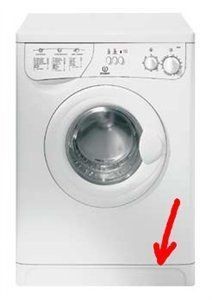
If the drain pump itself is faulty, it may not be able to effectively pump out the water from the machine. A malfunctioning pump may need to be replaced, which would require professional assistance.
3. Clogged drain pipe or sewer line

In some cases, the issue may not be with the washing machine itself, but with the external plumbing. A clogged drain pipe or sewer line can prevent proper drainage. If you suspect this may be the problem, you may need to contact a plumber to resolve the issue.
4. Overloaded machine
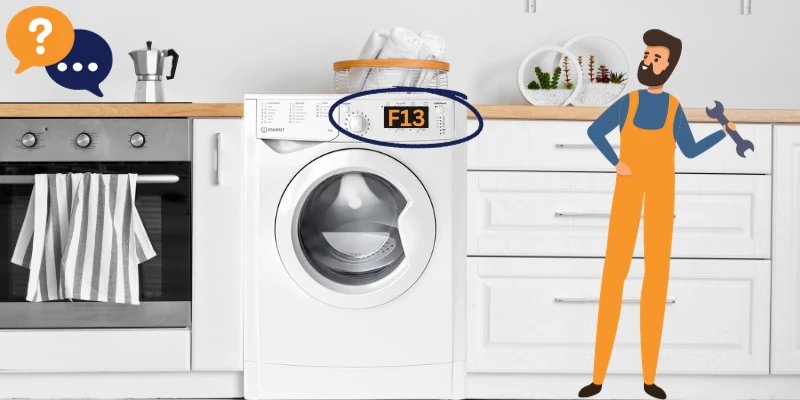
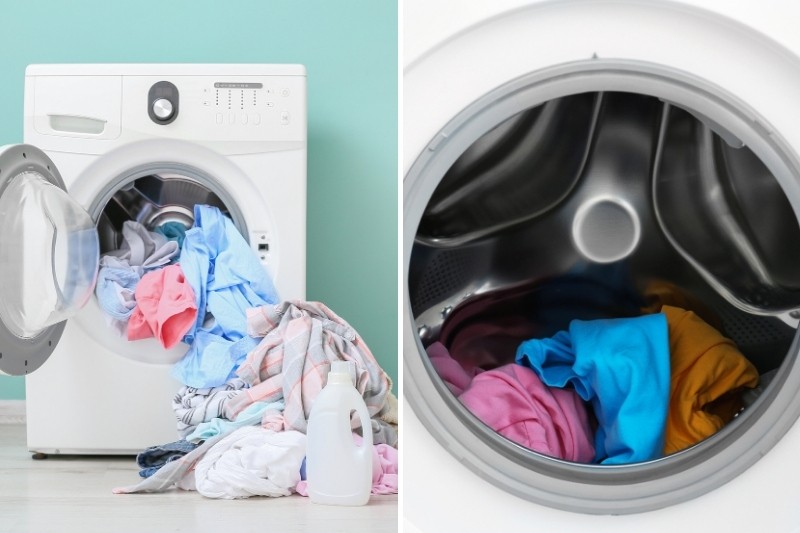
If you consistently overload your washing machine, it can strain the drain pump and prevent it from effectively removing water. Ensure that you follow the manufacturer’s guidelines for load capacity and avoid overstuffing the machine.
5. Faulty control board or sensor
In rare cases, a malfunctioning control board or sensor may be causing the issue. If you have checked all other possible causes and the machine still does not drain, it may be necessary to contact a professional technician to diagnose and repair the problem.
If you are unsure about how to resolve the issue or if the problem persists after troubleshooting, it is best to seek professional assistance to avoid further damage to your washing machine. Remember to always follow safety guidelines when working with appliances and electricity.
Steps to check and unclog the drain pump
If your Indesit washing machine is not draining water, it could be due to a clogged drain pump. Here are the steps to check and unclog the drain pump:
1. Turn off the washing machine
Before you begin any maintenance or repair work on your washing machine, always make sure to turn off the power and unplug it from the electrical outlet to avoid any accidents.
2. Locate the drain pump
The drain pump in an Indesit washing machine is usually located at the bottom of the machine, behind a small panel or cover. Consult your user manual for the exact location of the drain pump in your model.
3. Open the drain pump access panel

Once you have located the drain pump, use a screwdriver or a similar tool to remove the panel or cover that is protecting the pump. This will give you access to the inside of the pump.
4. Check for clogs or debris
Inspect the drain pump and its surrounding area for any debris, such as lint, small items of clothing, or other objects that may be blocking the pump. If you spot any clogs, carefully remove them using a pair of tweezers or gloves to protect your hands.
5. Clean the drain pump filter
In some models of Indesit washing machines, there is a filter located near the drain pump that needs to be cleaned regularly. Remove the filter and rinse it under running water to remove any trapped debris. Make sure to clean it thoroughly and put it back in place before proceeding.
6. Reassemble the drain pump
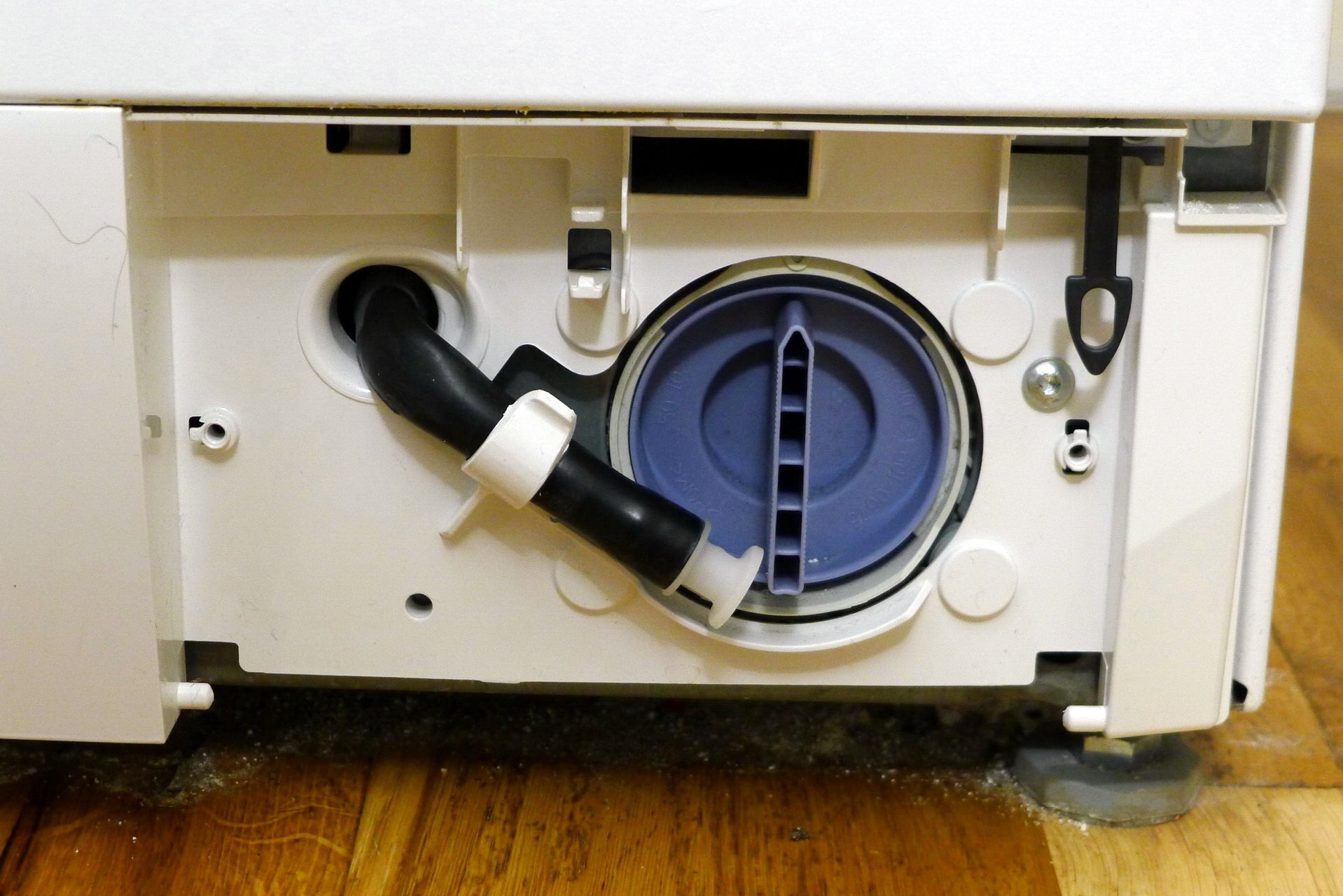
Once you have checked for clogs and cleaned the filter, reassemble the drain pump by replacing the access panel and securing it in place with the screws.
7. Test the washing machine
After you have completed the steps to check and unclog the drain pump, plug the washing machine back in and turn it on. Run a test cycle to see if the machine is now draining water properly. If the issue persists, you may need to consult a professional for further assistance.
By following these steps, you should be able to check and unclog the drain pump in your Indesit washing machine successfully, allowing water to drain properly and ensuring the machine functions optimally.
What to do if the drain hose is clogged

If your Indesit washing machine is not draining water, one possible cause could be a clogged or blocked drain hose. The drain hose is responsible for carrying the water from the machine to the drainage system. Over time, it can become clogged with lint, debris, or other foreign objects, preventing the water from draining properly.
To fix this issue, follow these steps:
1. Check for blockages
First, you should inspect the drain hose for any visible blockages. Check both ends of the hose, including the connection to the washing machine and the drainage pipe. Look for lumps of lint, small objects, or any other debris that might be obstructing the flow of water.
2. Remove the clog manually
If you spot any blockages, use a pair of gloves to remove them manually. Gently pull out any lint, objects, or debris that you come across. Be careful not to damage the hose or the connections while doing this.
If the blockage is severe or located deeper in the hose, you can try using a flexible plumbing snake or a wire hanger to reach and remove it. Insert the snake or hanger into the hose and carefully maneuver it to break up or pull out the clog.
3. Clean the hose
After removing the blockage, it is essential to clean the drain hose thoroughly. You can do this by running water through the hose either with a faucet or a jet of water. Make sure all the debris and residue are flushed out completely.
Additionally, you can use a mild household detergent or a mixture of vinegar and water to clean the inside of the hose. Pour the solution into the hose and swish it around to dislodge any remaining dirt or grime. Rinse the hose with water to remove the cleaning solution.
Remember to reattach the hose securely to the washing machine and the drainage pipe once it is cleaned and free from blockages.
If after following these steps, your Indesit washing machine still does not drain water, it is recommended to seek professional assistance or contact the manufacturer for further troubleshooting options.
How to clean the filter in your Indesit washing machine
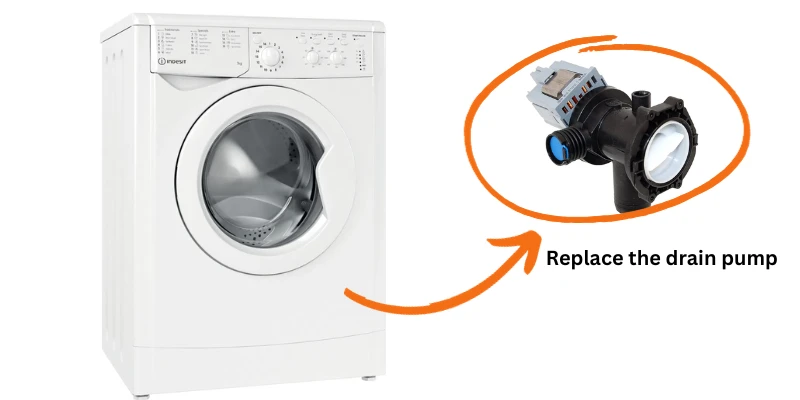
If your Indesit washing machine is not draining water properly, it may be because the filter is clogged. The filter in your washing machine is responsible for catching lint, debris, and foreign objects that may have been left in your clothes. Over time, the filter can become blocked, leading to draining issues.
Here are the steps to clean the filter in your Indesit washing machine:
- Turn off your washing machine and unplug it from the power source. This is important for your safety.
- Locate the filter, which is usually located at the bottom front of the washing machine. It may be behind a small panel or access door.
- Open the panel or door to access the filter. Some models may have a small knob or handle that you can turn to open the filter compartment.
- Place a towel or bucket underneath the filter to catch any water that may spill out.
- Slowly unscrew the filter in a counterclockwise direction. Be prepared for water to come out as you remove the filter.
- Once the filter is removed, inspect it for any debris or blockages. Use a brush or toothbrush to gently clean the filter and remove any residue.
- Rinse the filter under running water to remove any remaining debris.
- Reinstall the filter by screwing it back into place clockwise. Make sure it is securely tightened.
- Clean up any water that may have spilled during the process.
- Plug in your washing machine and turn it on to ensure that it is working properly.
Regularly cleaning the filter in your Indesit washing machine is important to maintain its performance and prevent drainage issues. It is recommended to clean the filter at least once every few months or as needed, especially if you notice any draining problems.
If cleaning the filter does not resolve the draining issue, it may be necessary to contact a professional technician for further assistance.
When to call a professional for help
If you have followed all the above steps and your Indesit washing machine is still not draining water, it may be time to call a professional for help. Here are some situations where contacting a professional is warranted:
1. Persistent draining issues:
If you have tried all the troubleshooting steps mentioned above, but your washing machine continues to not drain water consistently, it could indicate a more serious problem with the machine’s pump or other internal components. In such cases, it is best to seek professional assistance to avoid further damage.
2. Unusual noises or vibrations:
If you notice any strange noises or excessive vibrations coming from your washing machine during the draining process, it could indicate a mechanical issue that requires professional attention. It is essential to address these issues promptly to prevent any potential damage to your machine.
3. Water leakage:
If you are experiencing any water leakage from your Indesit washing machine, especially during the draining cycle, it is crucial to have a professional inspect and fix the problem. Water leakage can lead to damage to your floors, walls, and other nearby appliances, and it requires immediate attention.
4. Lack of technical knowledge:
If you are uncomfortable or unfamiliar with troubleshooting and repairing appliances, it is best to leave the task to trained professionals. Attempting to fix the issue yourself without proper knowledge can potentially worsen the problem and may even void your warranty.
5. Warranty coverage:
If your Indesit washing machine is still under warranty, it is advisable to contact the manufacturer or authorized service centers for assistance. Attempting repairs yourself or hiring an unauthorized technician may void your warranty and result in additional costs.
Remember, safety should always be your top priority when dealing with electrical appliances. If you are unsure or uncomfortable with any aspect of troubleshooting or repairing your washing machine, it is best to seek professional help to ensure a safe and effective resolution to the problem.
Video on the topic
How to clean & replace the filter on a Washing Machine (Indesit)
How to clean a seal & drum to remove mold & smells from a washing machine, Guaranteed !
Answers to frequently asked questions
Read more practical tips and expert opinions about modern devices at appliances-news.com. Here you will find answers to questions about any technology.