
LG Error DE, also known as Door Error, is a common issue that many LG appliance owners may encounter. This error typically occurs when there is a problem with the door latch or sensor, preventing the door from properly closing. If you are experiencing this error, it is important to address it as soon as possible to ensure the optimal performance of your LG appliance.
One of the first steps in troubleshooting the LG Error DE is to check if there is any obstruction preventing the door from closing completely. Make sure there are no items blocking the door or any loose clothing that may be interfering with its operation. If you find any obstructions, remove them and try closing the door again.
If there are no visible obstructions, the next step is to inspect the door latch and sensor. Clean these components using a soft cloth and ensure that they are not damaged or misaligned. Additionally, check if the door seal is intact and properly sealing the door. If any of these components are faulty, they may need to be repaired or replaced.
In some cases, the LG Error DE may be caused by a malfunctioning control board. If you have attempted the above troubleshooting steps and the error persists, it is recommended to contact a qualified technician. They will be able to diagnose the issue more accurately and provide the appropriate solutions to resolve the LG Error DE.
In conclusion, the LG Error DE is a common issue that can be easily resolved with some basic troubleshooting steps. By checking for obstructions, inspecting the door latch and sensor, and ensuring the door seal is intact, you can often fix this error on your own. However, if the problem persists, it is best to seek professional assistance to prevent any further damage to your LG appliance.
- Troubleshooting and Solutions for LG Error DE
- 1. Check the Door Lock
- 2. Clean the Door and Door Latch
- 3. Reset the Appliance
- 4. Contact LG Support
- What is LG Error DE?
- Causes of LG Error DE
- 1. Misalignment of the Door
- 2. Faulty Door Lock Mechanism
- How to Troubleshoot LG Error DE
- Check the Door Lock
- Inspect the Door Hinge
- 1. Check for any visible damage
- 2. Test the door’s closure
- Video on the topic
- [LG Front Load Washers] Troubleshooting An LE Error Code On An LG Washer
- LG washing machine DE error
- Error Codes on an LG Washing Machine
- [LG Top Load Washers] Understanding Error Codes
- Error Code OE on LG Front Load Washer: How to Diagnose and Fix
- Answers to frequently asked questions
Troubleshooting and Solutions for LG Error DE
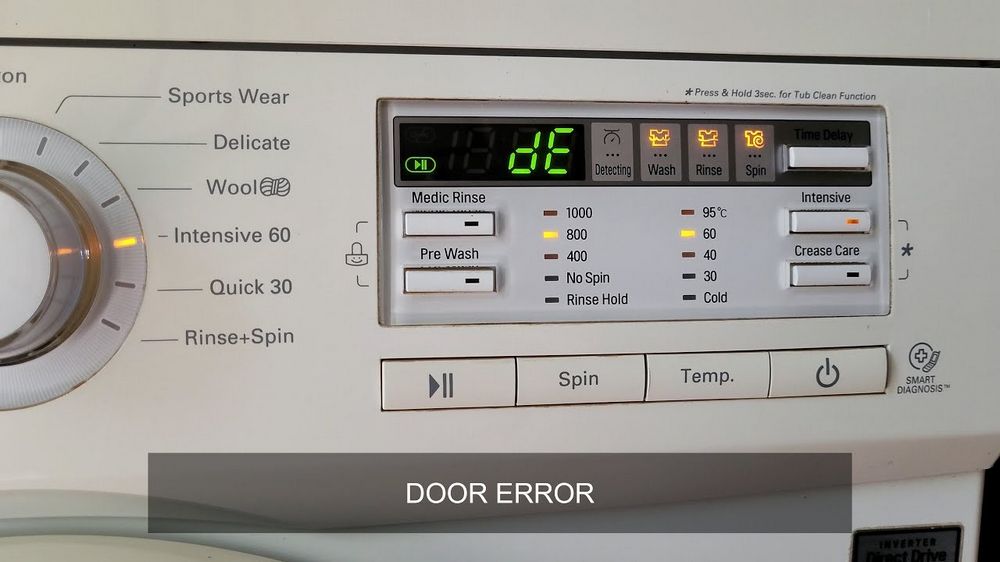
If you are experiencing an LG Error DE on your LG appliance, it indicates a problem with the door lock mechanism. This error can occur on various devices, such as washing machines, dryers, or dishwashers. Fortunately, there are troubleshooting steps and solutions you can try to resolve the issue.
1. Check the Door Lock
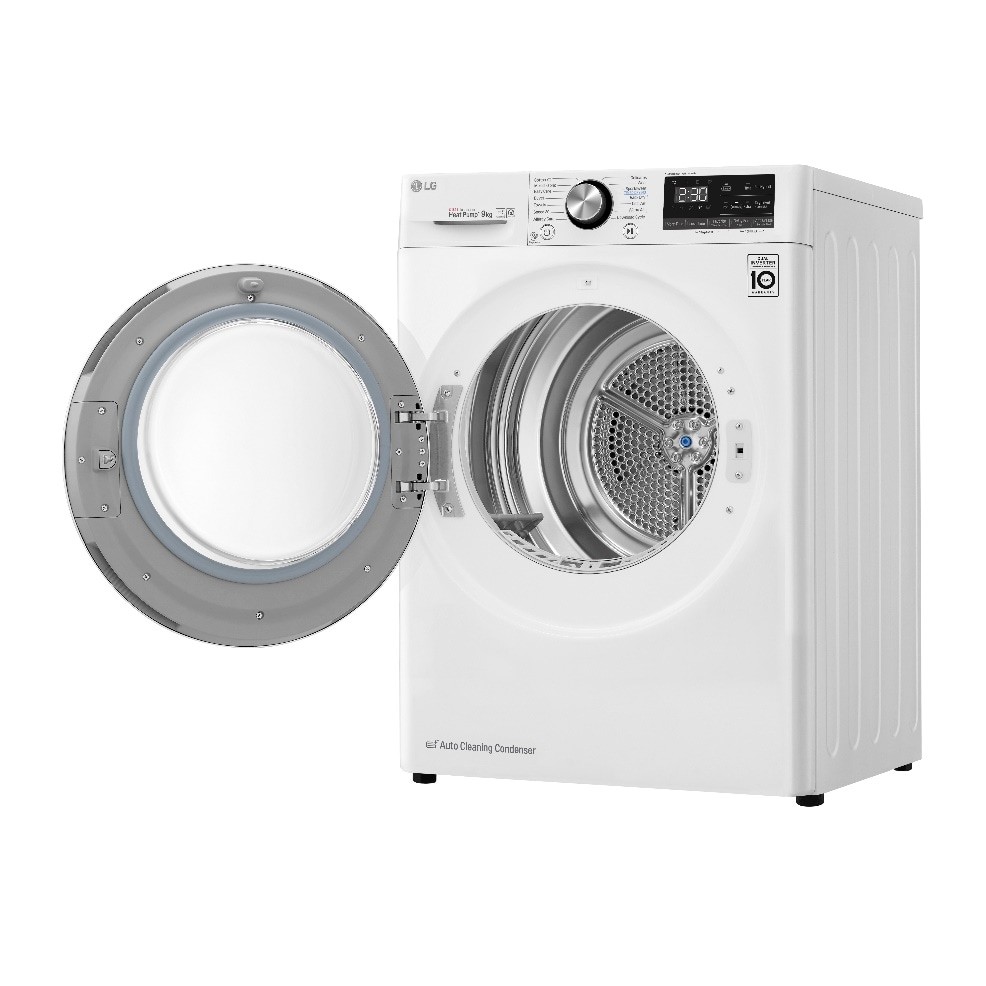
Start by inspecting the door lock on your LG appliance. Make sure it is not damaged or obstructed. If you notice any visible issues, such as a broken latch or loose connection, you may need to replace the door lock mechanism.
2. Clean the Door and Door Latch
In some cases, the LG Error DE can be triggered by dirt or debris interfering with the door lock. Clean the door and door latch thoroughly using a mild detergent and a soft cloth. Make sure there is no residue that could prevent the lock from engaging properly.
Note: Always disconnect your appliance from the power source before performing any cleaning or maintenance.
3. Reset the Appliance
Resetting your LG appliance can sometimes clear the DE error. Turn off the power to the appliance and unplug it from the outlet. Leave it disconnected for a few minutes, then plug it back in and turn it on. Check if the error message still appears.
4. Contact LG Support
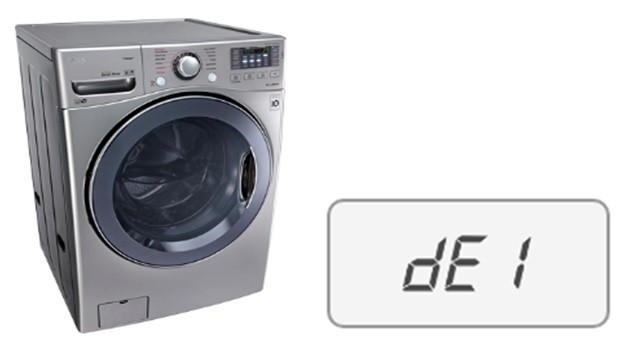
If the above troubleshooting steps do not resolve the issue, it is recommended to contact LG customer support for further assistance. They can provide specific troubleshooting advice for your LG appliance model and help you schedule a service appointment if needed.
Remember to always refer to the user manual for your specific LG appliance model for detailed troubleshooting instructions and safety precautions.
Disclaimer: The information provided here is for educational purposes only. We cannot guarantee the accuracy or effectiveness of these solutions. Always exercise caution and follow the guidance provided by the manufacturer or professional technicians.
What is LG Error DE?
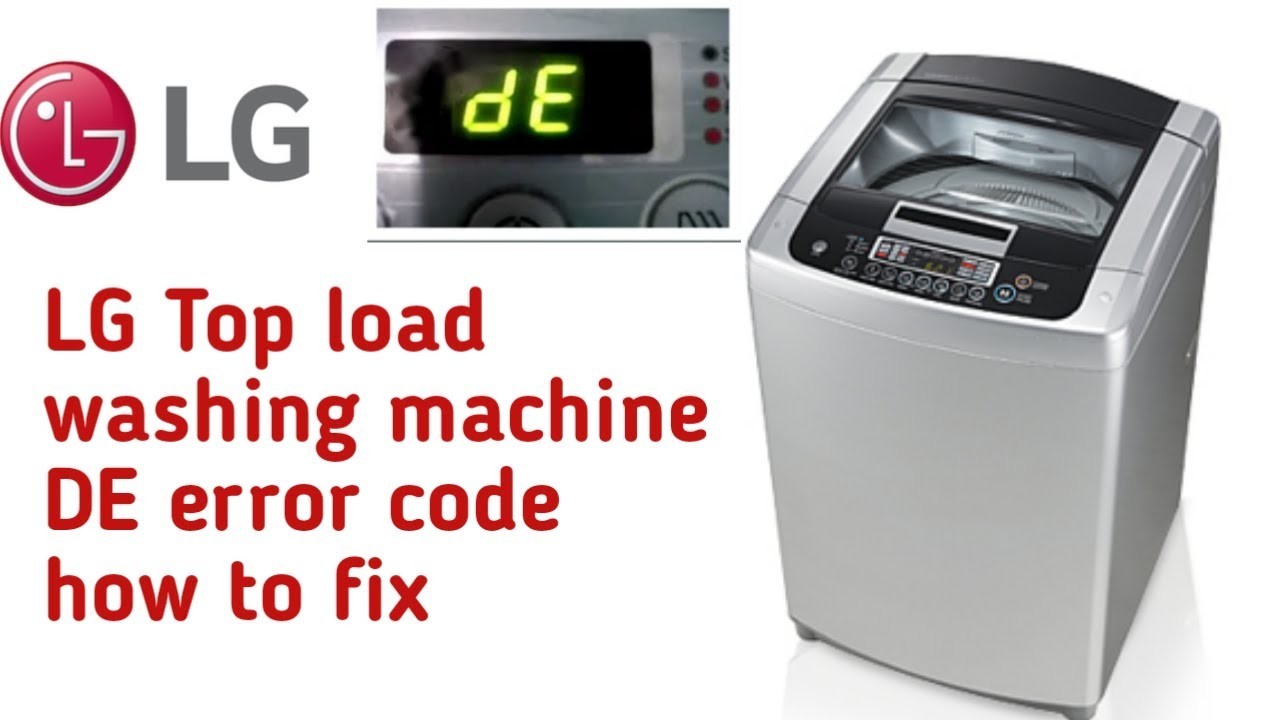
LG Error DE is an error code that can occur on LG washing machines. It is usually related to problems with the door of the machine. When this error code appears, it means that the door is not properly closed or locked. This can result in the machine not starting or stopping mid-cycle.
The DE error code stands for “Door Error” or “Door Open Error”. It is a safety feature built into LG washing machines to prevent water from leaking out of the machine and to ensure proper operation. When the door is not closed or locked, the machine will not start or continue its cycle.
There are several reasons why the DE error code may appear. The most common cause is a misalignment or problem with the door latch or lock. This can be due to a broken latch, a loose connection, or an object obstructing the door from closing properly. The error code may also appear if there is a problem with the door switch or control board.
To troubleshoot and fix the LG Error DE, you can try the following solutions:
| Possible Solutions |
|---|
| 1. Check if the door is closed properly and not obstructed by any objects. |
| 2. Inspect the door latch or lock for any visible damage or misalignment. |
| 3. Make sure the door switch is functioning correctly. You can test it with a multimeter. |
| 4. Check the control board for any signs of damage or malfunction. If necessary, replace the control board. |
| 5. If none of the above solutions work, it is recommended to consult a professional technician or contact LG customer support for further assistance. |
By following these troubleshooting steps, you should be able to resolve the LG Error DE and get your washing machine back to working properly.
Causes of LG Error DE
LG Error DE, also known as door error, can be caused by several factors. Understanding these causes can help homeowners troubleshoot and resolve the issue more effectively.
1. Misalignment of the Door
One of the common causes of LG Error DE is the misalignment of the door. This can occur when the door isn’t properly closed or if there is an obstruction preventing the door from closing fully. In such cases, the door switch fails to detect that the door is closed, resulting in the error code.
2. Faulty Door Lock Mechanism
A faulty door lock mechanism can also trigger the LG Error DE. If the door lock mechanism is damaged or worn out, it may fail to engage properly when the door is closed. This can lead to the error code being displayed on the control panel.
It’s important to note that these are just some of the common causes of LG Error DE. Other factors, such as electrical issues or problems with the control board, can also contribute to the error. If troubleshooting these common causes doesn’t resolve the issue, it may be necessary to seek professional assistance to diagnose and repair the problem.
How to Troubleshoot LG Error DE
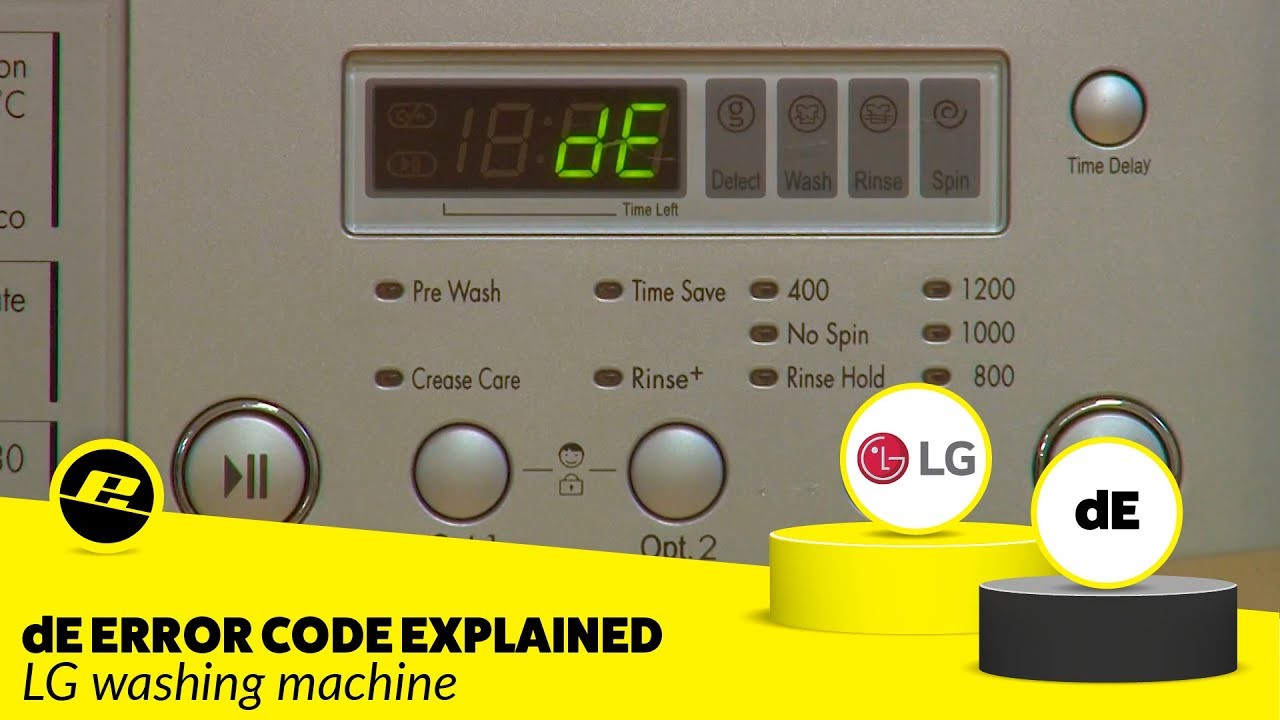
LG Error DE is a common issue that can occur with LG appliances, including washers and dryers. This error code indicates a problem with the door of the appliance. If you are facing this error, there are a few troubleshooting steps you can try to resolve the issue.
| Possible Causes | Solutions |
| The door is not closed properly | Ensure that the door is fully closed and latched. Make sure there are no obstructions preventing the door from closing properly. |
| The door lock is malfunctioning | Check if the door lock is damaged or faulty. If yes, you may need to replace the door lock mechanism. |
| The door switch is defective | Inspect the door switch for any signs of damage or wear. A defective door switch may need to be replaced. |
| The control board is faulty | If none of the above solutions work, there may be an issue with the control board. Contact a professional technician to inspect and replace the control board if necessary. |
It is important to note that LG Error DE can also be triggered by other factors. If the troubleshooting steps mentioned above do not resolve the issue, it is recommended to consult the user manual or contact LG customer support for further assistance.
Remember to always ensure the appliance is unplugged before attempting any troubleshooting or repair work to avoid any electrical hazards.
Check the Door Lock
If you are getting the DE error code on your LG appliance, it could indicate a problem with the door lock. Before calling for professional help, you can try checking the door lock yourself to see if there is any issue that you can fix.
Firstly, ensure that the door is closed properly and that there are no obstructions preventing it from locking. Next, check if the door lock mechanism is working correctly. Carefully inspect the door latch and strike plate to see if there is any damage or misalignment. If necessary, clean the latch and strike plate to remove any dirt or debris that could be causing problems.
Additionally, check the door lock switch to ensure that it is functioning properly. You can use a multimeter to test the continuity of the switch. If there is no continuity when the switch is activated, it may need to be replaced.
If you have checked all of these things and are still experiencing the DE error code, it is recommended to contact a qualified technician for further assistance. They will be able to diagnose the issue accurately and provide you with the best solution to resolve the problem with your LG appliance.
Inspect the Door Hinge
If you are getting the DE error code on your LG appliance, the first thing you should check is the door hinge. The door hinge plays a crucial role in ensuring that the door is securely closed and that the appliance can operate properly.
Here are a few steps you can take to inspect the door hinge:
1. Check for any visible damage
Start by visually inspecting the door hinge for any signs of damage. Look for cracks, breaks, or misalignment. If you notice any of these issues, it may be necessary to replace the hinge.
2. Test the door’s closure
To ensure that the door is closing properly, gently push it closed and observe if it stays shut without any gaps. If the door doesn’t close securely, it could be due to a faulty hinge or alignment problem that needs to be addressed.
In some instances, the door may need to be adjusted or lubricated to ensure smooth operation. Refer to your LG appliance’s user manual for guidance on how to properly adjust or lubricate the door hinge.
If you have inspected the door hinge and are still experiencing the DE error code, it may indicate a different issue with your LG appliance. In such cases, it is recommended to consult the appliance’s user manual or contact LG customer support for further troubleshooting and assistance.
| Error Code | Description | Possible Solutions |
|---|---|---|
| DE | The door is not properly closed. |
|
Video on the topic
[LG Front Load Washers] Troubleshooting An LE Error Code On An LG Washer
LG washing machine DE error
Error Codes on an LG Washing Machine
[LG Top Load Washers] Understanding Error Codes
Error Code OE on LG Front Load Washer: How to Diagnose and Fix
Answers to frequently asked questions
Read more practical tips and expert opinions about modern devices at appliances-news.com. Here you will find answers to questions about any technology.


