If your Ardo washing machine is having problems with the spin cycle, it can be frustrating and inconvenient. The spin cycle is an important part of the washing process as it helps to remove excess water from your clothes. If your machine is not spinning properly, it can leave your clothes soaking wet, and you may need to manually wring them out or run another spin cycle.
There can be several reasons why your Ardo washing machine is experiencing issues with the spin cycle. It could be due to an unbalanced load, a faulty lid switch, a malfunctioning motor, or a problem with the drive belt. Fortunately, there are steps you can take to troubleshoot and fix these issues without having to call a professional.
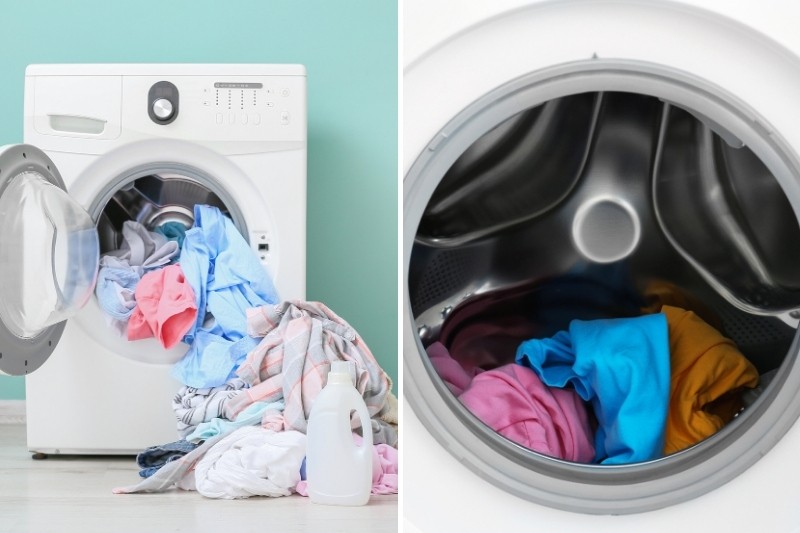
To begin troubleshooting, start by checking if the drum is properly balanced. An unbalanced load can prevent the machine from spinning correctly. Make sure that the clothes are evenly distributed in the drum and that there are no large or heavy items on one side. Additionally, ensure that the machine is on a level surface to help with proper balance.
If the load is balanced and the machine still does not spin, the next step is to check the lid switch. The lid switch is a safety feature that prevents the machine from spinning if the lid is open. Check if the lid is securely closed and that the switch is not damaged or stuck. You can test the switch by manually pressing down on it to see if it activates.
If the lid switch is functioning correctly, the issue may lie with the motor or drive belt. A faulty motor can prevent the machine from spinning, and a worn drive belt can cause slipping or snapping. Inspect the motor to see if there are any visible signs of damage or burning. Similarly, check the drive belt for signs of wear or breakage. If either component is faulty, they will need to be replaced to fix the spin cycle issue.
In conclusion, troubleshooting and fixing the spin cycle issue on your Ardo washing machine can often be done without professional assistance. By checking the load balance, inspecting the lid switch, and examining the motor and drive belt, you can identify and fix the problem. Remember to always unplug the machine before performing any repairs or maintenance.
- Ardo Washing Machine Troubleshooting
- 1. Machine Not Starting
- 2. Spin Cycle Issues
- Guide to Fix the Spin Cycle Issue
- Common Problems with Ardo Washing Machines
- Troubleshooting the Spin Cycle
- Methods to Fix Spin Cycle Issues
- Check the Loading Capacity
- Video on the topic
- Whirlpool Washer Won’t Spin – How to Test and Fix
- Samsung Washer Repair – Will Not Complete Spin Cycle – Suspension Rod
- Washer Not spinning- Try Master reset… washing machine not spinning..Logik washing machine
- 10 Most Common Problems With Laundry Washing Machines
- Answers to frequently asked questions
Ardo Washing Machine Troubleshooting
If you are experiencing issues with your Ardo washing machine, it can be frustrating and inconvenient. However, many common problems can be easily fixed without the need for a professional technician. This troubleshooting guide will help you diagnose and fix issues with your Ardo washing machine.
1. Machine Not Starting
If your Ardo washing machine is not starting, there may be a few possible causes. First, check that the power cord is properly plugged into a working electrical outlet. Also, ensure that the door is closed securely and that there are no blockages in the detergent dispenser. If these basic checks do not solve the issue, you may need to check the internal thermal fuse or contact a technician for further assistance.
2. Spin Cycle Issues
If your Ardo washing machine is not spinning properly, this can be caused by a few different factors. First, make sure that the load of laundry is balanced in the drum. Unevenly distributed weight can cause the machine to shake and prevent proper spinning. Additionally, check the drain hose and pump for any blockages, as this can affect the spin cycle. If these steps do not resolve the issue, there may be an issue with the motor or belt, and a professional technician should be contacted.
Remember that safety should always be a priority when troubleshooting and fixing any appliance. Always unplug the machine and follow proper safety precautions before attempting any repairs. If you are unsure or uncomfortable with any troubleshooting steps, it is best to contact a professional technician for assistance.
Note: Some troubleshooting steps may require specific tools or technical knowledge. Refer to the manufacturer’s manual or contact Ardo customer support for detailed instructions.
By following these troubleshooting steps, you can save time and money by fixing common issues with your Ardo washing machine. Remember to regularly clean and maintain your machine to prevent future problems and ensure optimal performance.
If the issue persists or if you have any further questions or concerns, it is recommended to contact Ardo customer support or schedule a technician visit to diagnose and fix the problem.
Guide to Fix the Spin Cycle Issue
If your Ardo washing machine is experiencing issues with the spin cycle, there are a few steps you can take to troubleshoot and potentially resolve the problem. Follow these steps to help get your spin cycle back to working properly:
- Check the load distribution: Make sure that the clothes in the machine are distributed evenly. An unbalanced load can cause the spin cycle to malfunction. Try rearranging the clothes to create a more balanced load.
- Inspect the drain hose: Ensure that the drain hose is not clogged or obstructed in any way. A blocked drain hose can interfere with the spin cycle and prevent the water from draining properly. Check for any debris or kinks in the hose and clear them if necessary.
- Examine the pump filter: Locate the pump filter in your Ardo washing machine and inspect it for any debris or blockages. A clogged pump filter can impede the spin cycle and cause issues with water drainage. Clean the filter if necessary and remove any obstructions.
- Check the motor brushes: If your washing machine has brushes on the motor, they may need to be replaced if they are worn out. Worn motor brushes can cause problems with the spin cycle and result in a lack of spinning or spinning at a reduced speed. Consult the manufacturer’s instructions on how to replace the motor brushes.
- Ensure the machine is level: A washing machine that is not level can lead to issues with the spin cycle. Use a spirit level to check that the machine is sitting on a level surface. Adjust the feet of the machine if necessary to achieve a balanced position.
- Reset the machine: Sometimes, a simple reset can resolve issues with the spin cycle. Turn off the power to the washing machine and unplug it from the electrical outlet. Leave it unplugged for a few minutes, then plug it back in and turn it on. Test the spin cycle to see if the issue has been resolved.
If you have followed these troubleshooting steps and the spin cycle issue persists, it may be necessary to contact a professional repair service or the manufacturer for further assistance. They will be able to diagnose the problem and provide guidance on how to fix it.
Common Problems with Ardo Washing Machines

Ardo washing machines are known for their reliability and durability, but like any household appliance, they can sometimes experience issues. Here are some common problems that you may encounter with your Ardo washing machine:
- The machine does not start: If your Ardo washing machine does not start when you press the power button, check if it is properly plugged in and the power supply is working. Ensure that the door is closed securely, as the machine may not start if the door is not closed properly.
- The machine is not spinning: If your Ardo washing machine is not spinning during the wash cycle, check if the load is balanced inside the drum. Uneven distribution of clothes can prevent the machine from spinning. Also, ensure that the spin cycle is selected and the water level is adequate.
- The machine is leaking water: If you notice water leaking from your Ardo washing machine, check if the water inlet hoses are properly connected and not damaged. Inspect the detergent dispenser drawer and clean it if there is any detergent buildup that could be causing the leakage. Additionally, make sure that the door seal is intact and free from any cracks or tears.
- The machine is making loud noises: If your Ardo washing machine is making loud noises during operation, it could be due to unbalanced loads or foreign objects trapped between the drum and the tub. Check if the load is distributed evenly and remove any items that may be causing the noise. Additionally, ensure that the machine is placed on a level surface to prevent vibrations.
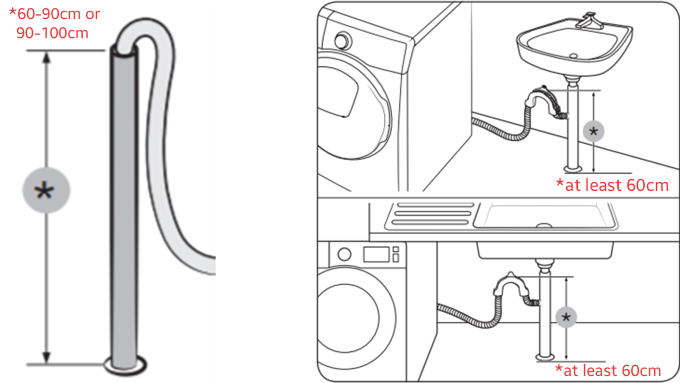
- The machine is not draining properly: If your Ardo washing machine is not draining the water after the wash cycle, check the drain hose for any clogs or kinks. Clean the pump filter to remove any debris that may be blocking the draining process. Make sure that the drain hose is not inserted too far into the standpipe, as this can cause the water to flow back into the machine.
If you encounter any of these problems with your Ardo washing machine, refer to the user manual for troubleshooting tips and solutions. If the issue persists, it is recommended to contact a professional technician for further assistance.
Troubleshooting the Spin Cycle

The spin cycle is an essential part of the washing machine’s operation, as it helps to remove excess water from the clothes. If you are experiencing issues with the spin cycle on your Ardo washing machine, the following troubleshooting guide can help you to identify and fix the problem:
| Possible Issue | Solution |
|---|---|
| The washer is not spinning at all. | – Check if the machine is properly plugged in and powered on.
– Make sure the door is securely closed. If the door is not closed properly, the machine may not start the spin cycle. – Examine the lid switch and replace it if faulty. – Check the motor and belt for any signs of damage. If either is damaged, they may need to be replaced. |
| The spin cycle is loud or shaking. | – Ensure that the machine is on a level surface. Adjust the feet of the machine if necessary.
– Check for any objects or debris that may be causing the machine to become unbalanced. Remove any obstructions. – Examine the shock absorbers and springs. If they are worn or damaged, they may need to be replaced. – Balance the load. If the machine is overloaded or if the clothes are unevenly distributed, it can cause noise and shaking during the spin cycle. |
| The spin cycle is not as effective as it used to be. | – Clean the filter. A clogged filter can restrict water drainage and impact the spin cycle.
– Check the drain hose for any blockages. A blocked drain hose can prevent the machine from draining properly, leading to a less effective spin cycle. – Inspect the pump for any signs of damage. A faulty pump may not be able to effectively drain the water during the spin cycle. |
By following these troubleshooting steps, you can hopefully resolve issues with the spin cycle on your Ardo washing machine. If the problem persists, it may be necessary to contact a professional for further assistance.
Methods to Fix Spin Cycle Issues
If you are facing issues with the spin cycle of your Ardo washing machine, there are several methods you can try to fix the problem before calling a technician. Follow these steps to troubleshoot and resolve the spin cycle issues:
- Check the load: Make sure you are not overloading the washing machine. An overloaded machine can result in an uneven distribution of clothes, leading to spin cycle problems. Remove some items of clothing from the load and try running the spin cycle again.
- Level the machine: Verify that your washing machine is level. If it is not, adjust the feet of the machine to make it stable and prevent any rocking or shaking during the spin cycle. Uneven leveling can cause the spin cycle to stop or be ineffective.
- Clean the drain filter: Clogged drain filters can hinder the spinning action of the washing machine. Locate the drain filter and clean it thoroughly to remove any debris or lint that may have accumulated over time. This simple maintenance task can help restore the proper functioning of the spin cycle.
- Inspect the belt: Examine the belt that drives the spin cycle for any signs of damage or wear. If the belt is worn out or broken, it will need to be replaced. Consult the user manual or contact Ardo customer support for guidance on how to replace the belt.
- Reset the machine: Sometimes, a simple reset can resolve spin cycle issues. Turn off the washing machine, unplug it from the power source, and leave it for a few minutes. Then, plug the machine back in and restart it. This can help clear any minor glitches that may be affecting the spin cycle.
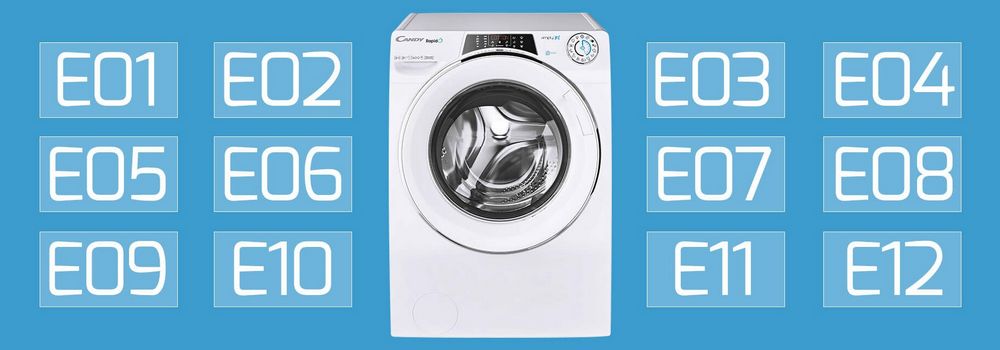
- Check for error codes: If your Ardo washing machine has a digital display, check for any error codes that may indicate the cause of the spin cycle problem. Refer to the user manual or contact Ardo customer support for assistance in deciphering the error code and troubleshooting accordingly.
By following these methods, you should be able to troubleshoot and fix spin cycle issues with your Ardo washing machine. However, if the problem persists or if you are unsure about performing any of these steps, it is recommended to contact a qualified technician for further assistance.
Check the Loading Capacity

One common reason for a spin cycle issue in Ardo washing machines is overloading the machine. It is essential to not exceed the recommended loading capacity of the machine. Overloading can put excessive strain on the motor and cause the spin cycle to malfunction.
Check the user manual or the manufacturer’s website to find out the maximum loading capacity of your Ardo washing machine. Divide your laundry load into smaller loads if necessary and avoid stuffing the machine with too many clothes.
By adhering to the loading capacity guidelines, you can ensure a smooth and efficient spin cycle for your Ardo washing machine.
Video on the topic
Whirlpool Washer Won’t Spin – How to Test and Fix
Samsung Washer Repair – Will Not Complete Spin Cycle – Suspension Rod
Washer Not spinning- Try Master reset… washing machine not spinning..Logik washing machine
10 Most Common Problems With Laundry Washing Machines
Answers to frequently asked questions
Read more practical tips and expert opinions about modern devices at appliances-news.com. Here you will find answers to questions about any technology.